- INSTALLER 7 & 11kW HRC
70
HIGH TEMPERATURE HEAT PUMP
MANUAL -
57
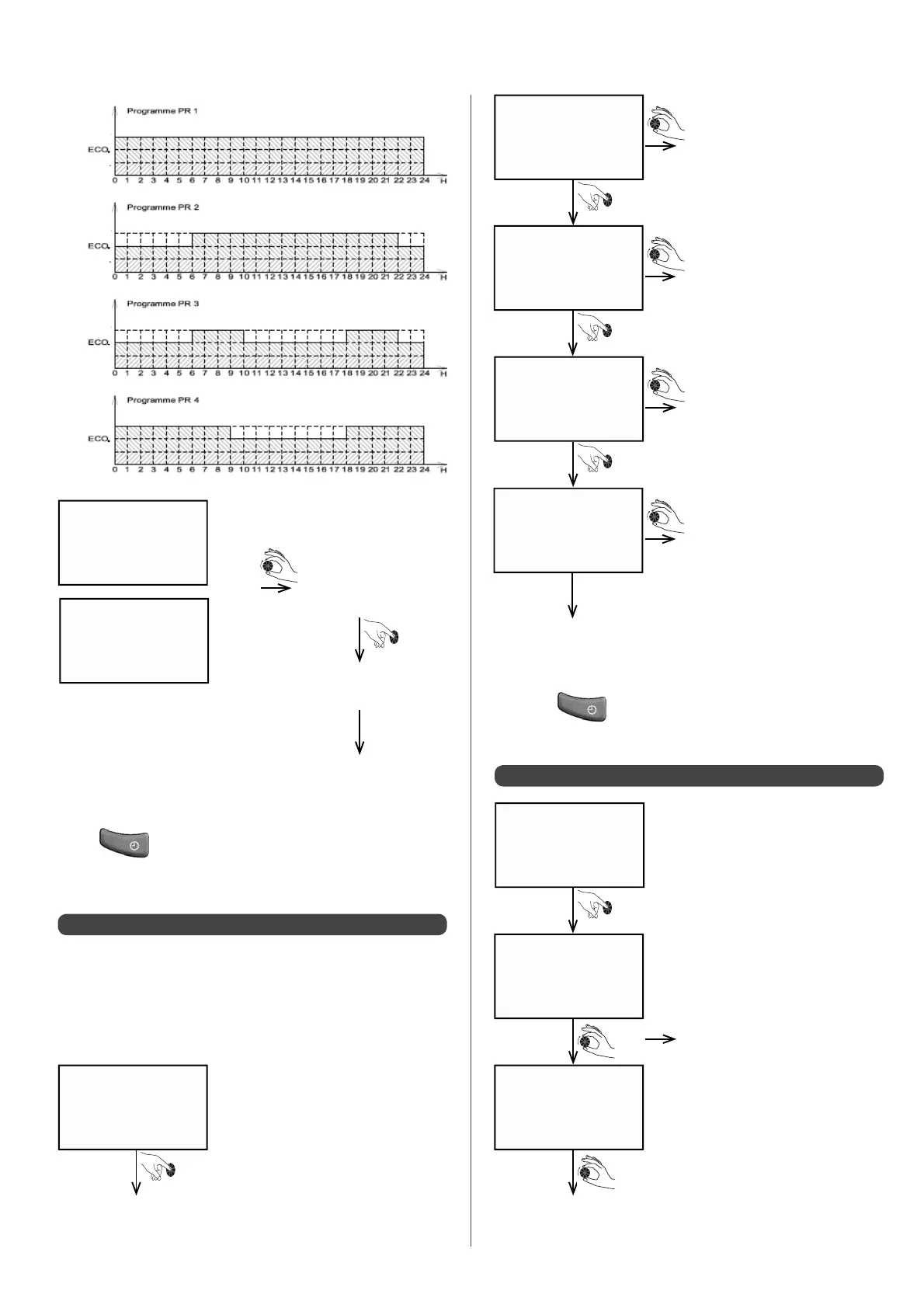
0000 - 0630
ECO
0000 - 0630
ECO
0630 - 0945
COmF
0000 - 0630
ECO
0630 - ____
09:45
OK monday
}
• Turn dial to select
another programme
to copy
• Con rm to copy the
selected programme
The screen will revert
to the day being
programmed, i.e.
here it would be
Wednesday
COPy PR 1
COPy sun.
• Press key to con rm and quit programming heating
periods.
• Press the
key to con rm settings and quit heating
mode programming.
A5.3 - Changing a programme
A5.4 - View programme
MODIF PRG.
MODIF PRG.
Turn dial to new time
Turn dial to scroll through
programmed time periods and
their heating modes
Turn dial to select heating
mode (Comfort, Eco or Frost
Protection)
Make changes required
to each time period (time
and heating mode) until
programming for the whole
day is con rmed
Once the 24 hours have been
programmed, a con rmation
screen will appear.
After 1 sec., the screen will
automatically switch to the
next day.
Con rm to change programme
Con rm to view day’s programming
Enter
Enter
Enter
COMFORT
FROST PT.
FROST PT.
FROST PT.
FROST PT.
COMFORT
COMFORT
COMFORT
The rst programme, which will be suggested by default, will
be the programme from the day before. The dial enables you to
access other programmes (other days or pre-recorded).
For example, for a Monday:


 To Next Page