11. Remote control - Page 193
TitanUniversal_Man_v8-0_TT.doc 05 August 2014
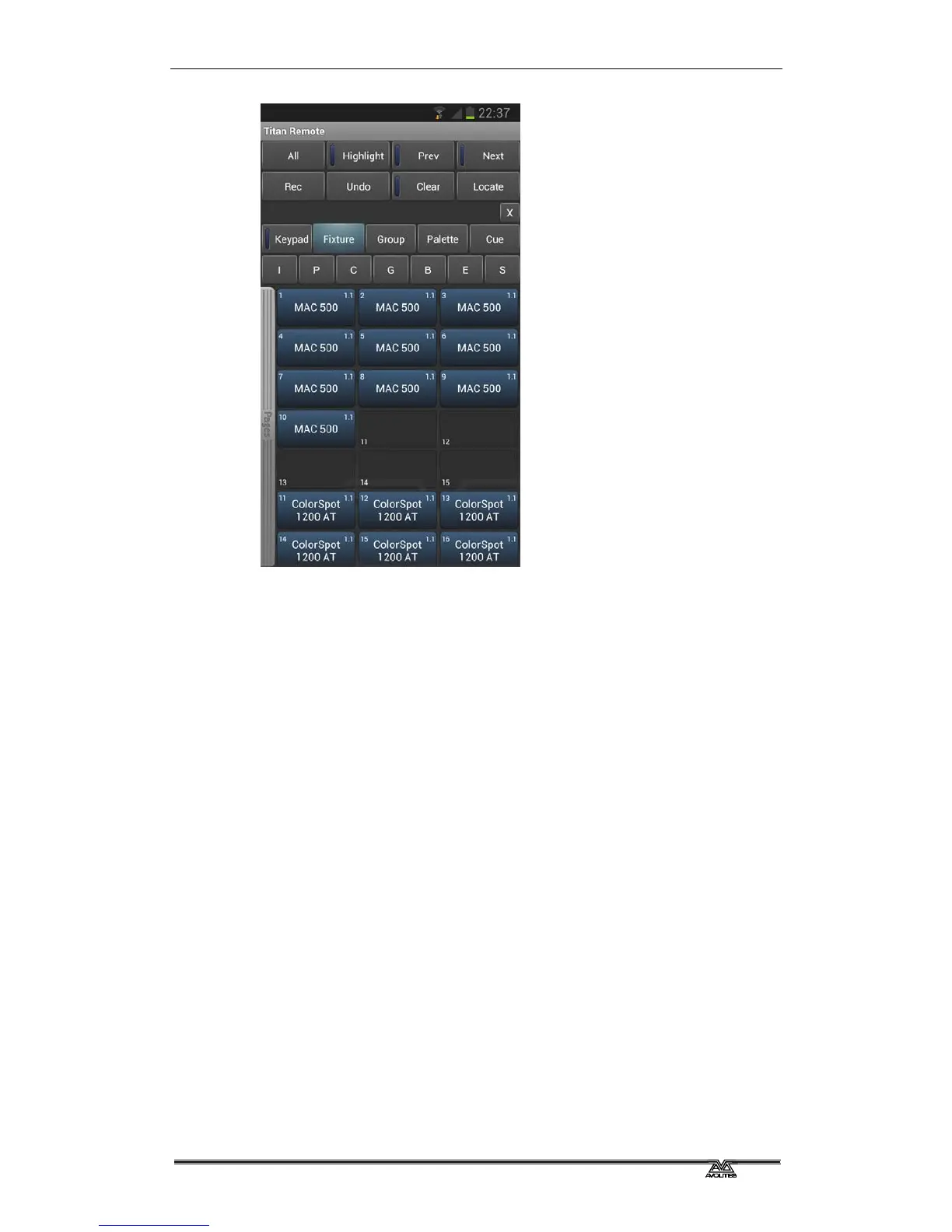
You can then use the Palette screens to control the fixtures, or press
the IPCGBES buttons to directly control functions of the fixtures using
wheels.
You can scroll the fixture screen up and down by dragging the
window. To view the fixture pages, drag the Pages bar to the right.
Press the All button to select all fixtures. Hold down the All button to
step through various selection patterns (odd, even etc).


 To Next Page