RX680R User’s Manual
22
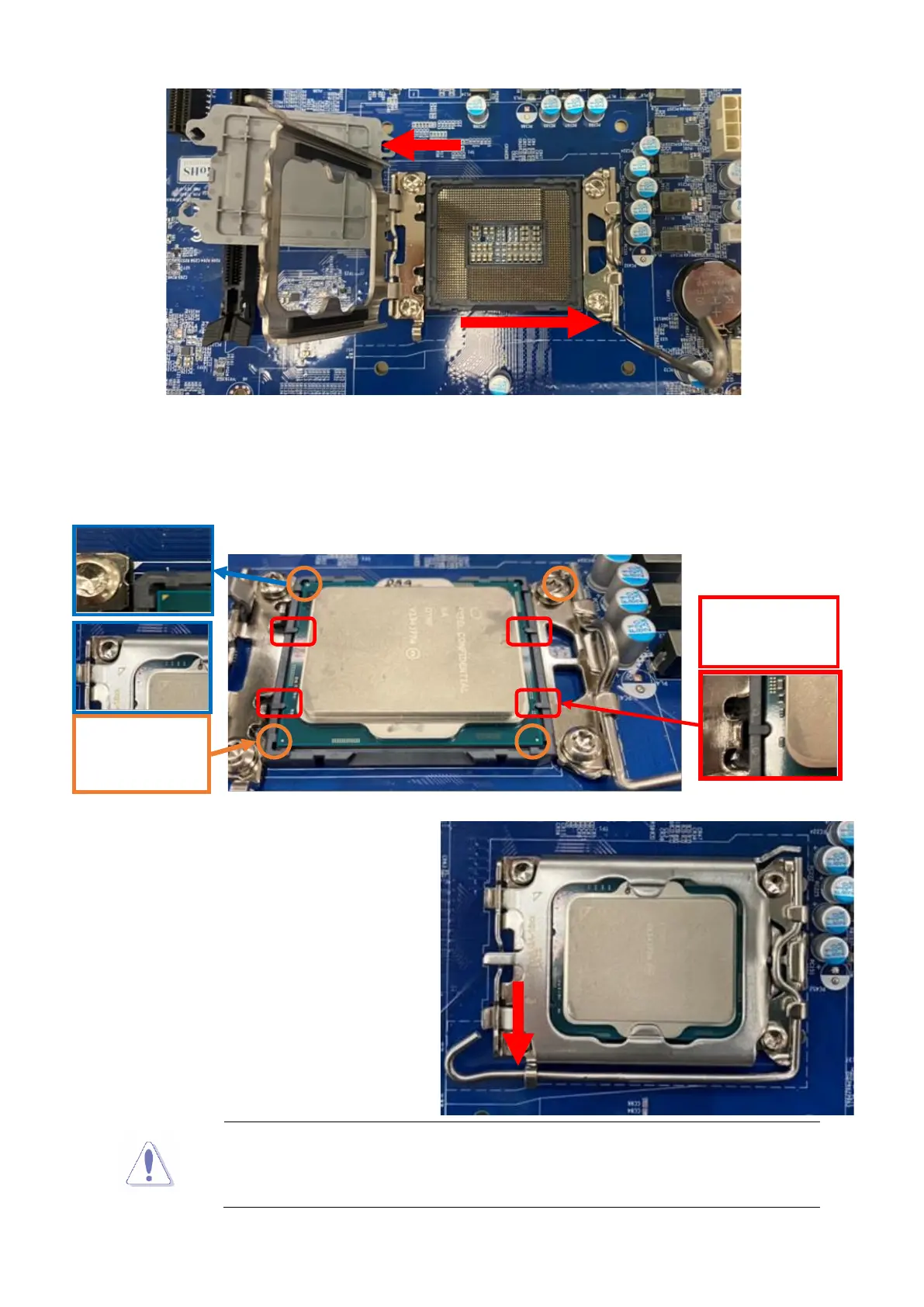
4. Position the CPU over the socket, making sure that the gold triangle is on the top-left
corner of the socket then fit the socket alignment key into the CPU notch.
5. Pull back the load lever, then push the
load lever (E) until it snaps into the
retention tab.
The CPU fits in only one correct orientation. DO NOT force the CPU
into the socket to prevent bending the connectors on the socket and
damaging the CPU!
Corners 4x
Socket and processor Pin 1



 To Next Page