RX680R User’s Manual
1.3.2 Installing the CPU Heatsink and Fan
Intel® Core™ i9/ i7/ i5/ i3 LGA1700 processor requires a specially designed heatsink and
fan assembly to ensure optimum thermal condition and performance.
⚫ Install the motherboard to the chassis before you install the CPU
fan and heatsink assembly.
⚫ When you buy a boxed Intel® Core™ i9/ i7/ i5/ i3 LGA1700
processor, the package includes the CPU fan and heatsink
assembly. If you buy a CPU separately, make sure that you use
only Intel® certified multi‑directional heatsink and fan.
⚫ Your Intel® Core™ i9/ i7/ i5/ i3 LGA1700 processor LGA1700
heatsink and fan assembly comes in a push-pin design and
requires no tool to install.
If you purchased a separate CPU heatsink and fan assembly, make
sure that you have properly applied Thermal Interface Material to the
CPU heatsink or CPU before you install the heatsink and fan
assembly.
To install the CPU heatsink and fan:
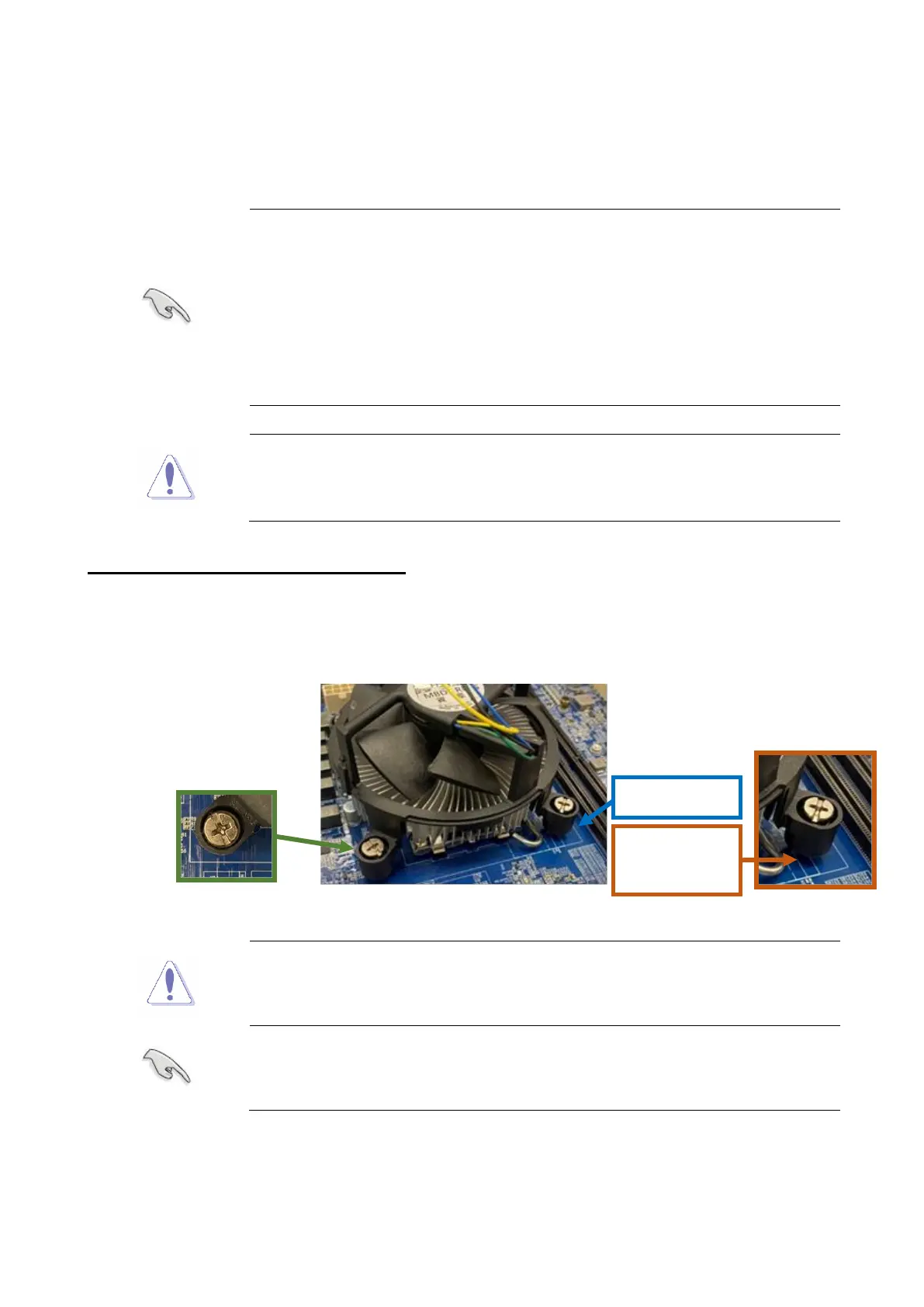
1. Place the heatsink on top of the installed CPU and heatsink back plate (if need) under
the CPU. Making sure that the four fasteners match the holes on the motherboard.
Orient the heatsink and fan assembly such that the CPU fan cable is
closest to the CPU fan connector.
Make sure each fastener is oriented as shown.



 To Next Page