RX680R User’s Manual
28
1.5.1 Installing an Expansion Card
1. Before installing the expansion card, read the documentation that came with it and make
the necessary hardware settings for the card.
2. Remove the system unit cover (if your motherboard is already installed in a chassis).
3. Remove the bracket opposite the slot that you intend to use. Keep the screw for later
use.
4. Align the card connector with the slot and press firmly until the card is completely seated
on the slot.
5. Secure the card to the chassis with the screw you removed earlier.
6. Replace the system cover.
1.5.2 Configuring an Expansion Card
After installing the expansion card, configure it by adjusting the software settings.
1. Turn on the system and change the necessary BIOS settings, if any. See Chapter 2 for
information on BIOS setup.
2. Assign an IRQ to the card if needed.
3. Install the software drivers for the expansion card.
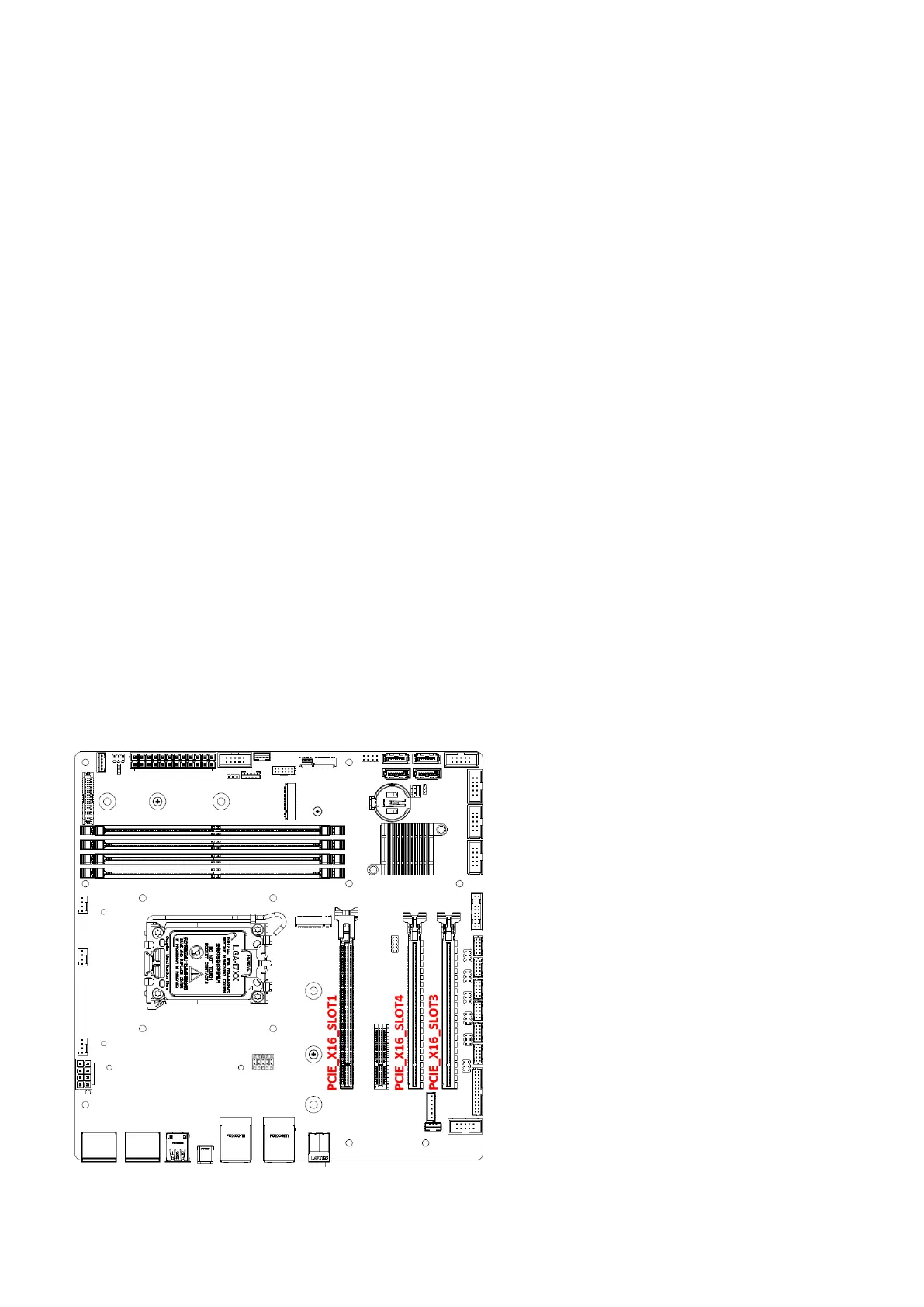
1.5.3 PCI Express x16 slots
This motherboard supports three PCI Express x16 slots that complies with the PCI Express
specifications. PCIe x16 Gen5 (slot1) can only support graphic card.
PCIE_X16_Slot1:
Gen 5 PCIe x16 (x16 Physical Black)
PCIE_X16_Slot4:
Gen 4 PCIe x4 (x16 Physical Yellow)
PCIE_X16_Slot3:
Gen 4 PCIe x4 (x16 Physical Yellow)



 To Next Page