RX680R User’s Manual
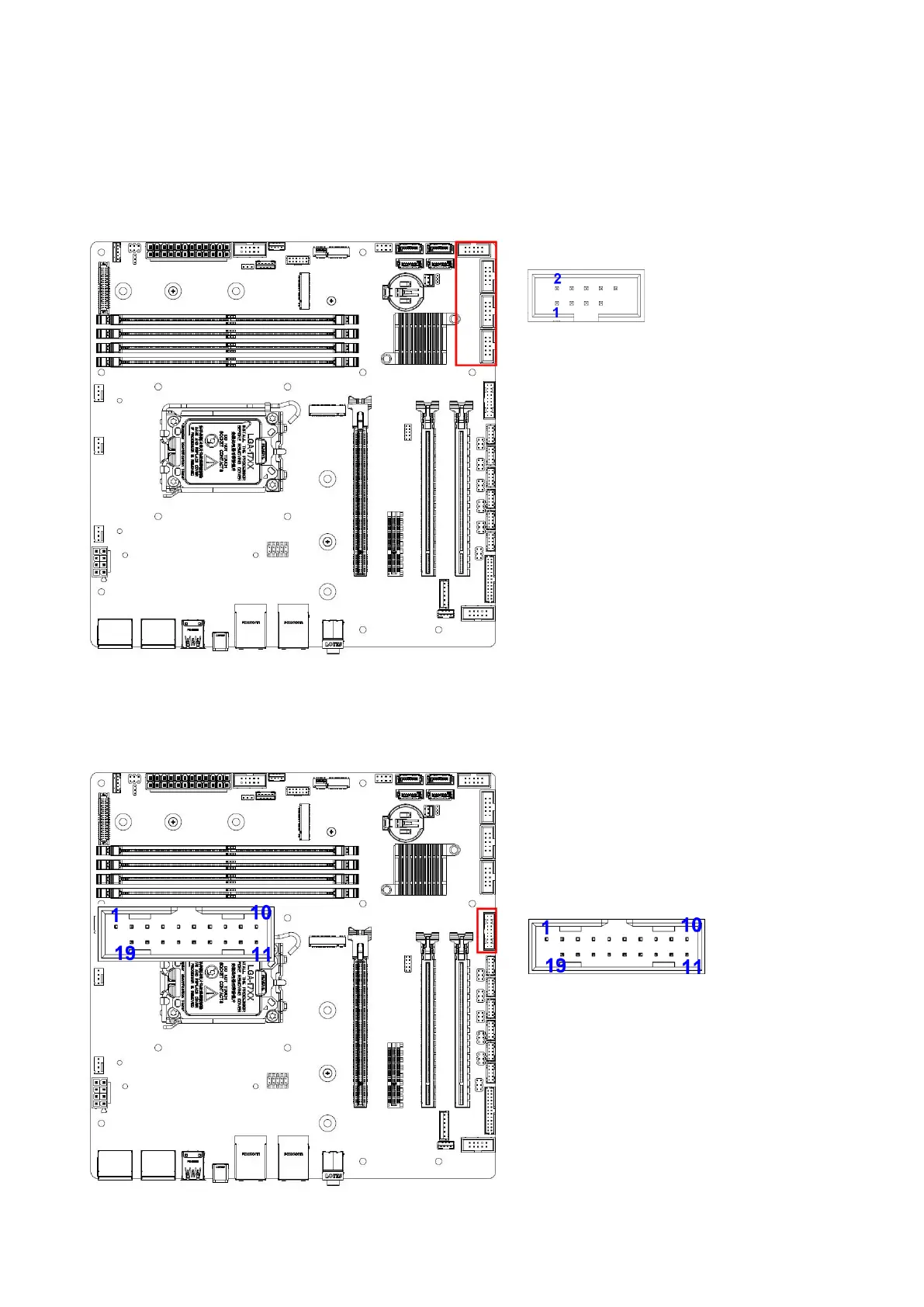
1.7.7 USB connectors (USB2_HR1, USB2_HR2, USB2_HR3, USB2_HR4)
These connectors are for USB 2.0 ports. Connect the optional USB module cable to any of
these connectors, then install the module to a slot opening at the back of the system
chassis. These USB connectors comply with USB 2.0 specification that supports up to 480
Mbps connection speed.
1.7.8 USB3.2 connector (USB3_HR1)
This connector provides 2 USB3.2 Gen1 ports. Connect the optional USB module cable to
any of these connectors, then install the module to a slot opening at the back of the system
chassis or at the front IO card. These
USB connectors comply with USB3.2
specification that supports up to 5Gbps
connection speed.
1. +5V USB
3. USB2 D-
5. USB2 D+
7. GND
9. NC
2. +5V USB
4. USB2 D-
6. USB2 D+
8. GND
10. KEY
1. +5V USB
2. USB3 RX-
3. USB3 RX+
4. GND
5. USB3 TX-
6. USB3 TX+
7. GND
8. USB2 D-
9. USB2 D+
10. NC
20. KEY
19. +5V USB
18. USB3 RX-
17. USB3 RX+
16. GND
15. USB3 TX-
14. USB3 TX+
13. GND
12. USB2 D-
11. USB2 D+



 To Next Page