EasyManua.ls Logo

BCM RX680R - Motherboard Connectors

BCM RX680R
100 pages
Print Icon
To Next Page IconTo Next Page
To Previous Page IconTo Previous Page
Loading...
RX680R User’s Manual
33
1.7 Connectors
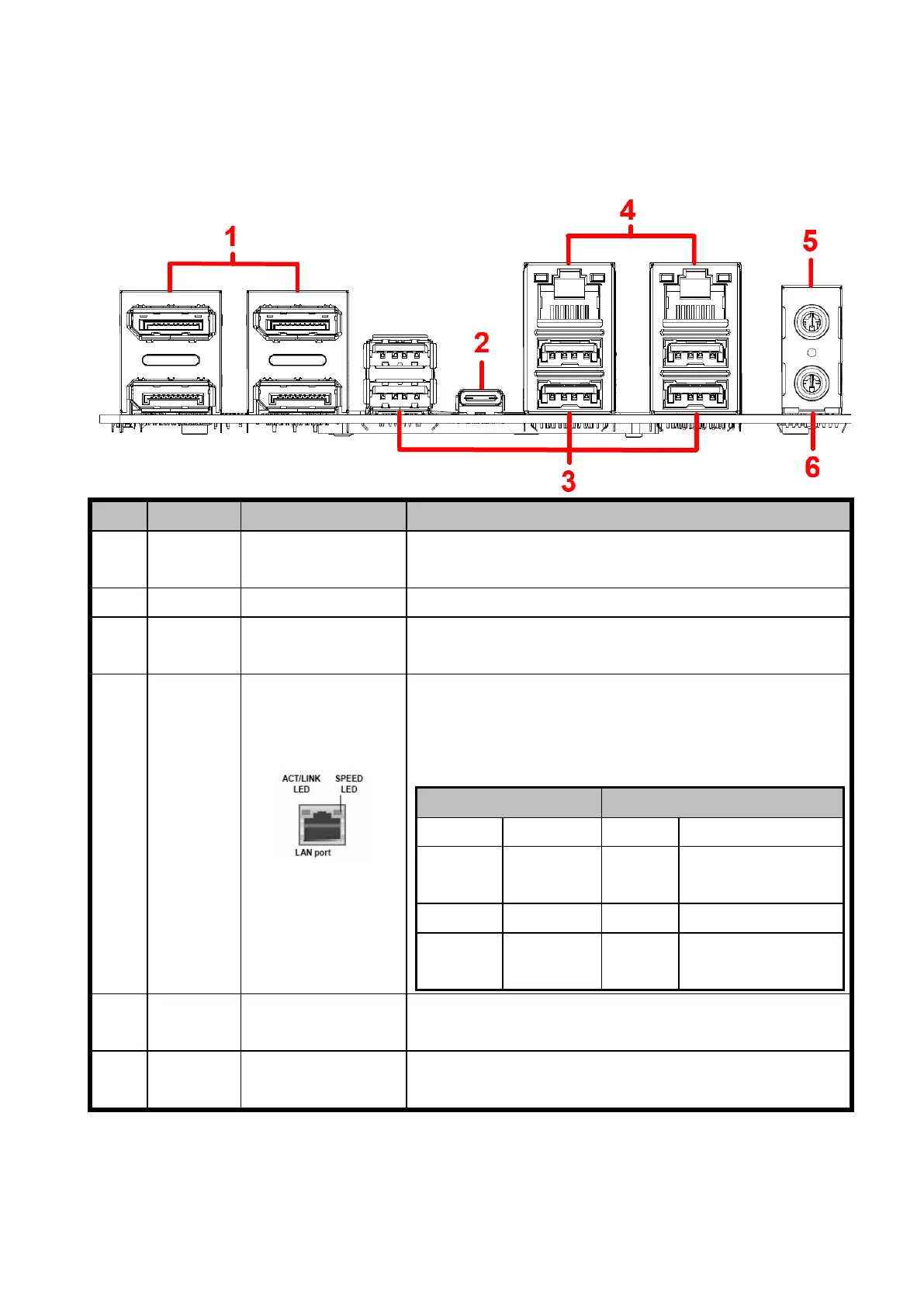
1.7.1 Rear panel connectors
Item
Name
Function
Description
1
DP
Display Port
These four display port connectors are available for
connecting display port devices.
2
USB3.2
USB 3.2 Type C
This is USB 3.2 Type-C connector
3
USB3.2
USB 3.2 Type A
These six Universal Serial Bus (USB) ports are available
for connecting USB 3.2 devices.
4
LAN
2.5G LAN
(RJ-45)
Connectors
Those two LAN ports allow 2.5G connection to a Local
Area Network (LAN) through a network hub. Refer to the
table below for the LAN port LED indications.
ACT/Link LED
Speed LED
Status
Description
Status
Description
OFF
No link
OFF
10/100Mbps
connection
Green
Linked
Orange
1Gbps connection
Blinking
Data
activity
Green
2.5Gbps connection
5
AUDIO
Microphone port
(Pink)
This port connects a microphone.
6
AUDIO
Line-out port
(Lime)
This port connects a headphone or a speaker.

Table of Contents

Related product manuals