A part of Australian history since 1893.
13
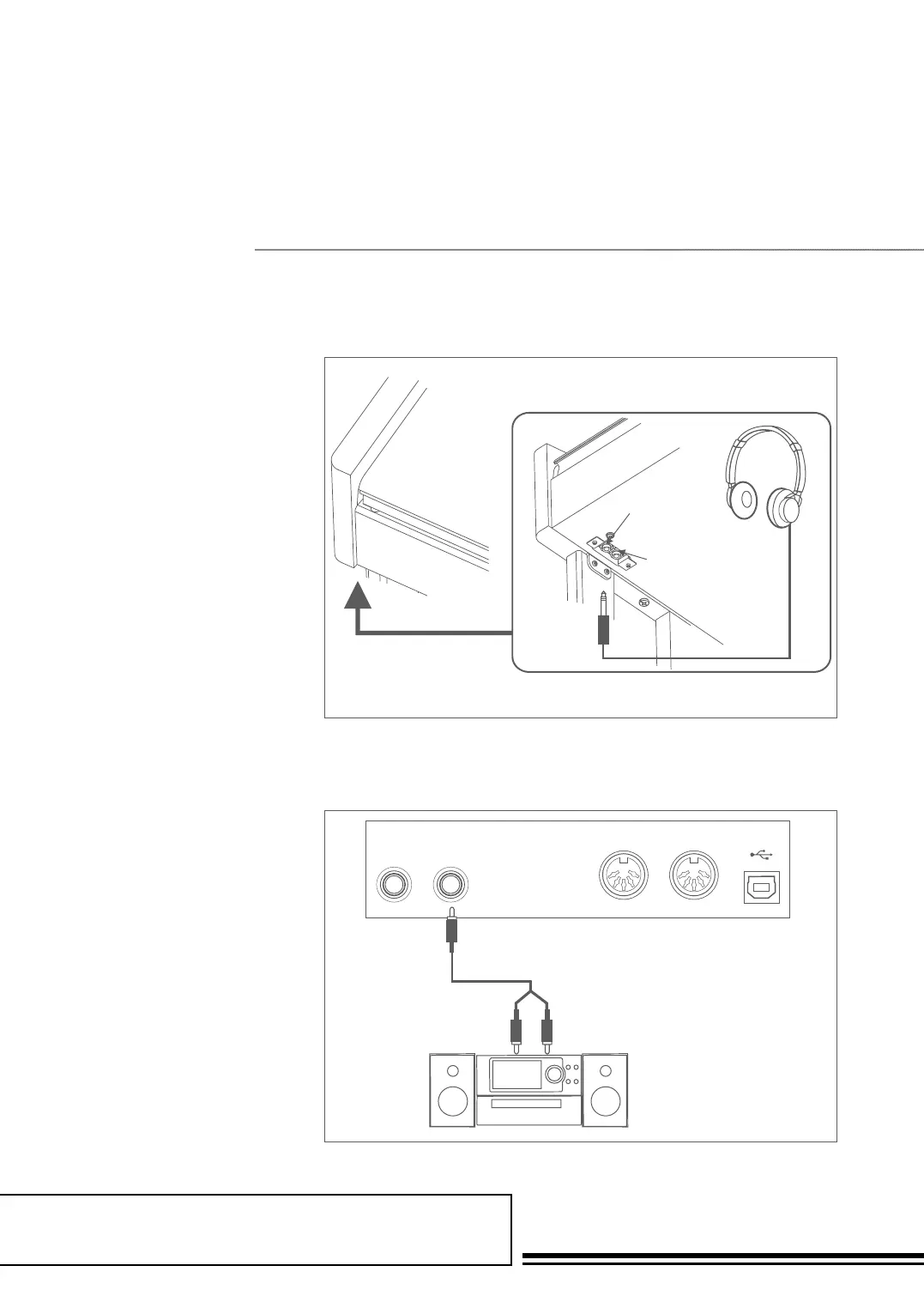
Connecting a Pair of Headphones
Connecting Audio Equipment
A standard pair of stereo headphones
can be plugged in here for private
practice or late-night playing. Jack1:
When a pair of headphones is plugged
into the jack 1, the sound can be heard
from both headphones and speakers of
the instrument. Jack2: When a pair of
headphones is plugged into the jack 2,
the internal stereo speaker system is
automatically shut off. The sound can
only be heard from headphones.
Note:
To avoid the risk of hearing loss when using
headphones, please do not play the piano with a
high volume level for a long time.
ConneCtions
Headphone Jack 1
Headphone Jack 2
USBMIDI OUTMIDI INAUX OUTAUX IN
USBMIDI OUTMIDI INAUX OUTAUX IN
USBMIDI OUT
MIDI OUT
MIDI OUT
MIDI IN
MIDI IN
MIDI IN
AUX OUTAUX IN
USBMIDI OUTMIDI INAUX OUTAUX IN
Headphone Jack 1
Headphone Jack 2
USBMIDI OUTMIDI INAUX OUTAUX IN
USBMIDI OUTMIDI INAUX OUTAUX IN
USBMIDI OUT
MIDI OUT
MIDI OUT
MIDI IN
MIDI IN
MIDI IN
AUX OUTAUX IN
USBMIDI OUTMIDI INAUX OUTAUX IN
The rear-panel AUX OUT jack
delivers the output of the instrument
for connection to a keyboard amplifier,
stereo sound system, a mixing
console, or tape recorder. Use an audio
cord to plug into the AUX OUT jack
located on the rear panel then plug the
other end of the cord into AUX IN of
the amplifier.
Note:
To avoid damaging the speakers, please ensure
that the volume has been set to the minimum level
before connecting the power and other devices.



 To Next Page