5
3
Registering the Panel Setting
STORE M1 M2 M3 M4
MEM STOR001
STORE M1 M2 M3 M4
BANK
MUSTTE105
MEM BANK001
SHIFT
- +
FUNCTION
harmony speed001
SHIFT
- +
FUNCTION
MIDI IN001
SHIFT
- +
FUNCTION
MIDI OUT001
SHIFT
- +
FUNCTION
POWER OFF030
SHIFT
- +
FUNCTION
PERFORM BEAT4-4
restore faCtory DefaUlts
register MeMory
Pressing and holding +/YES and -/NO button together and then turn the
power on, the piano would be restored to factory setting. It will delete all the
user data: user styles, user songs and registered memory. The LCD will display
“Wait..!”. After the restore completed, the piano will start normally.
The keyboard is an instrument with a variety of controls and functions, the
Registration Memory feature can make your performance easier and more
efficient. It allows you to save virtually all panel settings to a Registration
Memory setting, and you can instantly recall custom panel settings by
pressing a single button.
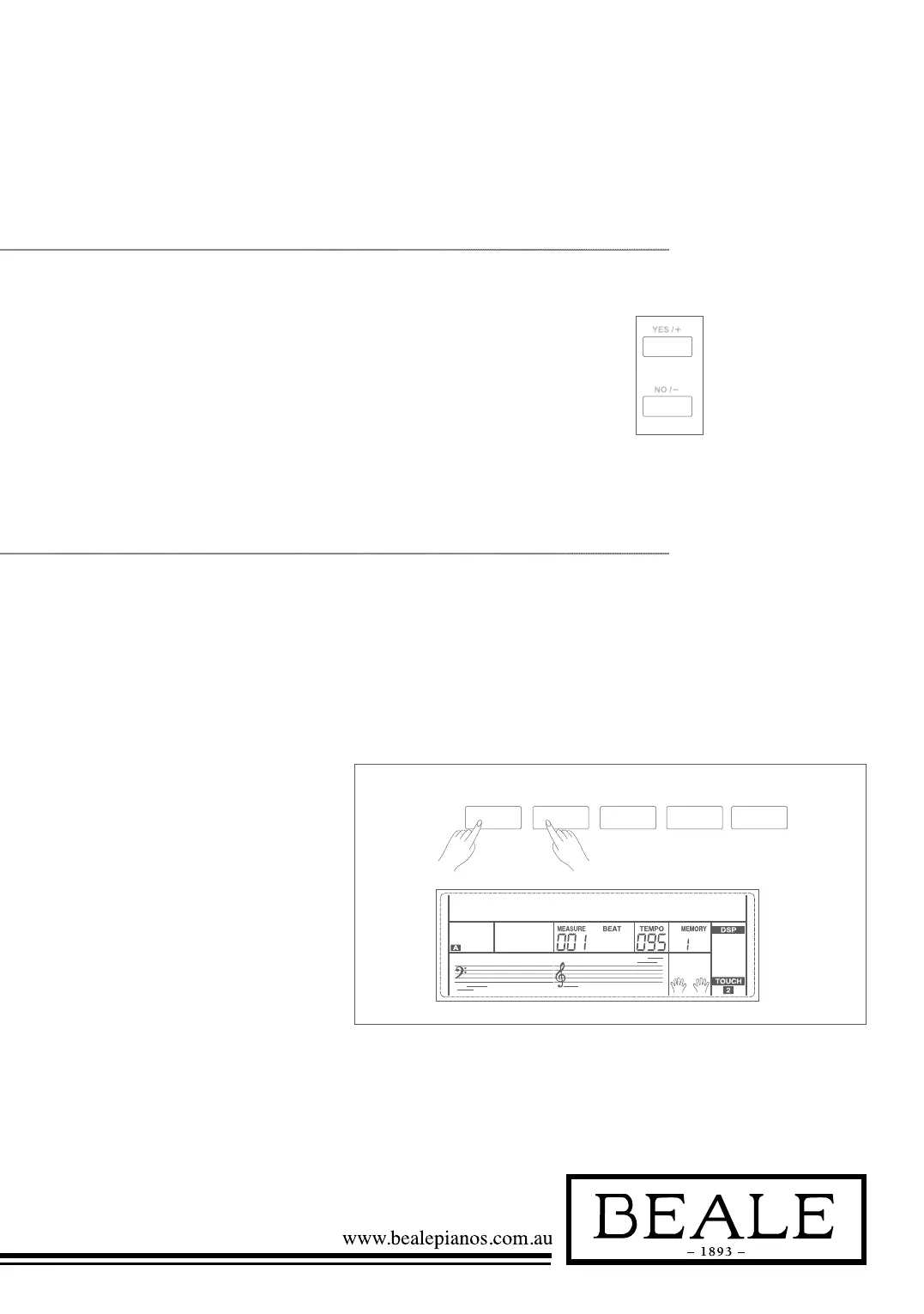
1. There are 8 memory banks, and
each bank has 4 memories
(M1-M4).
2. Holding down the STORE
button, press one of the
registration memory buttons:
M1 - M4. Notice that the new
settings will replace the previous
memory data.
Note:
Press STORE and M1 button then power on, the
registration memory will be set
to default.



 To Next Page