32
Chord Fingering
How the chords are played or indicated with your left hand
(in the auto accompaniment section of the keyboard) is
referred to as “fingering”. There are 2 types of fingerings as
described below.
CHORD BASICS
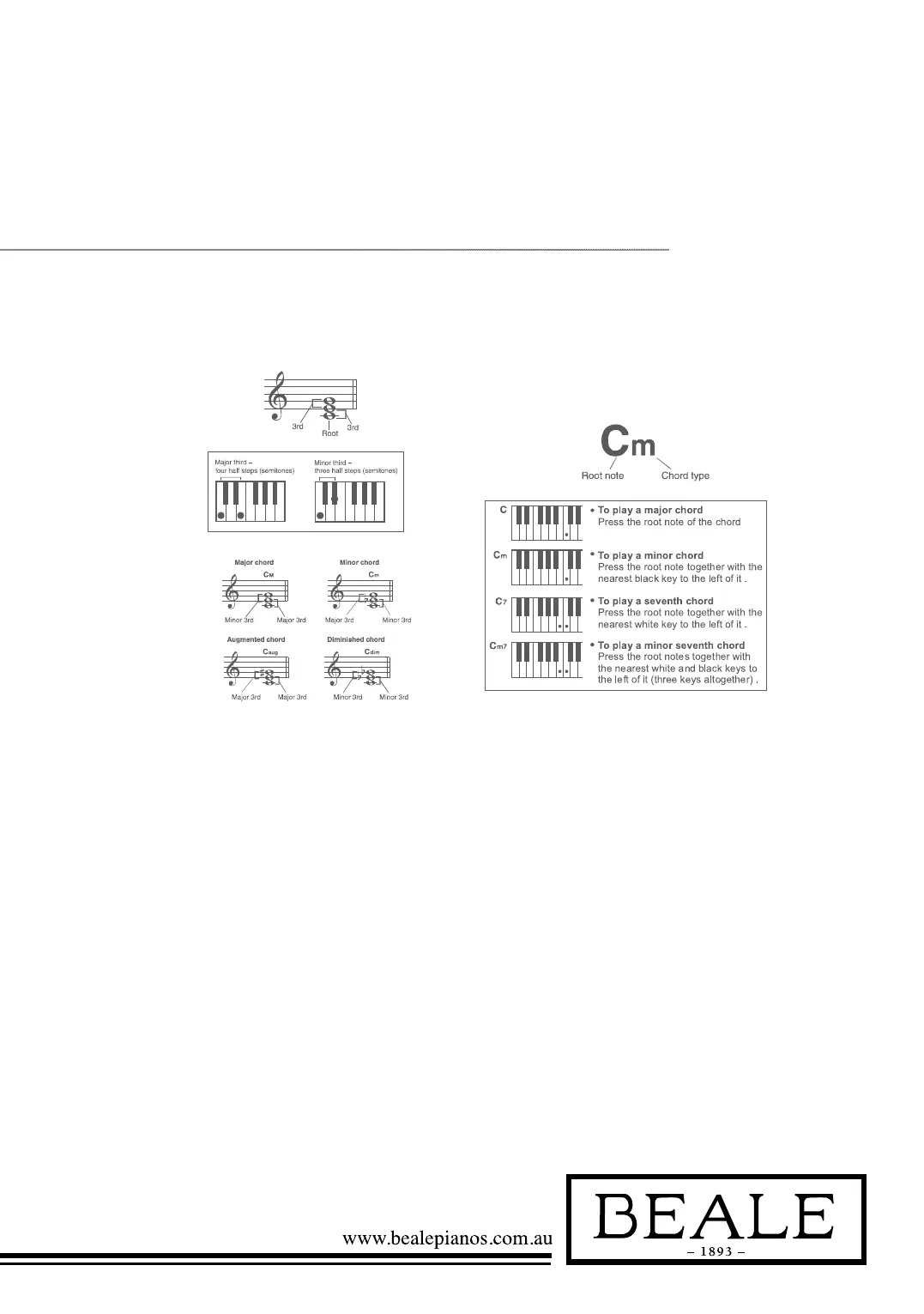
Three or more notes are played together is defined as a
“chord”. The most basic chord type is the “triad” consisting
three notes: the root, third and fifth degree of the
corresponding scale.
A “C major triad”, for example, is made up of the note C
(the root), E (the third note of the C major scale) and G
(the fifth note of the C major scale).
In the C major triad shown, the lowest note is the “root” of
the chord (this is the chord’s “root position” using other chord
notes for the lowest note results in “inversion”). The root is the
central sound of the chord, which supports and anchors the
other chord notes. The distance (interval) between adjacent
notes of triad in root position is either a major or minor third.
The lowest interval in our root-position trial (between the
root and the third) determines whether the triad is a major or
minor chord, and we can shift the highest note up or down by
a semitone to produce two additional chords, as shown. The
basic characteristics of the chord sound remain intact even if
we change the order of the notes to create different inversions.
Successive chords in a chord progression can be smoothly
connected, for example, by choosing the appropriate inversions.
READING CHORD NAMES
Chord names tell you just about everything you need to know
about a chord (other than the inversion/voicing). The chord
name tells you what the root of a chord is, whether it is major,
minor or diminished, whether it requires a major or flatted
seventh, what alterations or tension does it use...all at a glance.
THE CHORD FINGER MODE
The chord Finger mode lets you finger your own chords on the
auto accompaniment section of the keyboard. This keyboard
identifies both multi finger chord and single finger chord.
When it cannot identify the multi keys, it will identify that as
single finger chord.



 To Next Page