38
Chord Part Sub Area 2 Rhythm
Area
Position Change
Chord Part Sub Area 2 Rhythm
Area
Position Change
Chord Part Sub Area 1 Sub Area 2 Rhythm
Area
Position Change
Chord Part Sub Area 1 Sub Area 2 Rhythm
Area
Position Change
Chord Part Sub Area 1 Sub Area 2 Rhythm
Area
Sub Area 1Chord Part Sub Area 2 Rhythm
Area
STEEL GTR
1204-4
118
c
Position Change
Position Change
Area 1Sub
Area 1 Sub
Chord Part Sub Area 2 Rhythm
Area
Position Change
Chord Part Sub Area 2 Rhythm
Area
Position Change
Chord Part Sub Area 1 Sub Area 2 Rhythm
Area
Position Change
Chord Part Sub Area 1 Sub Area 2 Rhythm
Area
Position Change
Chord Part Sub Area 1 Sub Area 2 Rhythm
Area
Sub Area 1Chord Part Sub Area 2 Rhythm
Area
STEEL GTR
1204-4
118
c
Position Change
Position Change
Area 1Sub
Area 1 Sub
Chord Part Sub Area 2 Rhythm
Area
Position Change
Chord Part Sub Area 2 Rhythm
Area
Position Change
Chord Part Sub Area 1 Sub Area 2 Rhythm
Area
Position Change
Chord Part Sub Area 1 Sub Area 2 Rhythm
Area
Position Change
Chord Part Sub Area 1 Sub Area 2 Rhythm
Area
Sub Area 1Chord Part Sub Area 2 Rhythm
Area
STEEL GTR
1204-4
118
c
Position Change
Position Change
Area 1Sub
Area 1 Sub
Chord Part Sub Area 2 Rhythm
Area
Position Change
Chord Part Sub Area 2 Rhythm
Area
Position Change
Chord Part Sub Area 1 Sub Area 2 Rhythm
Area
Position Change
Chord Part Sub Area 1 Sub Area 2 Rhythm
Area
Position Change
Chord Part Sub Area 1 Sub Area 2 Rhythm
Area
Sub Area 1Chord Part Sub Area 2 Rhythm
Area
STEEL GTR
1204-4
118
c
Position Change
Position Change
Area 1Sub
Area 1 Sub
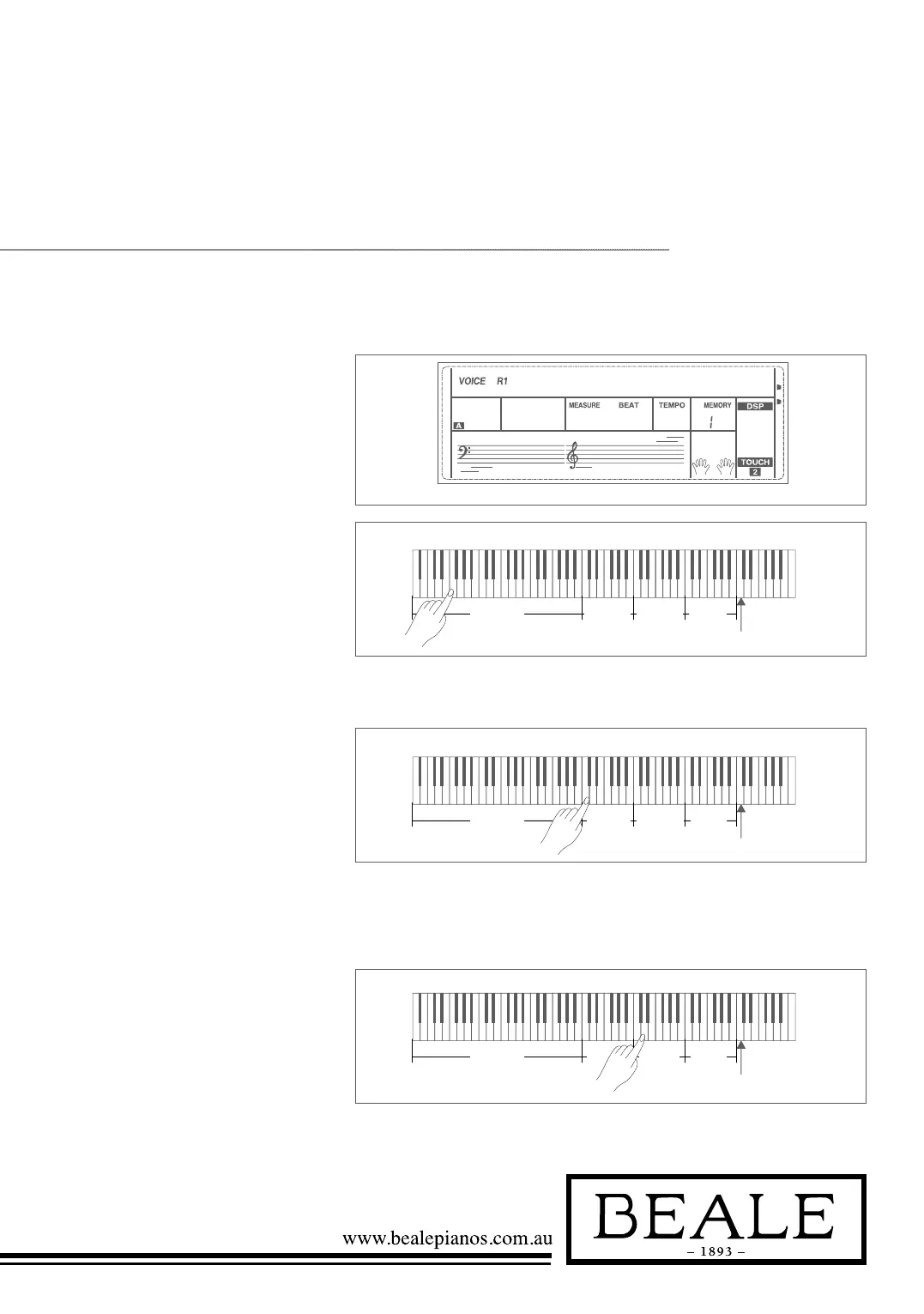
Playing in Guitar Mode
PLAY A CHORD IN THE
CHORD PART.
A chord type will be displayed on
the LCD and the guitar root note
will be sounded.
PLAY A BROKEN CHORD IN
THE SUB AREA 1.
When the chord type is displayed,
press a white key in the sub area 1, a
broken chord phrase will start. Try to
change the white key and you will hear
some different type of phrase. Change
the chord with your left hand; you will
hear the broken chord change.
PLAY A FREE SOLO IN THE
SUB AREA 2.
When the chord type displayed,
press a white key in the sub area 2
you can play guitar free solo, sounds
like you’re playing a real one.
Try to change the chord with your
left hand, and play your free solo.
The last white key B5 is invalid.
PLAY A STRUM RHYTHM IN
THE RHYTHM AREA.
When the chord type is displayed,
press a white key in the rhythm area
you can play the specialised strum
rhythm. Try to change the chord with
your left hand, and play your strums.
PLAY A STRUM RHYTHM IN



 To Next Page