A part of Australian history since 1893.
6
6
ChorD DiCtionary
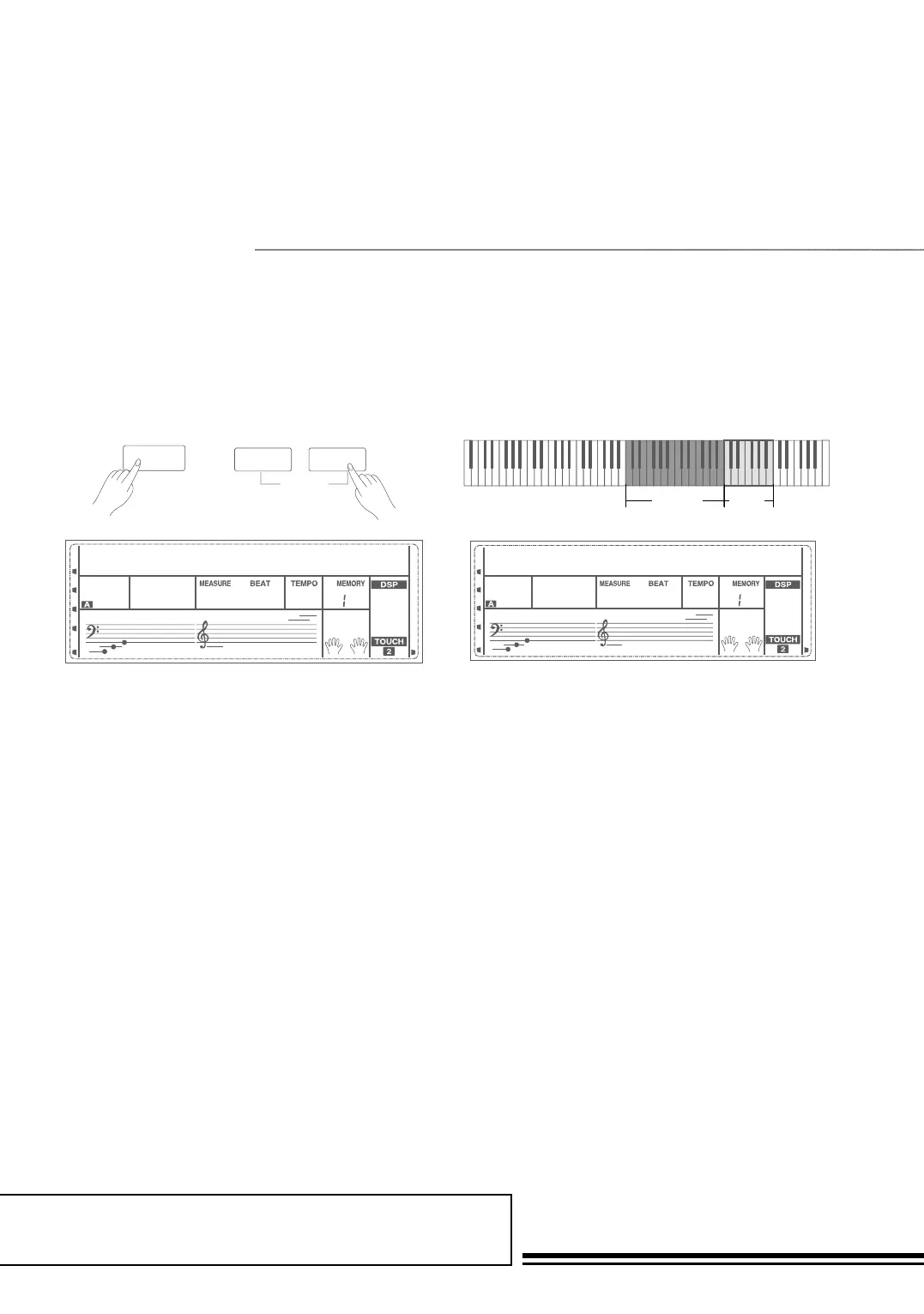
Hold down the SHIFT button, and then press the DICT.
button to enter the DICT 1 mode. In DICT 1 mode, the
keys C4~B5 are used to assign the Chord Type, the keys
C6~B6 are used to assign the Chord Root. When the Chord
Type and Chord Root are confirmed, the LCD will display
the Chord and its keyboard position. For example, if you
want to play a CM7 Chord, press the C6 key to specify C as
the chord root. The root note you set will be shown on the
LCD but the note doesn’t sound.
Press the E4 key to specify M7 as chord type. The notes
you should play for the specified chord (root and chord
type) are shown in the LCD as the notation and also in
the keyboard diagram. When the Chord Type and Chord
Root are confirmed, the LCD will display the chord and its
keyboard position. A prompt sound will be heard when you
play it correctly.
SHIFT
DICT.1
200
-01
L&R
DICT.
RL
Chord Type
Chord
Root
SHIFT
DICT.1
200
-01
L&R
DICT.
RL
DICT.1
200
-01
Chord dictionary is essentially a built-in chord book that helps you to check the Chord notes.
You can learn the chords and test yourself in this features.
DICT 1 (Chord Learning Mode)



 To Next Page