A part of Australian history since 1893.
7
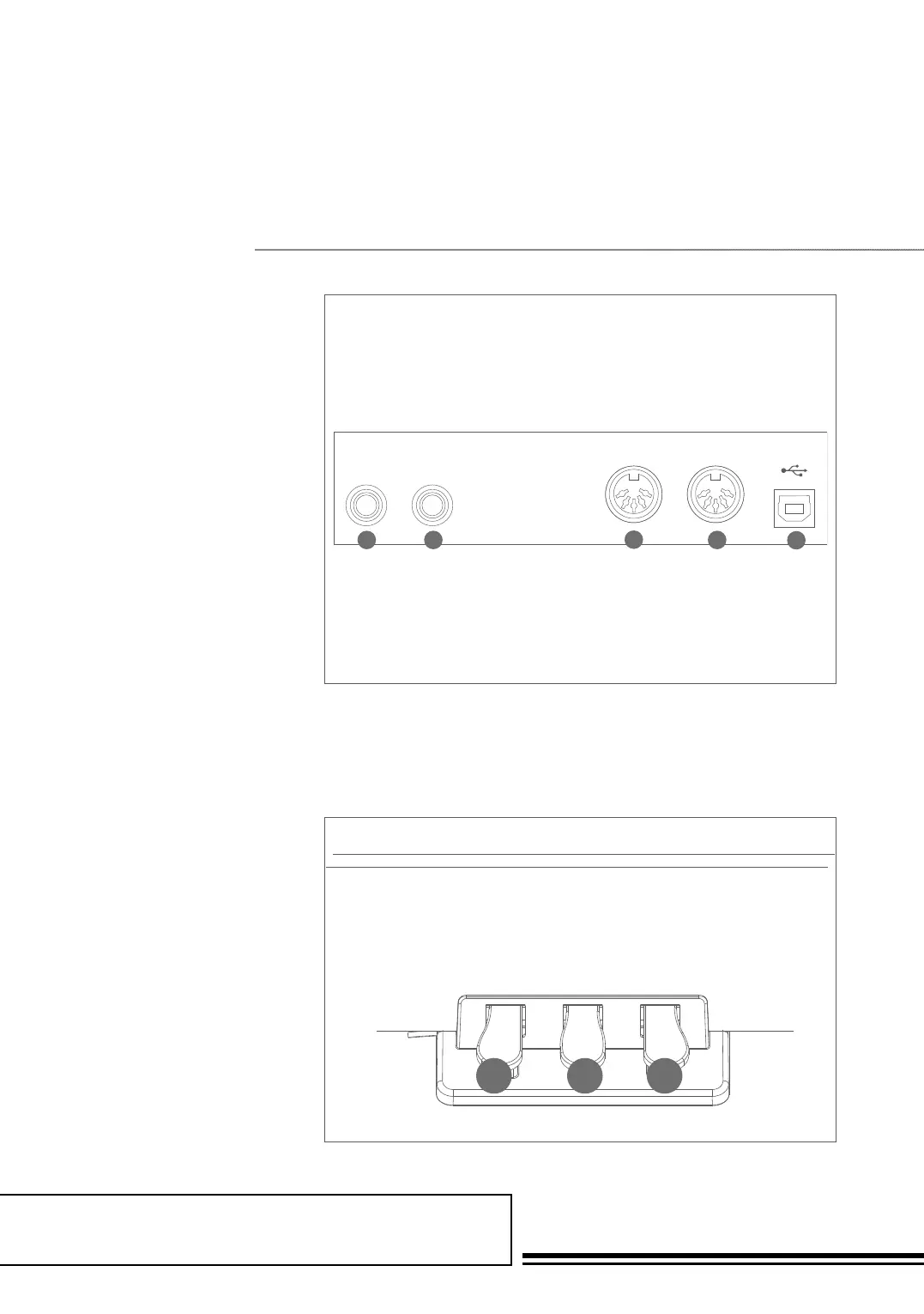
54. Soft Pedal
When you step on the soft pedal,
all notes played on the keyboard
will have a softer effect.
55. Sostenuto Pedal
When you step on the sostenuto
pedal, the notes played before you
step on the pedal would have a
sustain effect.
56. Sustain Pedal
(multi function pedal)
When you step on the sustain
pedal, all notes played on the
keyboard will have a longer sustain
49. AUX IN
Connect an external sound
source, such as an MP3 or
CD player
50. AUX OUT
Connect the audio equipment
51. MIDI IN
Connect the MIDI OUT of other
Device to the MIDI IN jack on
the rear panel
52. MIDI OUT
Connect the MIDI IN of other
Device to the MIDI OUT jack on
the rear panel
53. USB JACK
Connect to a computer
Rear Panel
Pedal
49 50
51
52
53
AUX IN
AUX OUT MIDI IN
MIDI OUT
USB
54 55 56



 To Next Page