4
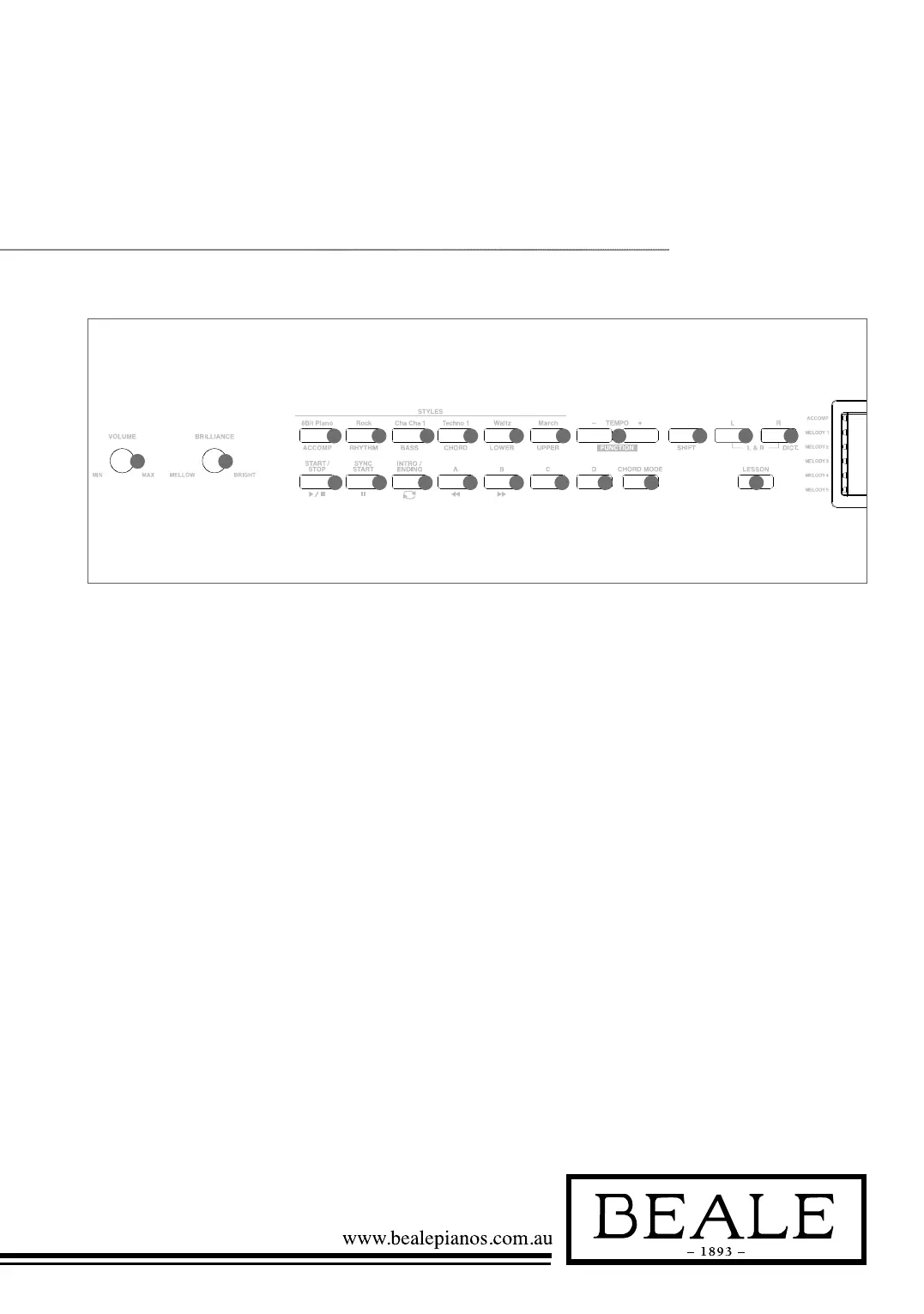
Panel & DisPlay DesCriPtion
1. VOLUME knob
Adjust master volume
2. BRILLIANCE knob
Adjust voice brilliance
10.
SHIFT button
Select the second function
of some buttons
16. FILL C button
A Fill-in C plays
17. FILL D button
A Fill-in D plays
18. CHORD MODE button
Choose chord mode
19. L button
Choose the left hand in
lesson mode
20. LESSON button
Enter lesson mode
STYLE MODE
11. START/STOP button
Start or stop playing the style
12. SYNC START button
Turn the Sync Start on or off
13. INTRO/ENDING button
Play the Intro or Ending
14. FILL A button
A Fill-in A plays
15. FILL B button
A Fill-in B plays
SONG MODE
11. START/STOP button
Start or stop playing the song
12. PAUSE button
Pause or continue playing
the song
13. REPEAT A/B button
Set the beginning and ending
location of loop to the
current song
14. REW button
Rewind the song
15. FF button
Fast forward the song
9. TEMPO+/- button
Adjust the tempo
WHEN SHIFT
BUTTON PRESSED
3. ACCOMP button
Adjust the ACCOMP volume
4. RHYTHM button
Adjust the RHYTHM volume
5. BASS button
Adjust BASS volume
6. CHORD button
Adjust CHORD volume
7. LOWER button
Adjust LOWER volume
8. UPPER button
Adjust UPPER volume
9. FUNCTION+/- button
Choose the function menu
20. DICT. button
Enter chord dictionary
21. LESSON button
Enter lesson Mode
A.B.C
FULL RANGE
A B C D
1
2 3 4
ACCOMP
VOICE
LR12
STYLE DEMO
SONG ALBUM
TWINOVA
BEAT
+12+24-12-24
MEASURE
mM7augsus4
dim6
513
119
TEMPO MEMORY
FREEZEO.T.S.
PERFORM
PERFORM.H
ALBUM
SCALE
LESSON
L R
123
MELODY 1
MELODY 2
MELODY 3
MELODY 4
MELODY 5
1
2
3 4 5 6 7 8 9 10
11 12 13 14 15 16 17 18 21
19 20
11
12
13
20
21
22
23
24
26
7
8
DSP
DUAL
LOWER
TOUCH
1 2
REC
3
HARMONY
27
28
29
25
10
9
18
15
16
17 19
30
14
Front Panel



 To Next Page