A part of Australian history since 1893.
33
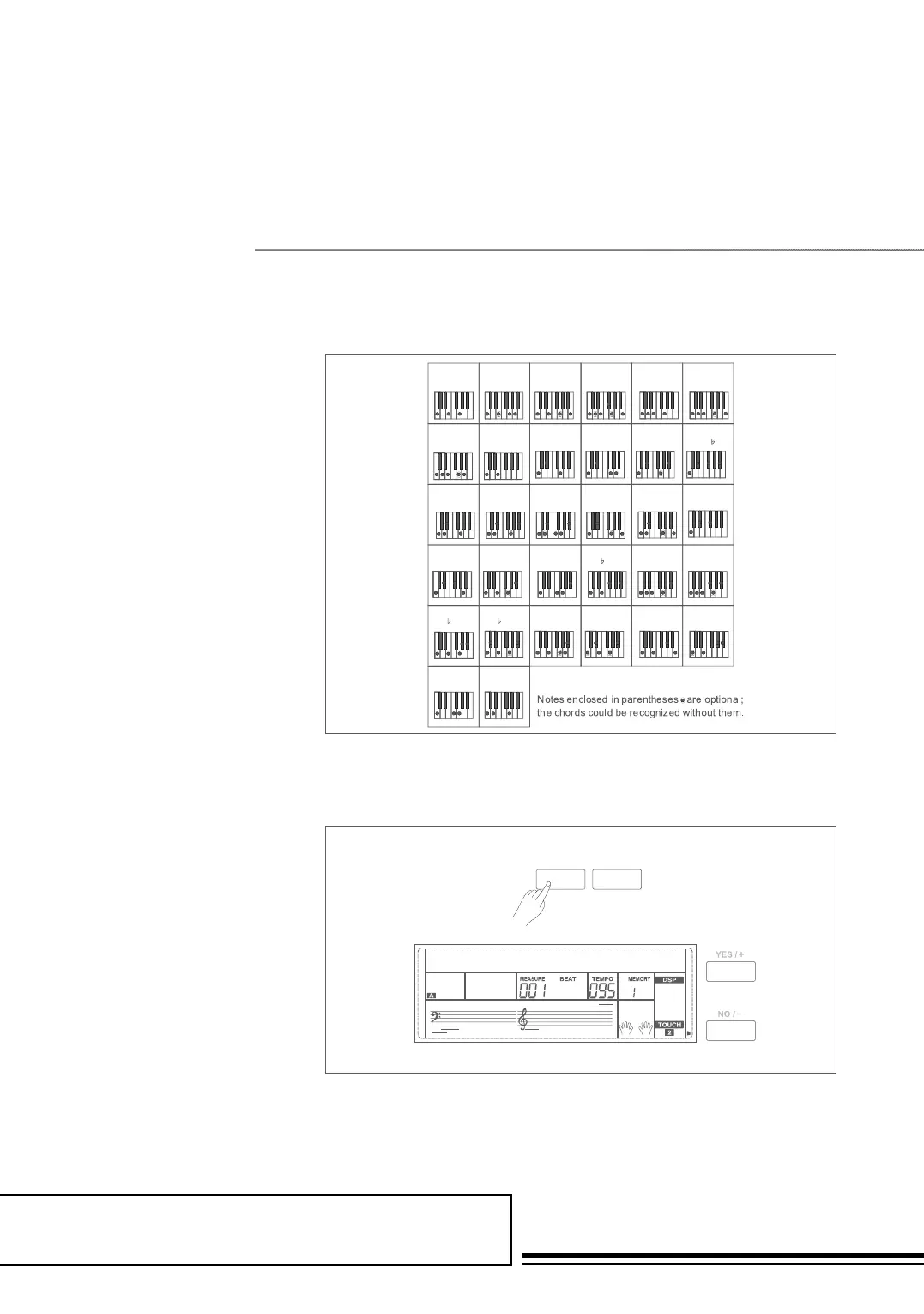
Auto Accompaniment
Tempo
0
C
0
C
6
6
C
6
(9)
28
CM
7aug
29
C
7aug
27
C
7
(#9)
26
C
7
(13)
31
C1+2+5
30
Csus
4
23
C
7
(#11)
22
C
7
(9)
20
C
7sus4
19
C
7
18
Cdim
7
17
Cdim
16
CmM
7
(9)
15
CmM
7
14
Cm
7
(11)
13
Cm
7
(9)
12
Cm(9)
10
Cm
7
9
Cm
6
8
Cm
7
Caug
2
CM
7
3
CM
7
(#11)
4
CM(9)
5
CM
7
(9)
11
Cm
7
(b
5)
25
C
7
( 9)
24
C
7
( 13)
21
C
7
( 5)
ST GRDPNO
001
- TEMPO +
SINGLE FINGER
Single-finger accompaniment makes
it simple to produce beautifully
orchestrated accompaniment
using major, seventh, minor and
minor seventh chord by pressing a
minimum number of keys on the auto
accompaniment section of
the keyboard.
MULTI-FINGER
This is the default accompaniment
mode. You can use either type of
single fingering or chord fingering in
this mode.
Note:
In full range mode, the whole keyboard is in
chord detect section. It identifies only multi
finger chords.
Each style of the instrument has been
set with a default or standard tempo;
however, this can be changed by using
the TEMPO+/- buttons.
1. Use the TEMPO+/- button
to change the tempo. While
the tempo data is flashing, use
the data dial can also change
the tempo.
2. Press the TEMPO+ and
TEMPO- buttons simultaneously
to restore the default tempo setting.
Note:
The tempo will change when changing the style
not playing the accompaniment . The tempo will
not change when changing the style playing
the accompaniment .



 To Next Page