6
LCD 2
22
24
26
28
29 30 31 32 33 34 35 36
37 38 39 40 41 42 43 44
45
46 47
23
25
27
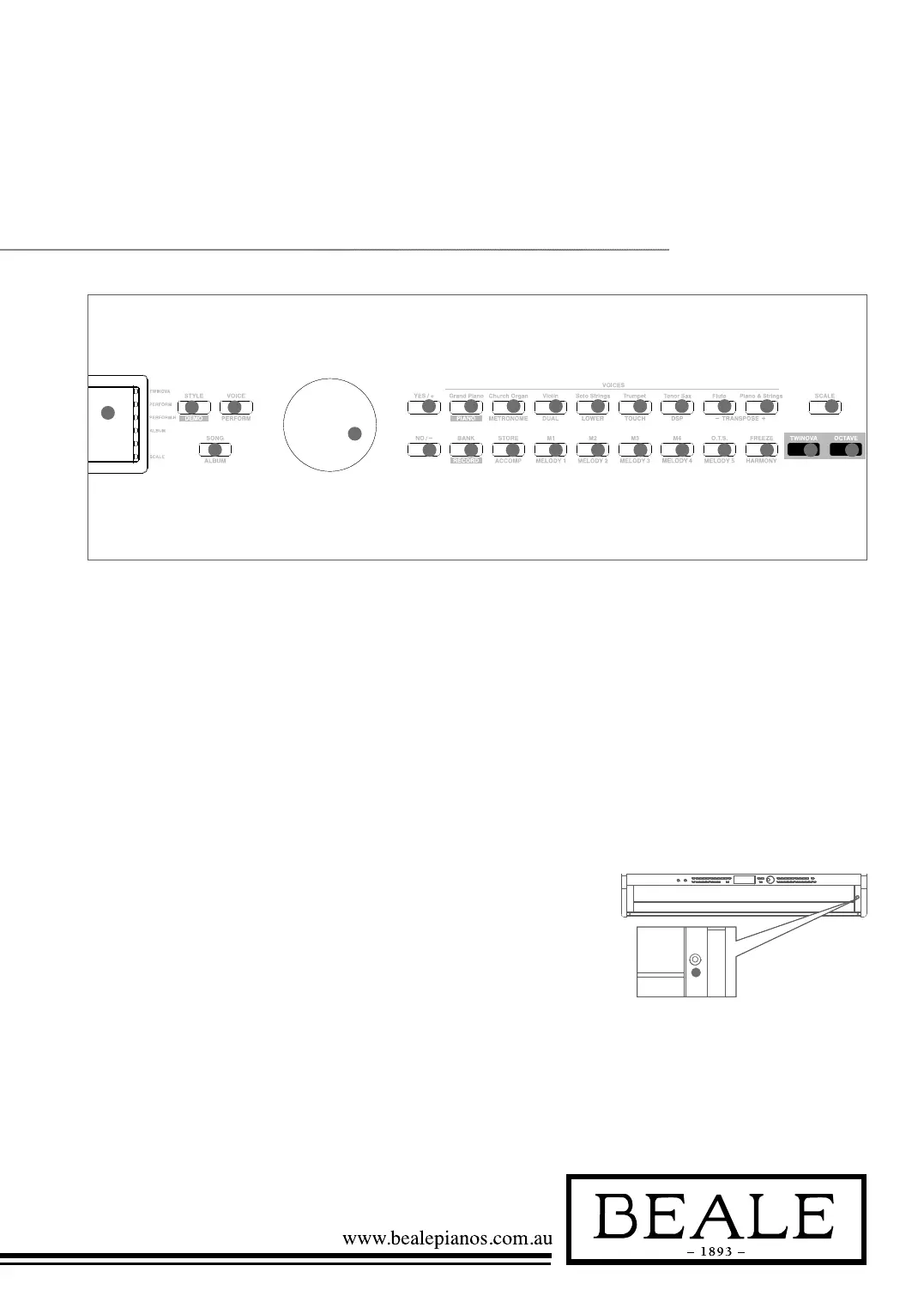
22. LCD
Display the information
of the piano
26. Data dial
Adjust the value
27-28.
YES/+/ NO/- button
Adjust the value
45 SCALE button
Turn the scale effect on or off
46 TWINOVA button
Turn the TWINOVA on or off
47
OCTAVE button
Set octave in TWINOVA mode
WHEN [SHIFT]
BUTTON RELEASED
23
STYLE button
Enter style mode
24
VOICE button
Enter voice mode
25
SONG button
Enter song mode
and play songs
29-36. Voice direct button
Shortcut to select a voice
37 BANK button
Adjust the memory bank
38
STORE button
Register the current
panel settings
39-42 M1~M4 button
Recall the registered
panel settings
43. O.T.S button
Turn one touch
setting on or off
44. FREEZE button
Freeze the style parameter.
WHEN [SHIFT]
BUTTON PRESSED
23. DEMO button
Enter demo mode
24. PERFORM button
Enter the Performance
Assistant mode
25. ALBUM button
Enter album mode
29. PIANO button
Select the piano mode
30. METRONOME button
Turn the metronome on or off
31. DUAL button
Turn the Voice R2 on or off
32. LOWER button
Turn the Voice L on or off
33. TOUCH button
Choose a keyboard
touch setting
34. DSP button
Turn the DSP effect on or off
35-36. TRANSPOSE+/- button
Adjust the transpose
37. RECORD button
Enter record mode
38. ACCOMP button
Select the accomp track
to record
39-43. MELODY 1-5 button
Select the melody1-5
track to record
44. HARMONY button
Turn harmony effect on or off
48
48. Power switch
Turn the power on or off



 To Next Page