A part of Australian history since 1893.
5
8
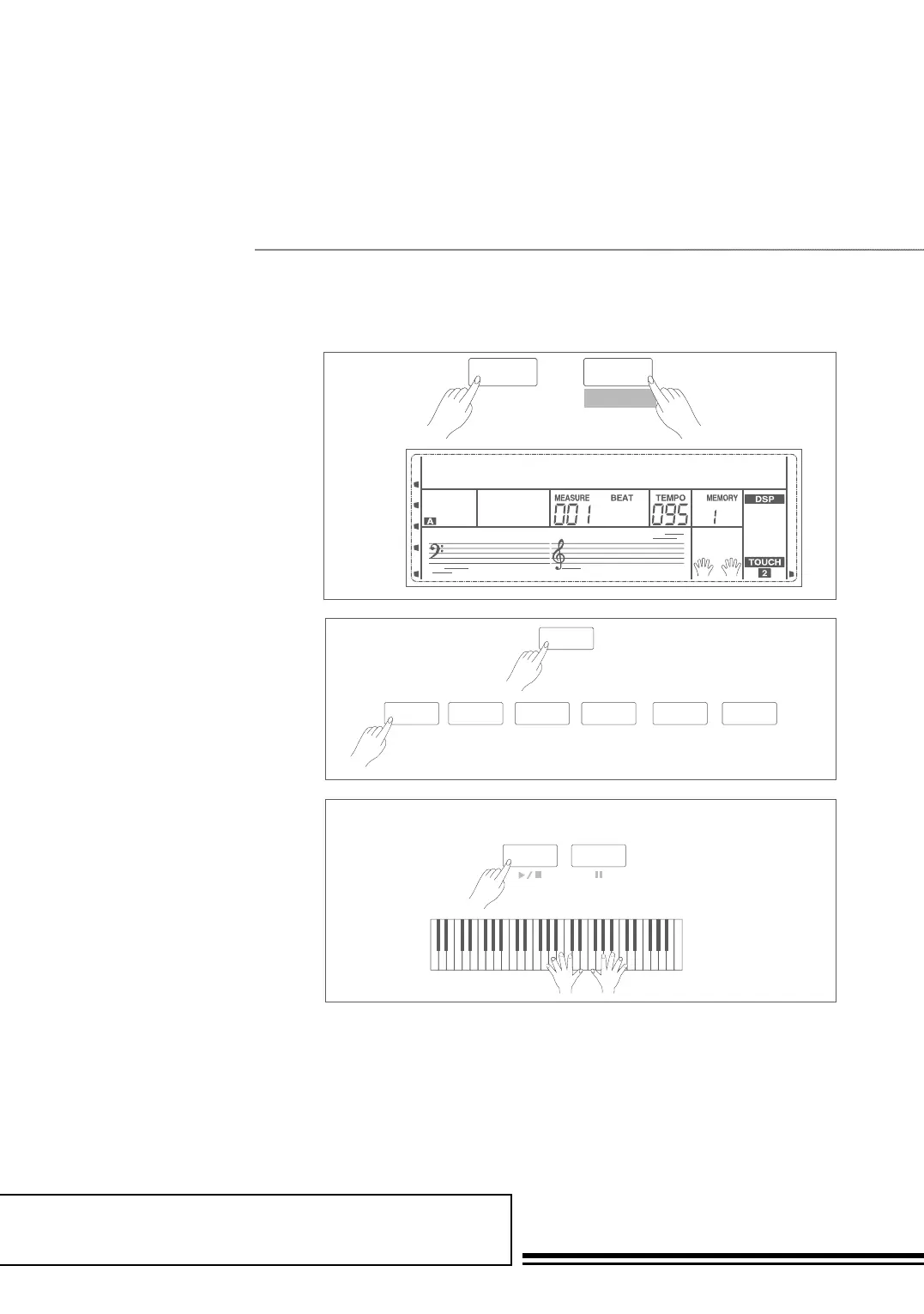
3. In the recording preparation
status, you can adjust parameters
such as the voice, style and
tempo. When recording a new
song, it will automatically select
“Melody 1” as the recorded track.
Holding down SHIFT button,
and then press “ACCOMP” (or
“MELODY1” to “MELODY
5”) to make your own selection.
The ACCOMP track and one of
MELODY track can be recorded
at the same time, but it cannot
record two MELODY tracks
simultaneously.
4. Press START/STOP button
or play the keyboard to start
recording. When choosing the
accomp track and A.B.C. is open,
play an effective chords in left
hand section or press
START/STOP button
would start recording.
Note:
Style can only be recorded in “Accomp” track.
The recording track LCD indicaor has three
states: Blinking, Light, Off. Blinking: It means the
track was chosen for recording. If the track has
recorded data, the original data will be replaced.
Light: It means this track has data, the recording
process will record data with playback for the
recorded track at the same time. Off: It means
this track has no data or has data which can not
playback when recording. When recording an
existing song, the keyboard will automatically
select the empty track next to the occupied track.
For example, if “Melody 1” is occupied, then
“Melody 2” will be selected as the record track.
When all 6 tracks have been recorded and a
specific track needs to be revised, press the button
of that track and start recording. The original
data will be replaced.
recsong1
001
SHIFT
SHIFT
RECORD
SHIFT
RECORD
REC
001
MELODY 5
MELODY 4
ACCOMP
MELODY 3
MELODY 2
MELODY 1
ACCOMP MELODY 1 MELODY 2 MELODY 3 MELODY 4 MELODY 5
SHIFT
RECORD
SHIFT
RECORD
START/
STOP
SYNC
START
REC
001
MELODY 5
MELODY 4
ACCOMP
MELODY 3
MELODY 2
MELODY 1
ACCOMP MELODY 1 MELODY 2 MELODY 3 MELODY 4 MELODY 5
recsong1
001
SHIFT
SHIFT
RECORD
SHIFT
RECORD
START/
STOP
SYNC
START
REC
001
MELODY 5
MELODY 4
ACCOMP
MELODY 3
MELODY 2
MELODY 1
ACCOMP MELODY 1 MELODY 2 MELODY 3 MELODY 4 MELODY 5
Start Recording



 To Next Page