Installation
Configuration Setup
54 Transceiver Family 620X DV14307.03 Issue 04 March 2016
2.8.1. Start Configuration Setup
Hold down the "MDE" key during power up to access the configuration setup. The "PASSWORD
DIALOG" screen will appear.
Figure 2-17: "PASSWORD DIALOG"
Insert the 4-digit numerical code password "6435" by turning and pushing the "ROTARY ENCODER".
Confirm by pressing the "STO" key. Now the first page of configuration setup shows the "DEVICE
INFO" screen.
CM SW VER 2.06
CH SW VER 4.06
AR SN 03665
DEVICE INFO
Figure 2-18: "DECIVE INFO"
2.8.2. Navigate between Pages
The configuration setup consists of several pages. Navigation within main pages:
Page Down (next page): press "↕/SCN" or the "ROTARY ENCODER".
Page Up (previous page): press "IC/SQL" key.
For navigation within the sub-pages of the configuration setup, use the "ROTARY ENCODER".
2.8.3. Store Setup Data
The setting of any parameter is stored immediately after changing the parameter.
2.8.4. Leave Configuration Setup
Switch "OFF" the AR620X or RCU6201 to terminate the setup. All changes made up to this time will
be stored automatically. No special action is required before leaving setup page.
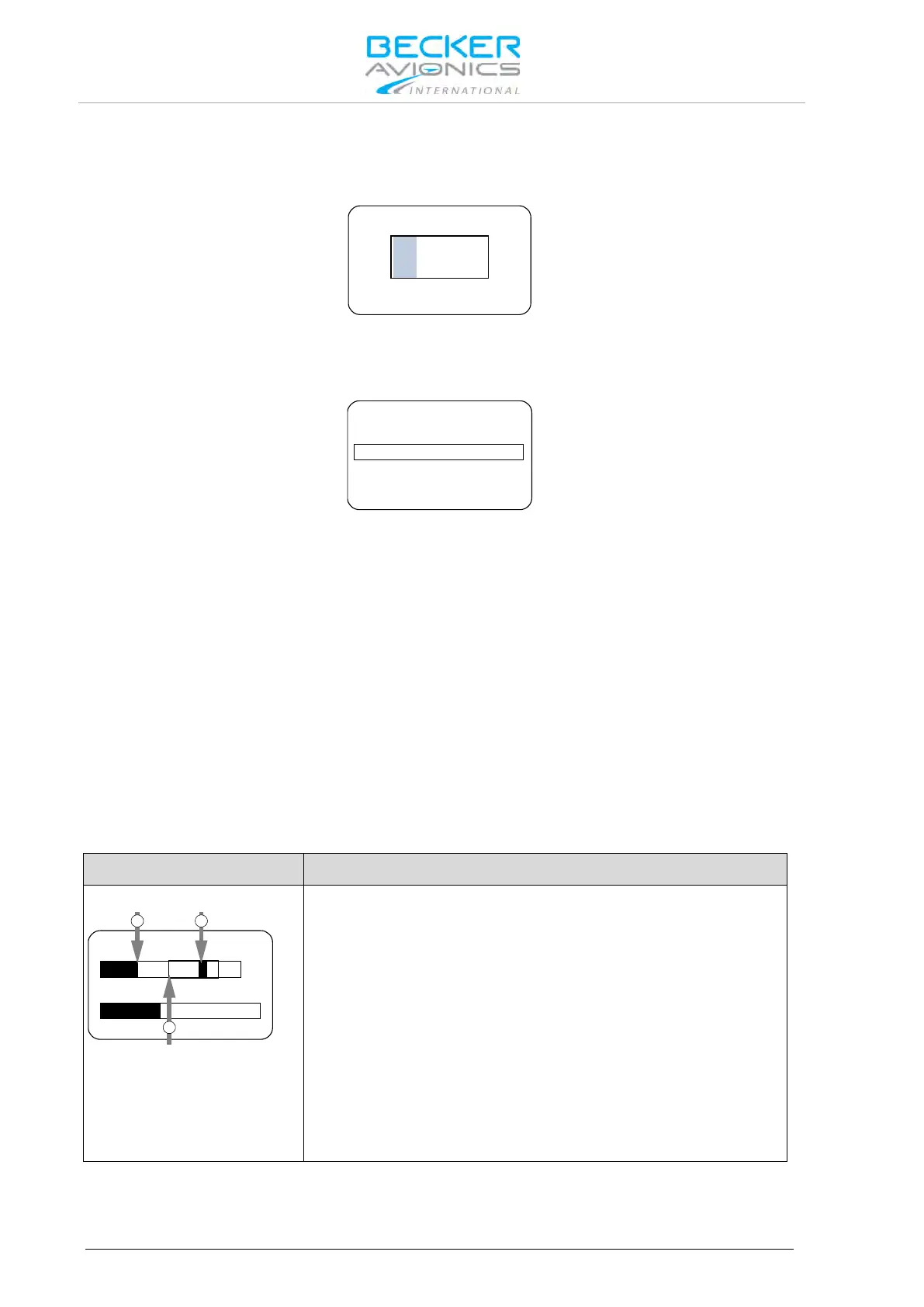
2.8.5. Adjust Volume Settings (VU Meter)
The VU Meter allows correct adjustment of audio input sensitivity. It is displayed on all sensitivity
setting menus.
17 dB 3.5 mV
VU
DYN MIKE SENS
1 2
3
1: Current audio level
2: Hold max. level
3: Recommended range
(inside frame)
VU Meter, it is located in the middle below the menu name and
above the dedicated sensitivity setting bar.
It displays the current audio level value on selected audio input
("Current audio level") and holds the highest value of active audio
level recorded during last 3 seconds (displayed as "Hold max level"
bar).
Correct sensitivity is achieved if most of the time, while you are
speaking normally into the microphone, the "Hold max level" bar
remains in the "Recommended range".



 To Next Page