AeroNav 900/880 Series Pilot’s Guide
89000039-010
4-68 Map Subsystem Rev 1 May 2019
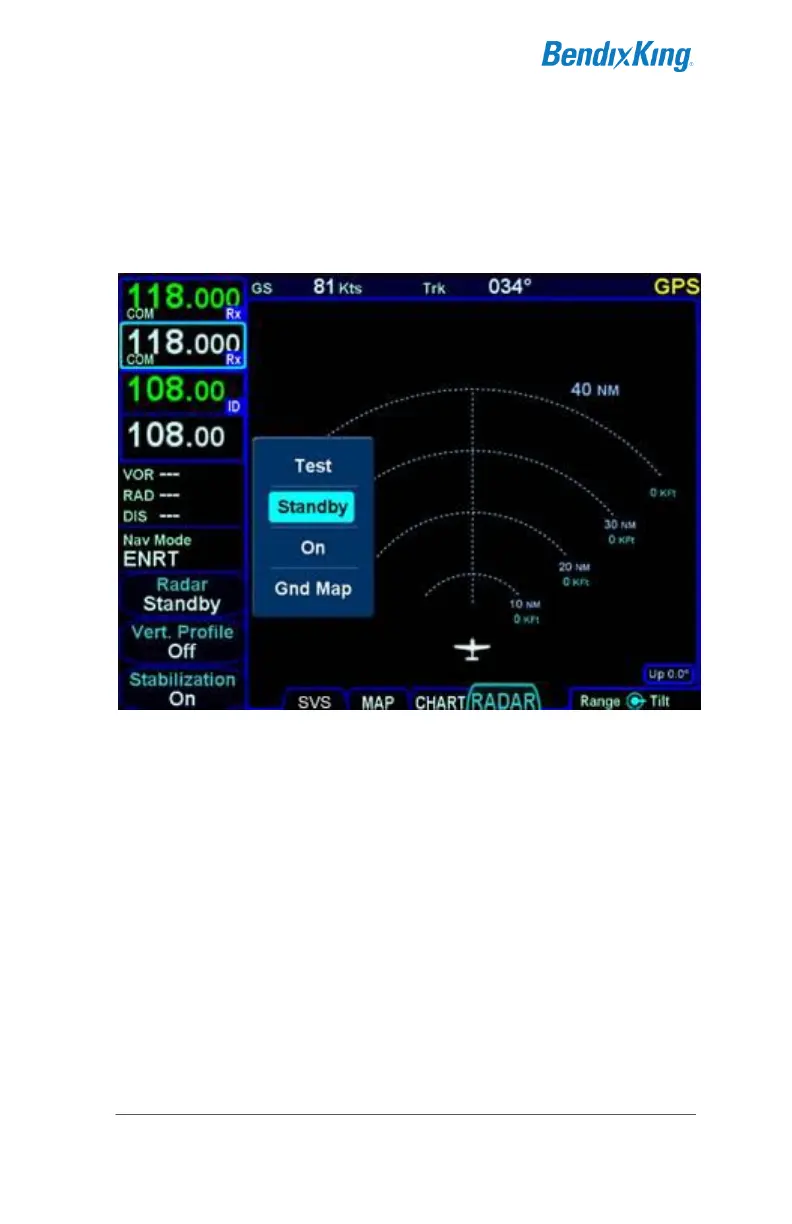
The radar mode is controlled by a line select key along the left side
labeled “Radar”. Pressing the LSK or touching the label will generate
a drop down list of the available modes. Twist the bottom right knob
to scroll through the list or touch the desired mode in the list to select
it.
Radar Mode Control
The possible modes are:
Test – when selected, initiates a radar self-test function that
is monitored by the AeroNav. The test function is confirmed
by the presence of the test annunciation and test pattern
display. During self-test, all of the circuitry and functions of
the R/T are exercised with the exception of the magnetron
tube. No microwave energy is emitted in the test function.
The display will have a test pattern with the following colors:
green, yellow, red, and magenta.
Standby – the system will always power up in this mode.
Standby places the radar circuitry in an energized but
inactive state. In Standby, the moving scan indicator and
radar echo returns are not present and the antenna is placed
in the desired park position.



 To Next Page