AeroNav 900/880 Series Pilot’s Guide
89000039-010
Rev 1 May 2019 Map Subsystem 4-69
On – turns the radar on in normal operation. When On, the
moving scan indicator and radar echoes are visible and the
system is radiating microwave energy.
Gnd Map – when selected, the system will orient the radar to
ground features.
TIPS AND TECHNIQUES
Auto Standby Feature
The AeroNav will automatically switch the radar to
Standby when the groundspeed falls below 20 knots.
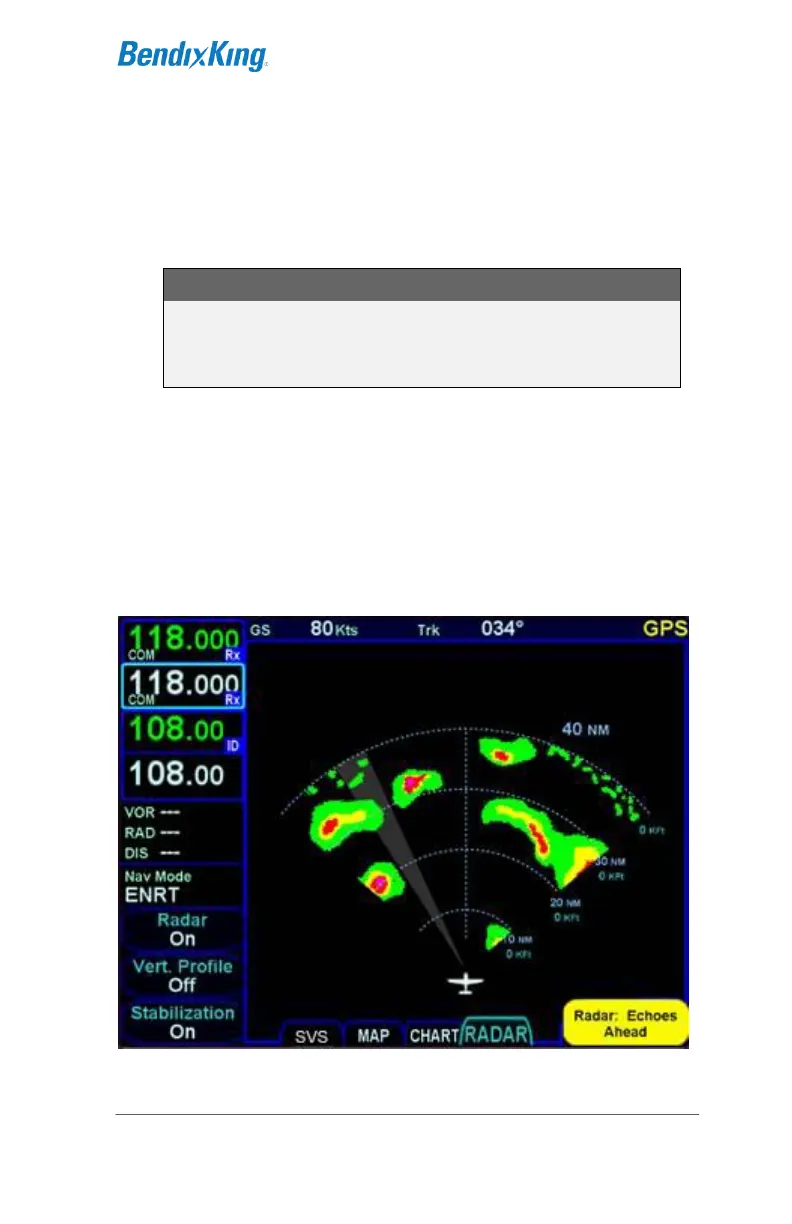
The current position of the scan is shown by a gray radial arc,
representing the width of the radar beam.
The beam altitude numbers display the relative altitude in thousands
of feet (“Kft”) of the center of the radar beam compared to the
aircraft’s altitude at the distance shown on the range rings.
Radar in Operation



 To Next Page