AeroNav 900/880 Series Pilot’s Guide
89000039-010
Rev 1 May 2019 General 7-57
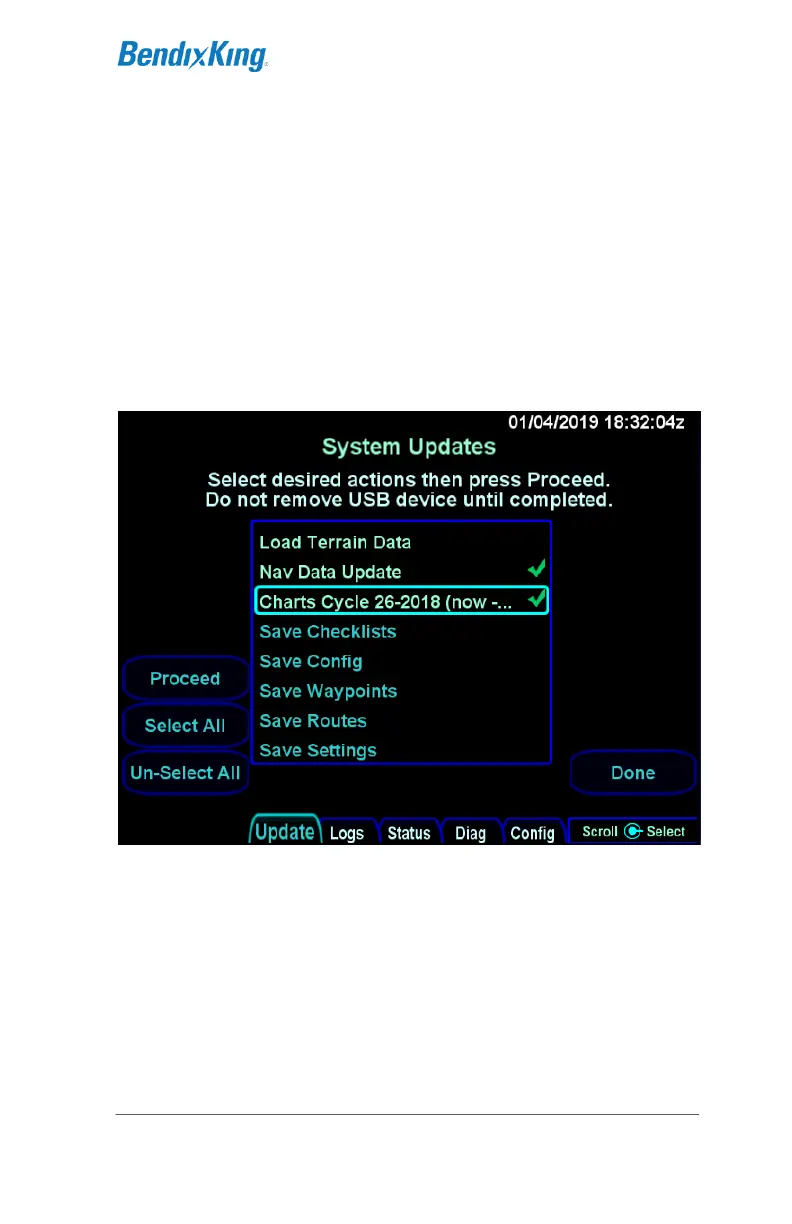
options for saving that are not discussed here). Rotate the right
inner or outer knob to scroll the cursor up and down and then
press the knob button to select the item surrounded by the cursor.
The cursor can also be moved by touching items in the list and an
item can be selected by touching the item surrounded by the
cursor. When an item is selected, a checkmark will appear on the
right side of the list. Pressing the right knob button or touching an
item when the item surrounded by the cursor is already selected
will cause the item to be deselected. All items in the list can be
selected or deselected at once by pressing the "Select All" and
"Un-Select All" LSKs, respectively.
Update tab with items selected
Once the set of items to be loaded has been selected, press the
Proceed LSK to start the load.



 To Next Page