BENNING IT 130 Measurements
- 38 -
How to perform continuity tests
Select the R
LOW
function by means of the function selector switch.
Set the sub-function to CONTINUITY.
Set the limiting value (optional).
Connect the test cables to the installation tester and compensate the test cable resistance,
if necessary (see section 5.3.3 Compensation (null balance) of the test cable resistance).
Make sure that the test object is free of voltage and discharge available capacities.
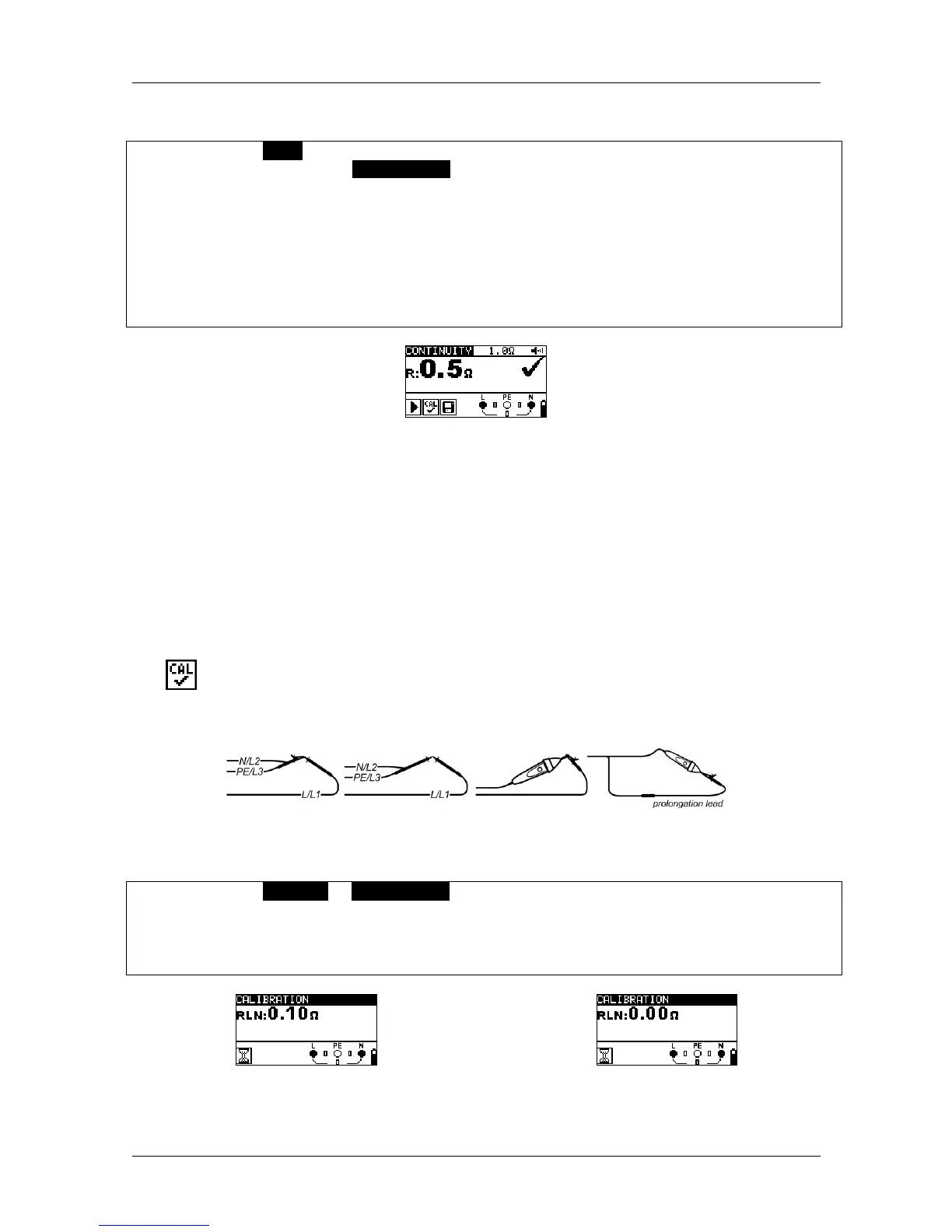
Connect the test cables to the test object (see figure 5.11).
Press the "TEST" key to start the measurement.
Press the "TEST" key again to stop the measurement.
Save the measuring result by pressing the "MEM" key (optional).
Figure 5.12: Example of a continuity test
Result displayed:
R .............. resistance
5.3.3 Compensation (null balance) of the test cable resistance
This chapter describes how to compensate the test cable resistance in the low-impedance
measurement (R LOWΩ) and continuity test (CONTINUITY) functions. Compensation is
necessary, because the test cable resistance and the internal resistance of the installation
tester might influence the measuring result. The compensation of the test cables is particularly
required when using measuring lines of different lengths.
The icon is displayed, if the test cable resistance has been compensated successfully.
Connection plan
Figure 5.13: Shorted test cables
How to carry out compensation
Select the R LOWΩ or CONTINUITY function.
Connect the test cables to the installation tester and short-circuit the test cables (see figure
5.13.)
Press the "TEST" key to perform the resistance measurement.
Press the "CAL" key to compensate the test cable resistance.
Figure 5.14: Result before calibration Figure 5.15: Result after calibration



 To Next Page