BENNING IT 130 Measurements
- 65 -
6.4 Deleting measuring results
6.4.1 Deleting the entire measured value memory
Select the SETTINGS mode by means of the function selector switch.
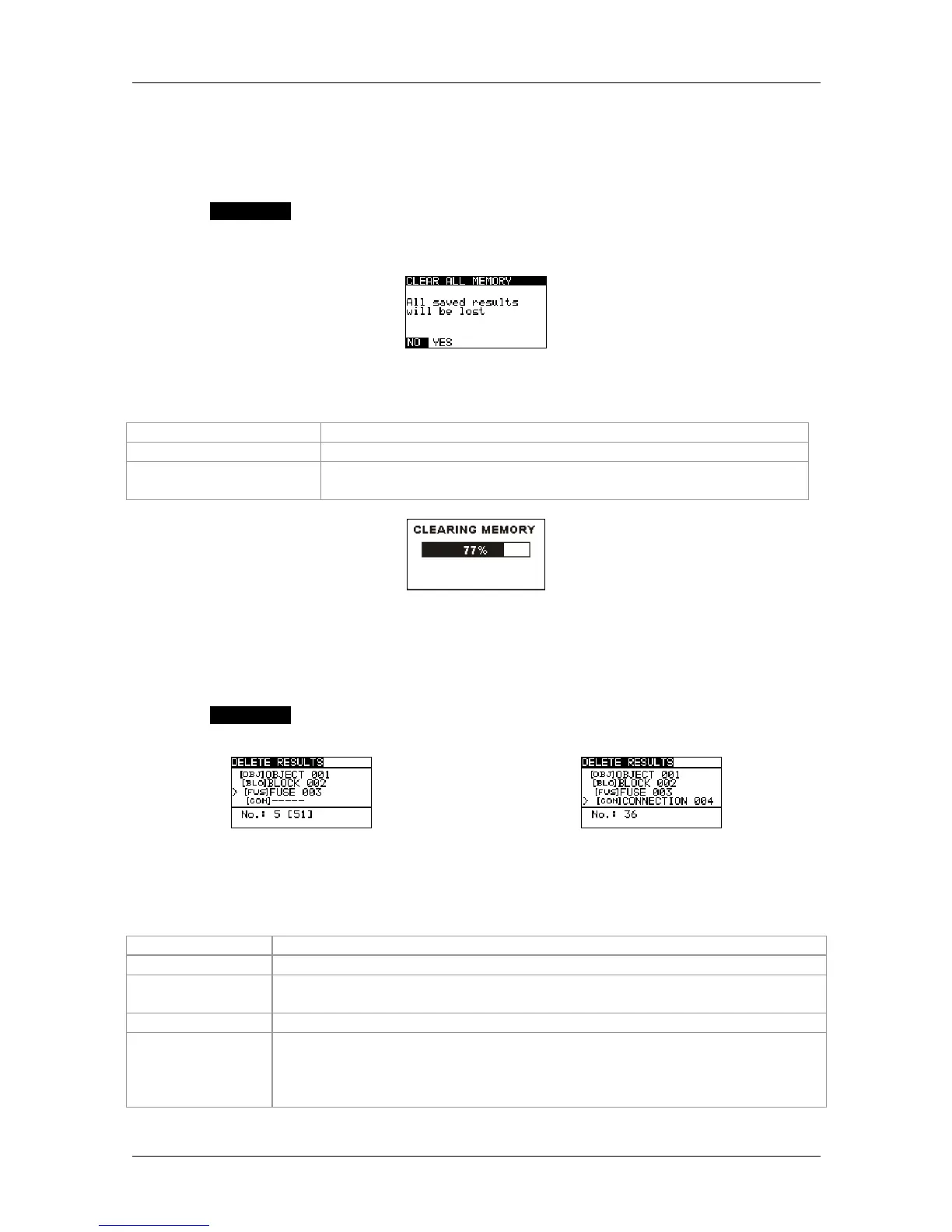
Select "CLEAR ALL MEMORY" in the "MEMORY" menu. The following warning will be
displayed:
Figure 6.6: Clear all memory
Keys used:
UP / DOWN
Toggles between NO and YES
TEST
Confirms deleting the entire measured value memory
ESC / function selector
switch
Back / cancel to the "MEMORY" menu
Figure 6.7: Deleting the measured value memory
6.4.2 Deleting all measurements of each storage location and subordinate
storage locations
Select the SETTINGS mode by means of the function selector switch.
Select "DELETE RESULTS" in the "MEMORY" menu.
Figure 6.8: Deleting all measurements of each storage location
and subordinate storage locations
Keys used in the installation structure field:
TAB
Selects the storage location (object / block / fuse / measuring point)
UP / DOWN
Selects the no. of the selected storage location (1 to 199)
Function
selector switch
Back / cancel to the selected measuring function
ESC
Back / cancel to the "MEMORY" menu
TEST
Enters a dialog box for deleting all measurements of the selected storage
location and its subordinate storage locations. Press the key again to
delete all measurements of this storage location and its subordinate
storage locations.



 To Next Page