BENNING IT 130 Measurements
- 64 -
6.3 Recalling measuring results
Press the "MEM" key, if there is no measuring result for saving yet, or select "MEMORY",
"RECALL RESULTS" in the "SETTINGS" menu.
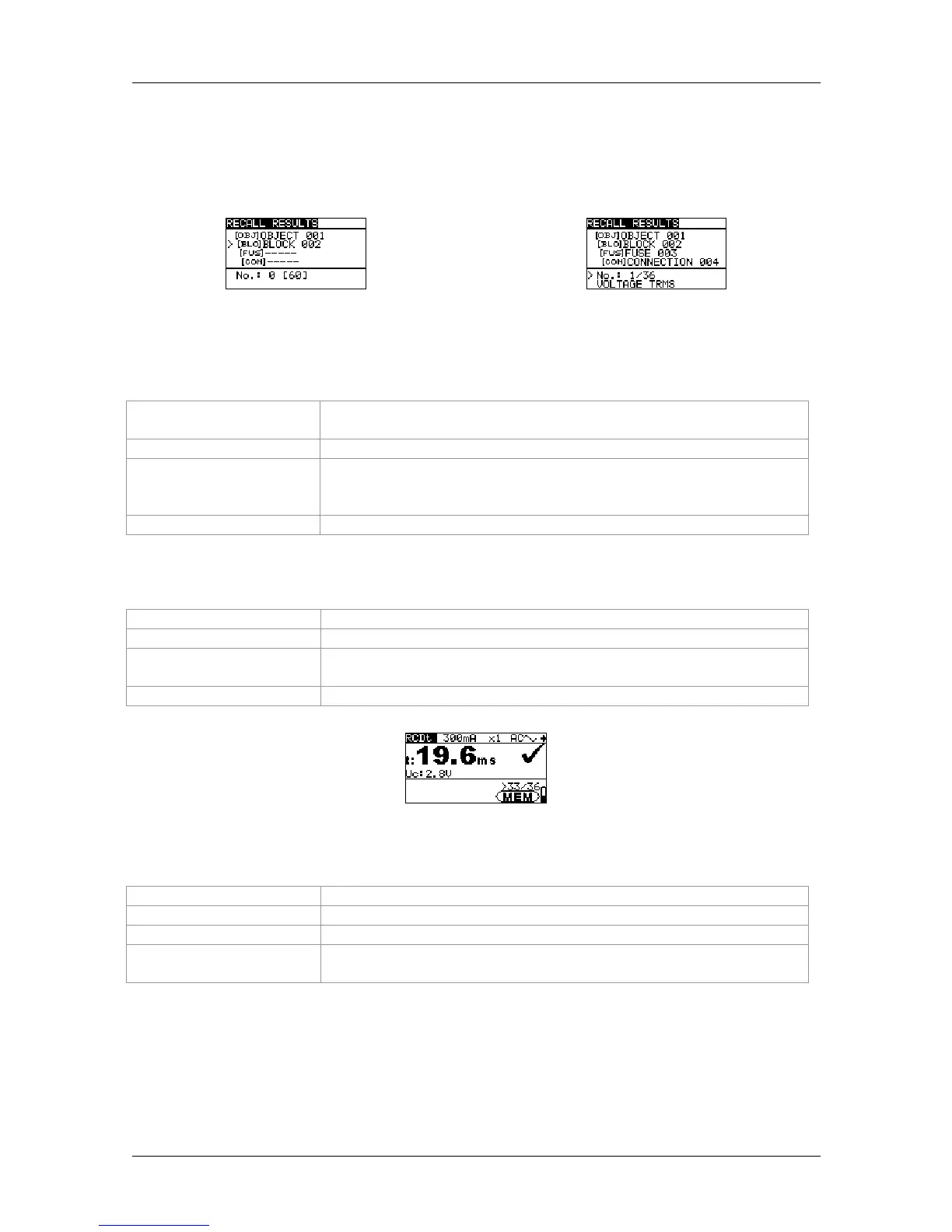
Figure 6.3:
Recall memory menu
– installation structure field selected
Figure 6.4:
Recall memory menu
– measuring result field selected
Keys used in the installation structure field:
TAB
Selects the storage location (object / block / fuse / measuring
point)
UP / DOWN
Selects the no. of the selected storage location (1 to 199)
ESC /
function selector
switch
Back / cancel to the selected measuring function
TEST / MEM
Selects the corresponding measuring result field
Keys used in the measuring result field:
UP / DOWN
Selects the measurement stored
ESC / TAB
Back / cancel to the installation structure field
Function selector
switch
Back / cancel to the selected measuring function
TEST / MEM
Recalls the selected measuring results
Figure 6.5: Recall of measuring results stored
Keys used in the measuring result field (measuring results are displayed)
UP / DOWN
Recalls measuring results stored in the selected storage location
MEM / ESC
Back / cancel to the measuring result field
TEST
Back / cancel to the installation structure field
Function selector
switch
Back / cancel to the selected measuring function



 To Next Page