BENNING IT 130 Measurements
- 67 -
6.5 Renaming installation structure fields
6.5.1 Renaming installation structure fields by means of the PC software
The default installation structure field of the installation tester are "Object", "Block", "Fuse" and
"Measuring point (CON)".
In the BENNING PC-Win IT 130 logging software, the default installation structure field can be
renamed with customer-specific names and can be adapted to the installation to be tested.
Once created, the installation structures can be stored in the BENNING PC-Win IT 130 logging
software and transmitted to the BENNING IT 130 installation tester. Please refer to the help
menu of the BENNING PC-Win IT 130 logging software for further information on how to
transmit customer-specific installation structures to the installation tester.
Figure 6.12: Example of a customer-specific installation structure
6.5.2 Renaming the installation structure fields by means of the barcode
scanner
The default installation structure field of the installation tester are "Object", "Block", "Fuse" and
"Measuring point (CON)".
If the installation tester is in the "SAVE RESULTS" menu, the identification no. or the
designation of the measuring point can be scanned by means of a barcode scanner.
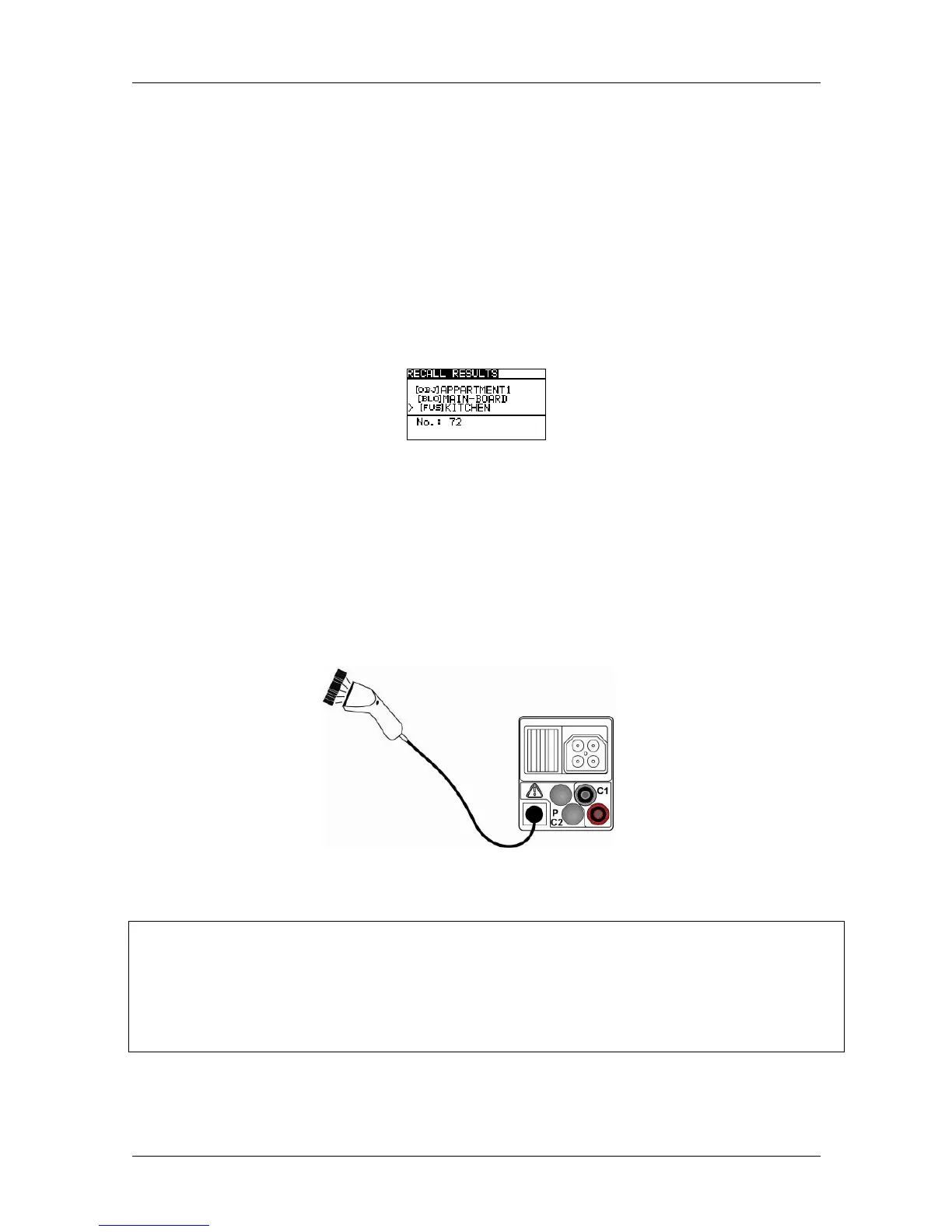
Figure 6.13: Connection of the optional barcode scanner (009371)
Renaming the storage location
Connect the optional barcode scanner to the installation tester.
Carry out the measurement, press the "MEM" key and select the storage location to be
renamed in the "SAVE RESULTS" menu.
Scan the identification no. or the designation of the measuring point from the barcode label
in order to rename the installation structure field. The installation tester confirms the receipt
by two short acoustic signals and displays the identification no. or the designation of the
measuring point.
Note:
Please use barcode scanners only which have been approved by BENNING.



 To Next Page