BENNING IT 130 Measurements
- 59 -
5.11 Luminous intensity
Luminous intensity measurement can be used for the planning and installation of interior
and exterior lighting systems. The optional BENNING luxmeter type B (044111) is
connected to the RS232 interface.
Key function as described in chapter
4.2 Function selector switch
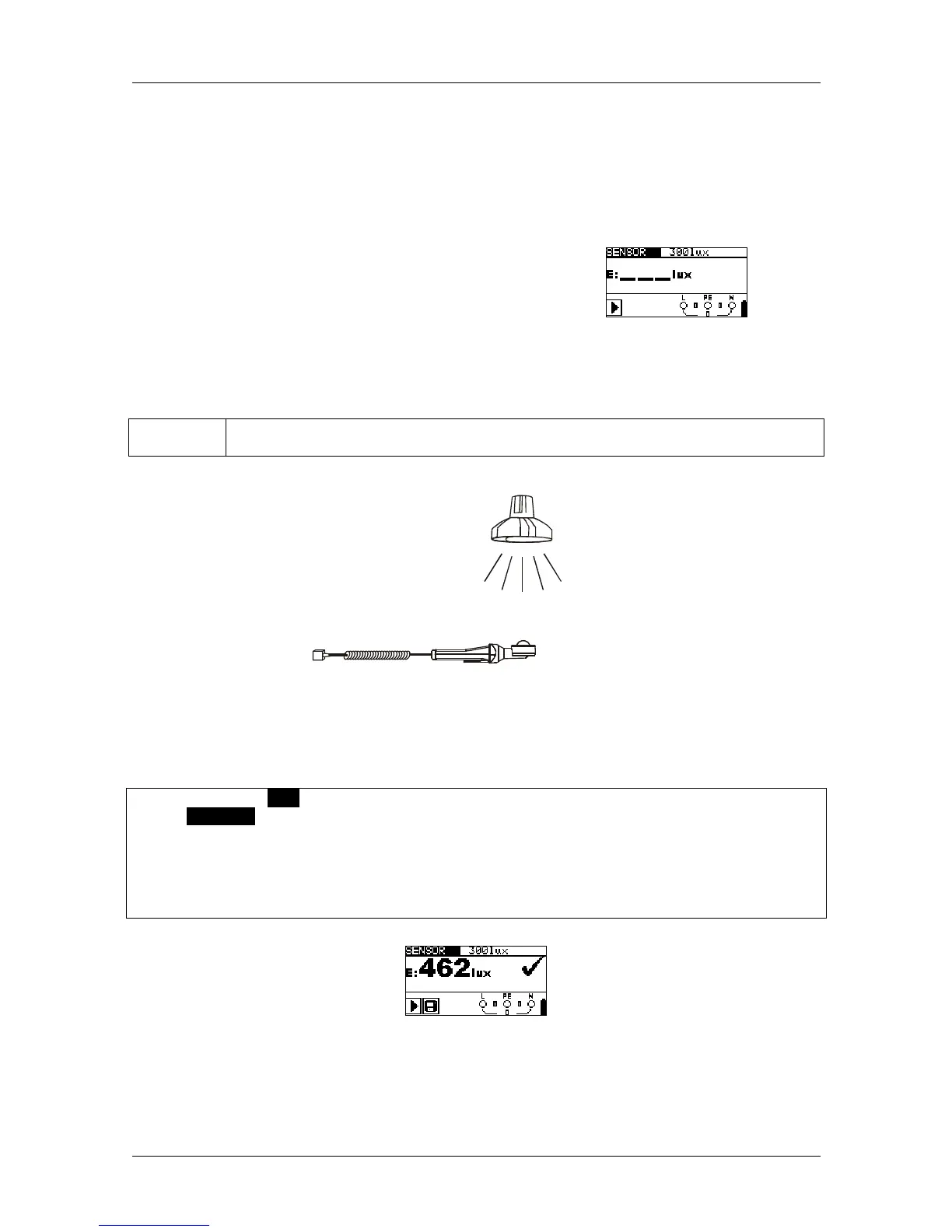
Figure 5.45:
Luminous intensity
Testing parameters
Limiting
value
Minimum illumination [without limits (---), 0.1 lux ÷ 20 klux]
Sensor positioning
Figure 5.46: Positioning of the luxmeter
How to perform luminous intensity measurements
Select the LUX function by means of the function selector switch. The display shows
SENSOR.
Set the limiting value (optional).
Connect the luxmeter to the PS/2 port of the installation tester.
Switch the luxmeter on and position it underneath the light source (see figure 5.46).
Press the "TEST" key to start the measurement.
Save the measuring result by pressing the "MEM" key (optional).
Figure 5.47: Example of a luminous intensity measurement
Result displayed:
E............... luminous intensity



 To Next Page