BENNING IT 130 Appendix C – Commanders
- 87 -
C.4 LED indications of the "Commanders"
Both LEDs yellow Warning! Phase voltage at the PE connection of the
"Commander"! Only indicated, if the silver "TEST" key of
the "Commander" is touched for > 1 second!
Right LED red Measuring result outside the preset limiting values
Right LED green Measuring result inside the preset limiting values
Left LED is flashing blue "Commander" is monitoring the input voltage
Left LED orange Voltage between testing terminals is higher than 50 V
Both LEDs are flashing red Battery voltage of the "Commander" is low
Both LEDs red and
"Commander" switches off
Battery voltage too low to operate the "Commander"
How to test the protective conductor connection (PE)
Select the Z
I
(L-N/L) (English: Z
LINE
), Z
S
(L-PE) (English: Z
LOOP
) or FI/RCD function by
means of the function selector switch.
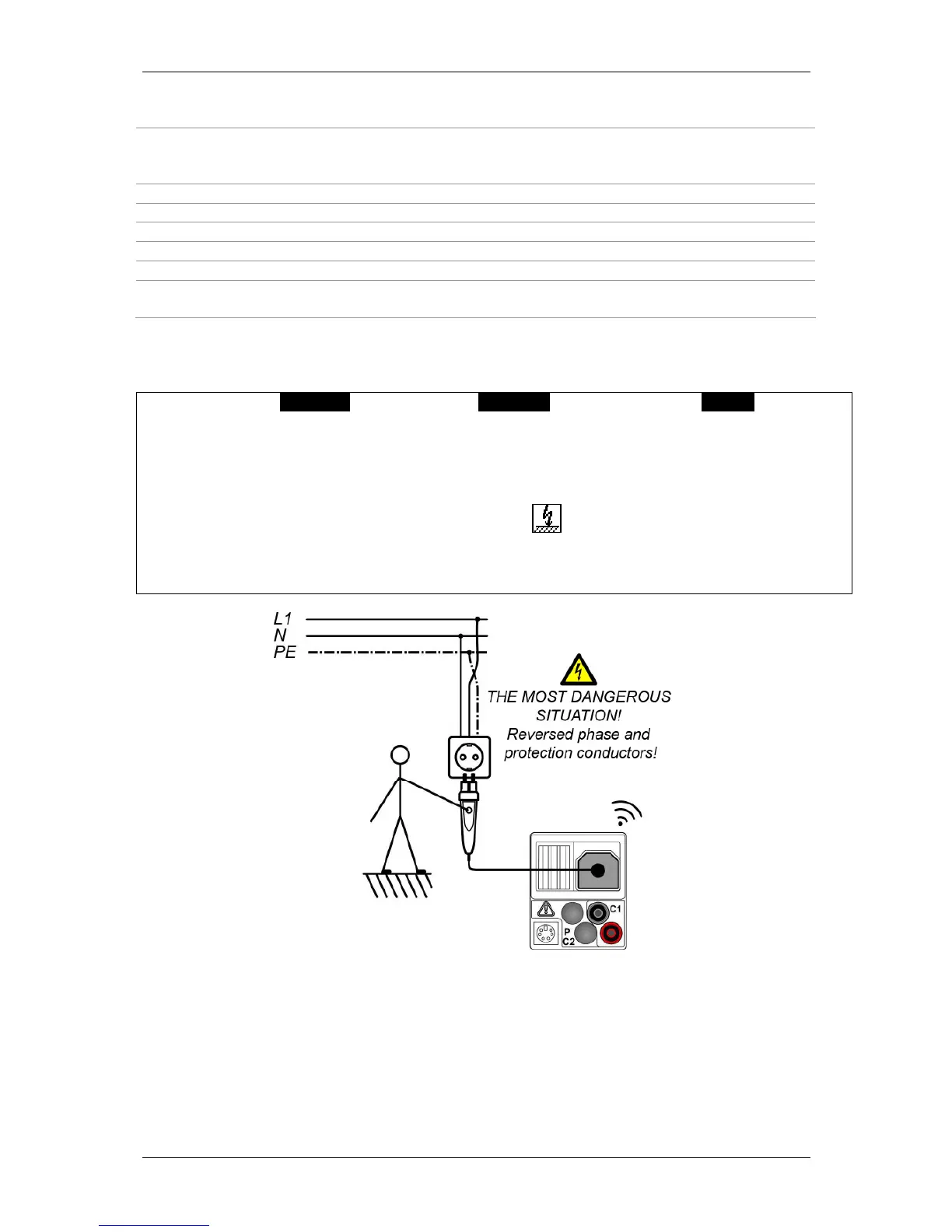
Connect the optional "Commander" test plug (044149) to the test object (see figure C.4).
Touch the silver contact electrode of the "TEST" key at the "Commander" for at least one
second.
If the phase voltage is detected at the PE connection of the "Commander", the LEDs of the
"Commander" will light yellow. In addition, the warning is shown on the LC display of
the installation tester and the buzzer sounds. Further measurements must be stopped
immediately!
Figure C.4: Reversed L and PE conductors – Phase voltage at the PE connection is
detected by touching the "TEST" key of the optional "Commander" test plug (044149).



 To Previous Page