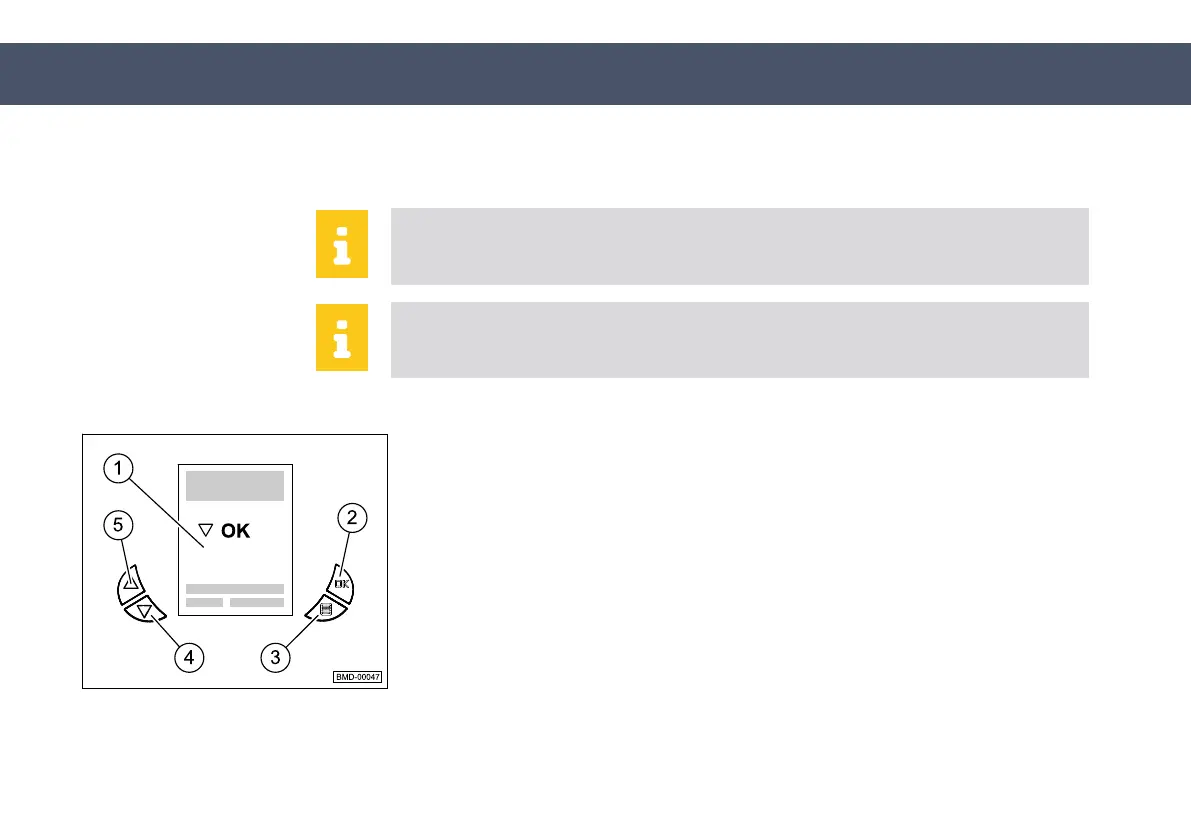
It is possible to scroll through the error messages using the
Forward
button
(8) and the
Back
button (9). Pressing the
Warning display
button returns
you to the main screen.
Only one error message is displayed in the text panel (1) at one time.
If a warning/error message is displayed, shut down the machine and con‐
tact customer service.
Setting time
submenu
The system time can be set in the
Setting time
submenu.
►
Select the
Setting time
submenu (1).
►
Press the
OK
button (2) and the
Forward
button (4) at the same time.
This calls up another submenu.
►
Set the time using the
Forward
and
Back
buttons (5).
Forward
button - Setting hours
Back
button - Setting minutes
►
Press the
OK
button to confirm.
Fig. 8.20
50-020-1011-900_EN
1.0 - © 2/15/2017
189
8 Operation
8.2 Operation of the machine


 To Next Page