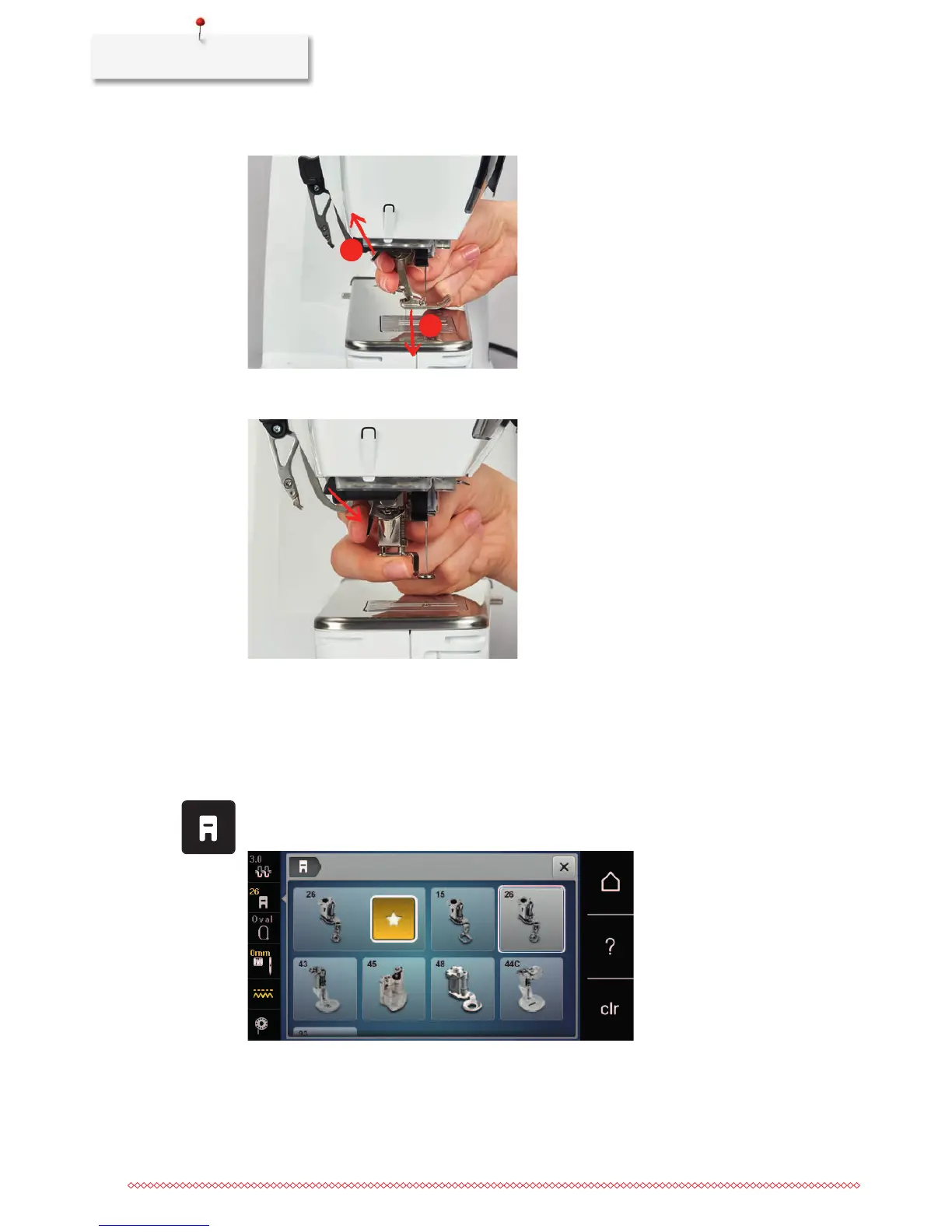
> Insert the embroidery foot from below into the bracket.
> Press the clamping lever down.
Selecting the presser foot in the User Interface
After having attached the respective embroidery foot (Embroidery foot No. 26, supplied accessory with the
embroidery module), you can select and save it on the machine. Moreover, alternative feet are displayed
which will also be suitable for the selected embroidery motif.
> Switch the machine on.
> Select the embroidery motif.
> Touch the icon «Presser foot display/Presser foot selection».
> Select the attached embroidery foot.



 To Next Page