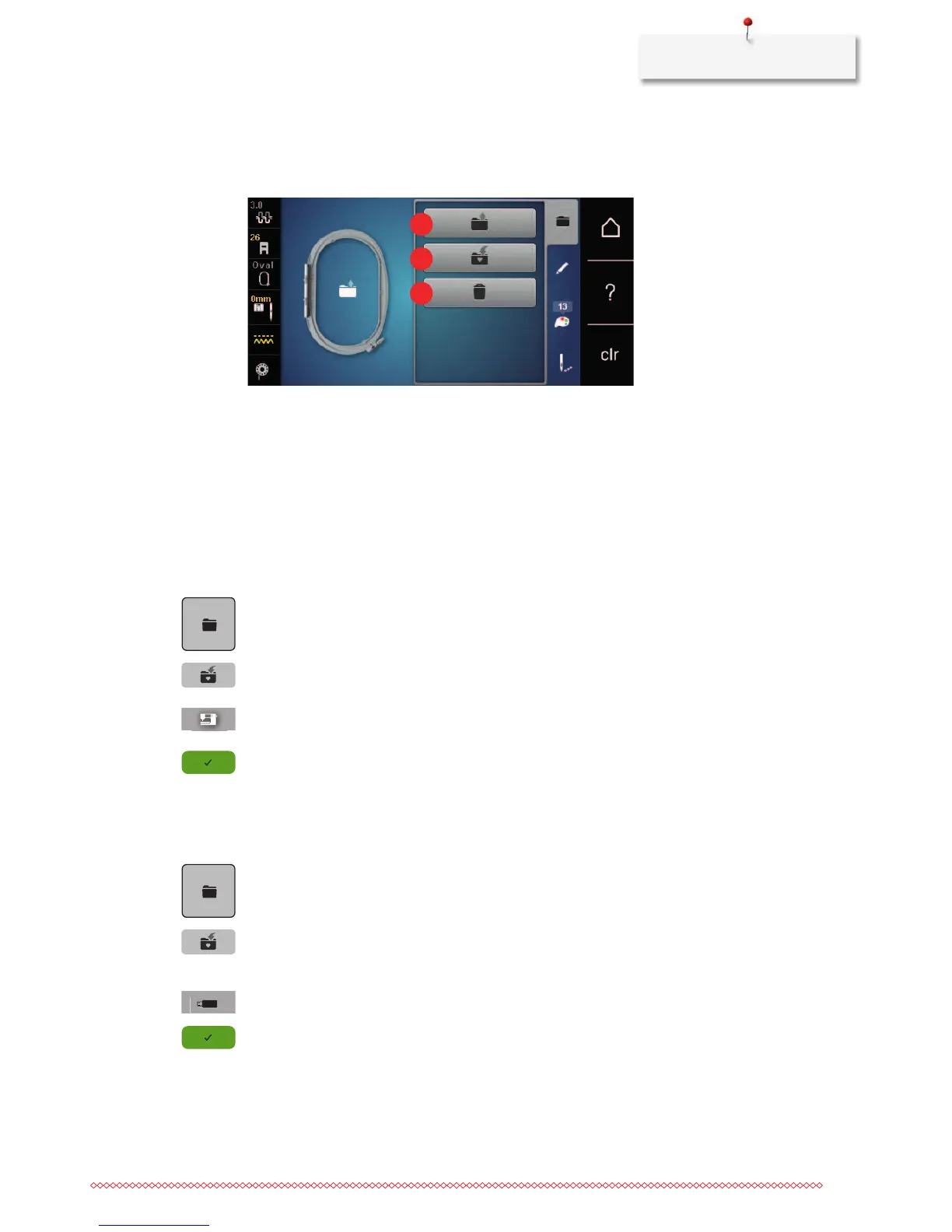
1 Loading the embroidery motif 3 Deleting
2 Saving the embroidery motif
Saving embroidery motifs in the personal memory
In the filing system «Personal memory» any stitch patterns, also those which have been individually edited,
can be saved.
> Select an embroidery motif.
> Edit the embroidery motif.
> Touch the icon «Selection».
> Touch the icon «Save the motif».
– The embroidery motif to be saved is outlined in yellow.
– The icon «Embroidery machine» is activated.
> Touch the icon «Confirm».
Saving the embroidery motif on the BERNINA USB stick
> Select an embroidery motif.
> Edit the embroidery motif.
> Touch the icon «Selection».
> Touch the icon «Save the motif».
– The embroidery motif to be saved is outlined in yellow.
> Insert the BERNINA USB stick into the USB port of the machine.
> Touch the icon «USB stick».
> Touch the icon «Confirm».



 To Next Page