Setup Program
61
> Press the switch in the right section.
– A previously moved embroidery motif which has been saved in the new position is opened in the
saved position after selecting.
> Press the switch in the right section again.
– The embroidery motif is centered to the embroidery hoop.
Calibrating the hoop
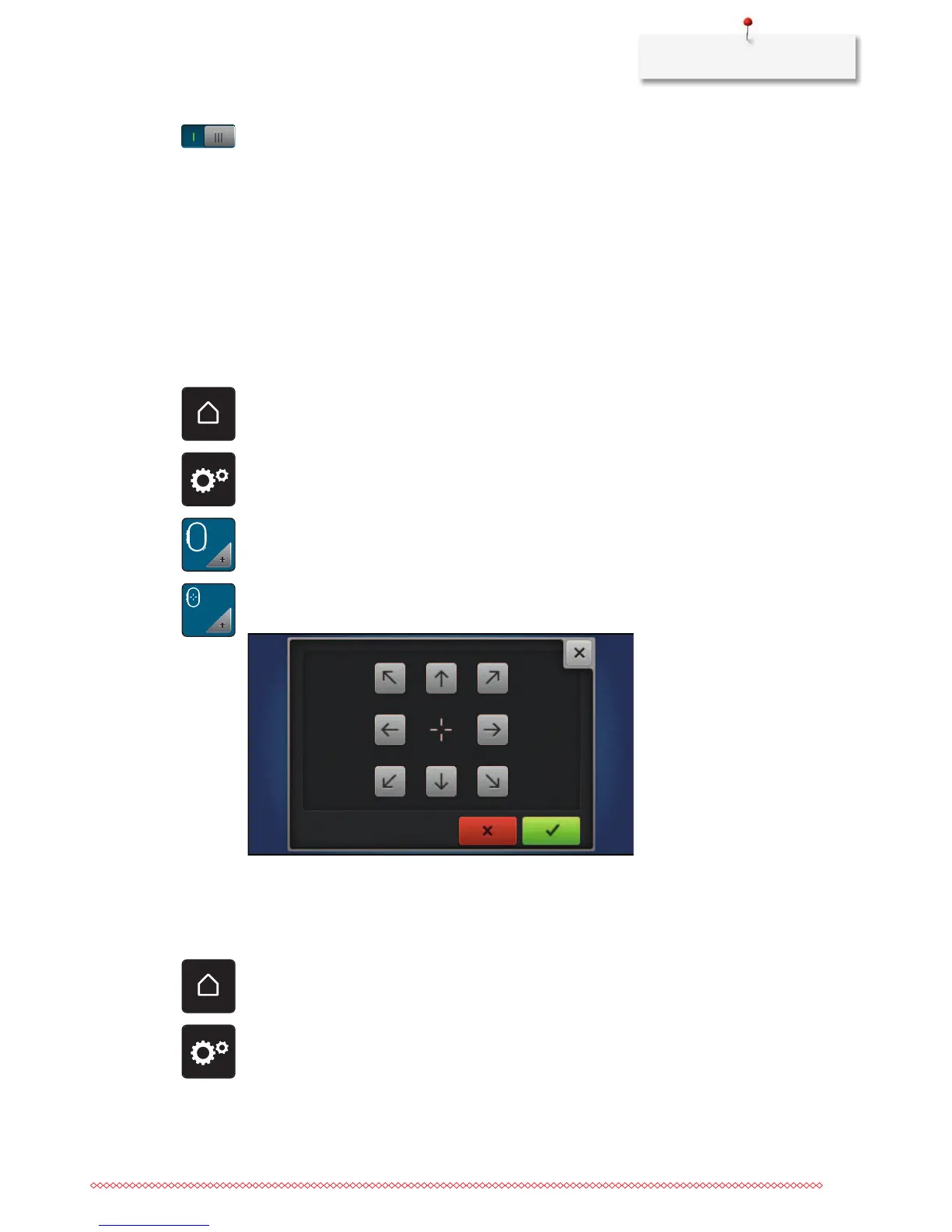
The calibration of the embroidery hoop is the coordination of the needle to the center of the embroidery
hoop.
Prerequisite:
• The embroidery module is connected and the embroidery hoop with the appropriate embroidery
template is attached.
> Touch the icon «Home».
> Touch the icon «Setup Program».
> Touch the icon «Embroidery settings».
> Touch the icon «Calibrate the hoop».
> Center the needle via the arrow icons on the display.
Entering the fabric thickness
If the fabric thickness, as for e.g. toweling is more than 4 mm (0.15 inch) it is recommended to select 7.5
mm (0.29 inch) or 10 mm (0.39 inch). The thicker the fabric, the slower the embroidery speed of the
machine. When the machine is switched off, the alterations are reset to the default setting 4 mm (0.15 inch).
> Touch the icon «Home».
> Touch the icon «Setup Program».



 To Next Page