Sewing preparation
53
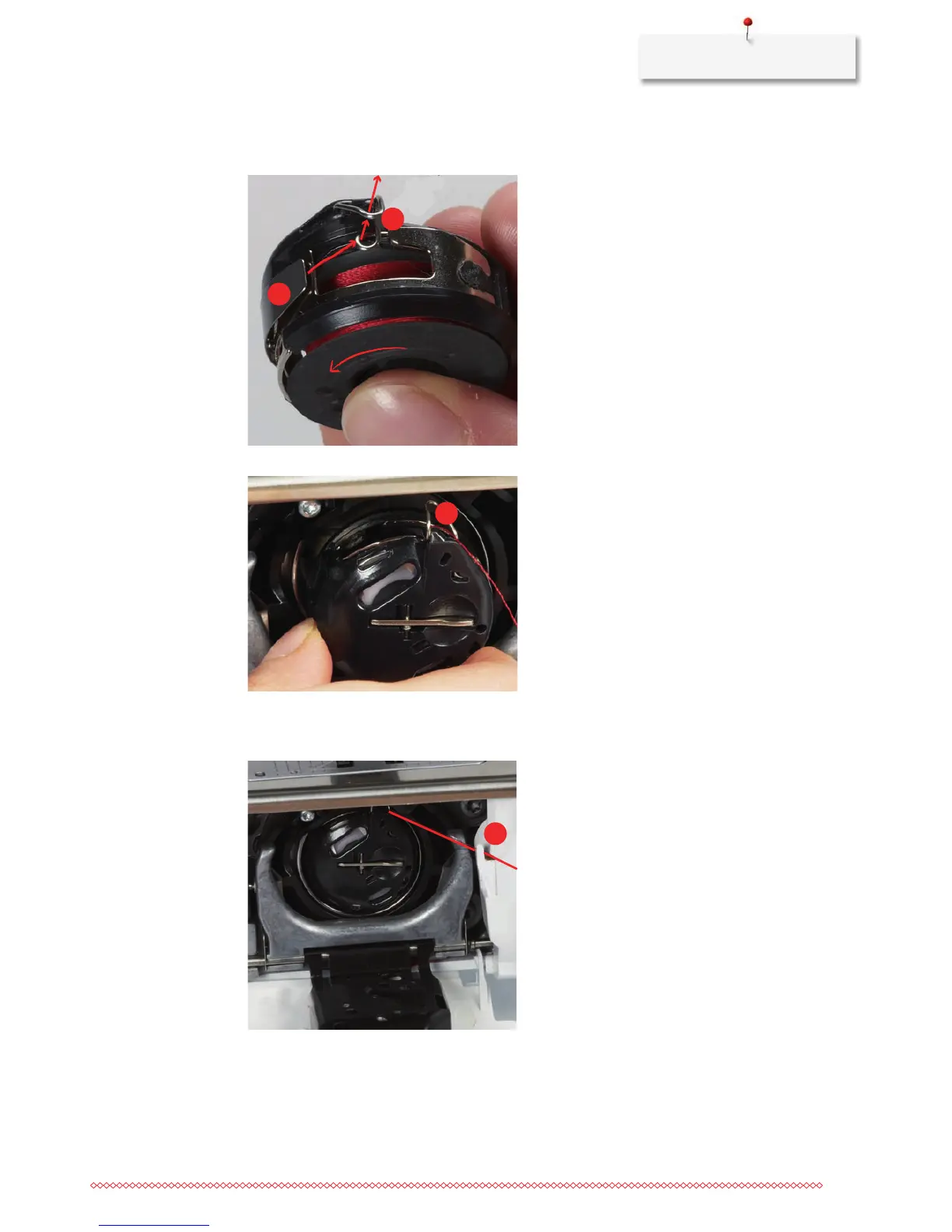
> Pull the thread to the right under the spring (3), then lead the thread under the two thread guides (4)
and pull upwards.
> When inserting into the machine, hold the bobbin case so the the thread guide (5) points upwards.
> Insert the bobbin case.
> Press onto the center of the bobbin case until it engages.
> Pull the thread through the thread cutter (6) and cut.
> Close the bobbin cover.
Indicating fill level of bobbin thread
As soon as the fill level of the bobbin thread is low, an animation, which indicates that the bobbin thread is
running out, appears in the icon «Bobbin thread fill level».



 To Next Page