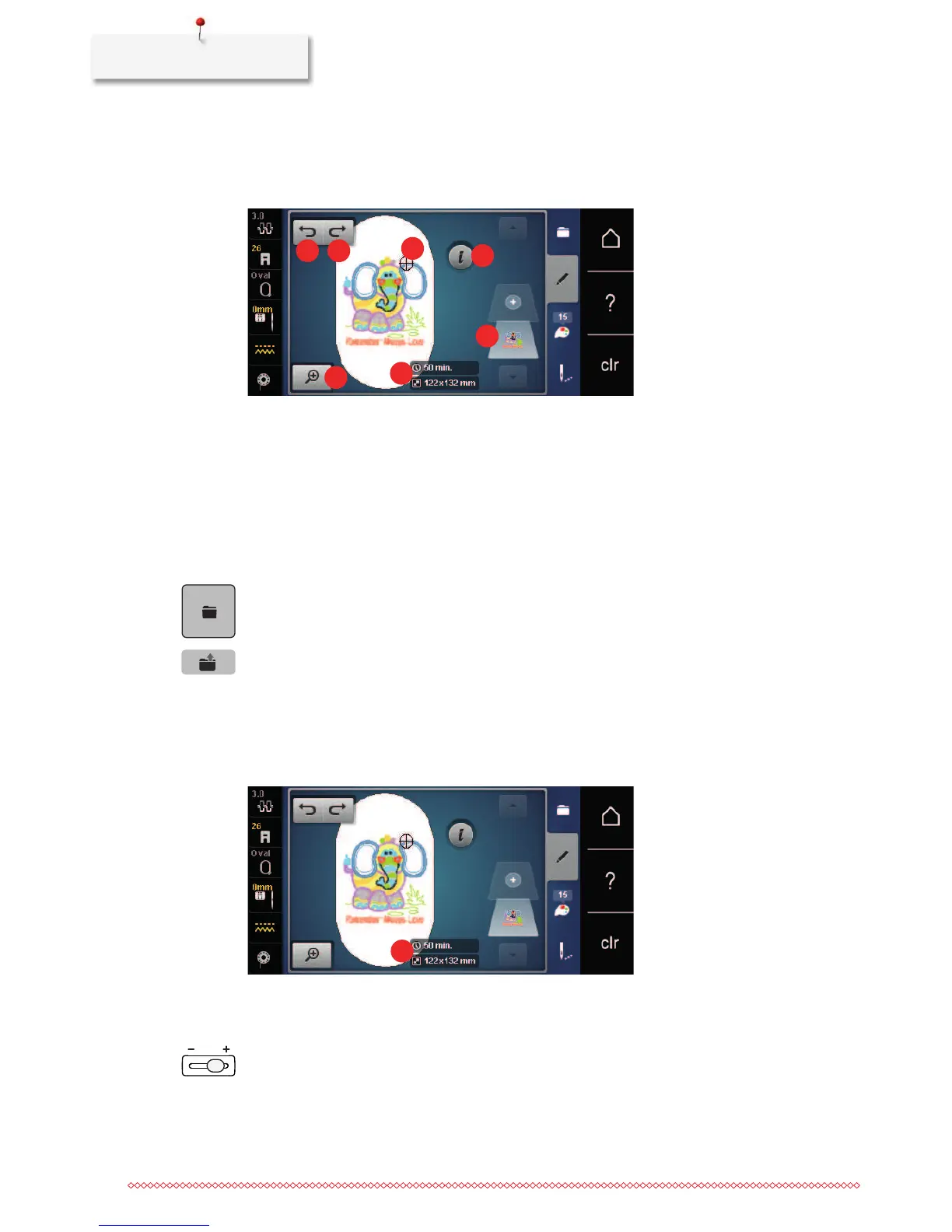
1 Embroidery time/Embroidery motif size in mm
or inch
5 Area to be embroidered
2 Scaling up, downsizing and moving the
embroidery motif view
6 «i»-Dialog
3 Undoing entries 7 Embroidery motif layers
4 Redoing entries
15.2 Selecting and changing the embroidery motif
> Touch the icon «Selection».
> Touch the icon «Upload embroidery motif».
> Select a new embroidery motif.
15.3 Checking the embroidery time and the embroidery motif size
In the display «Edit» at lower right (1), the estimated embroidery time is indicated in minutes and the width
and height of the embroidery motif is indicated in millimeters.
15.4 Regulating the speed
The speed is infinitely variable with the slide-speed control.
> Move the slide-speed control to the left to reduce the speed.
> Move the slide-speed control to the right to increase the speed.



 To Next Page