Attachment
192
Message on the display Cause Repair
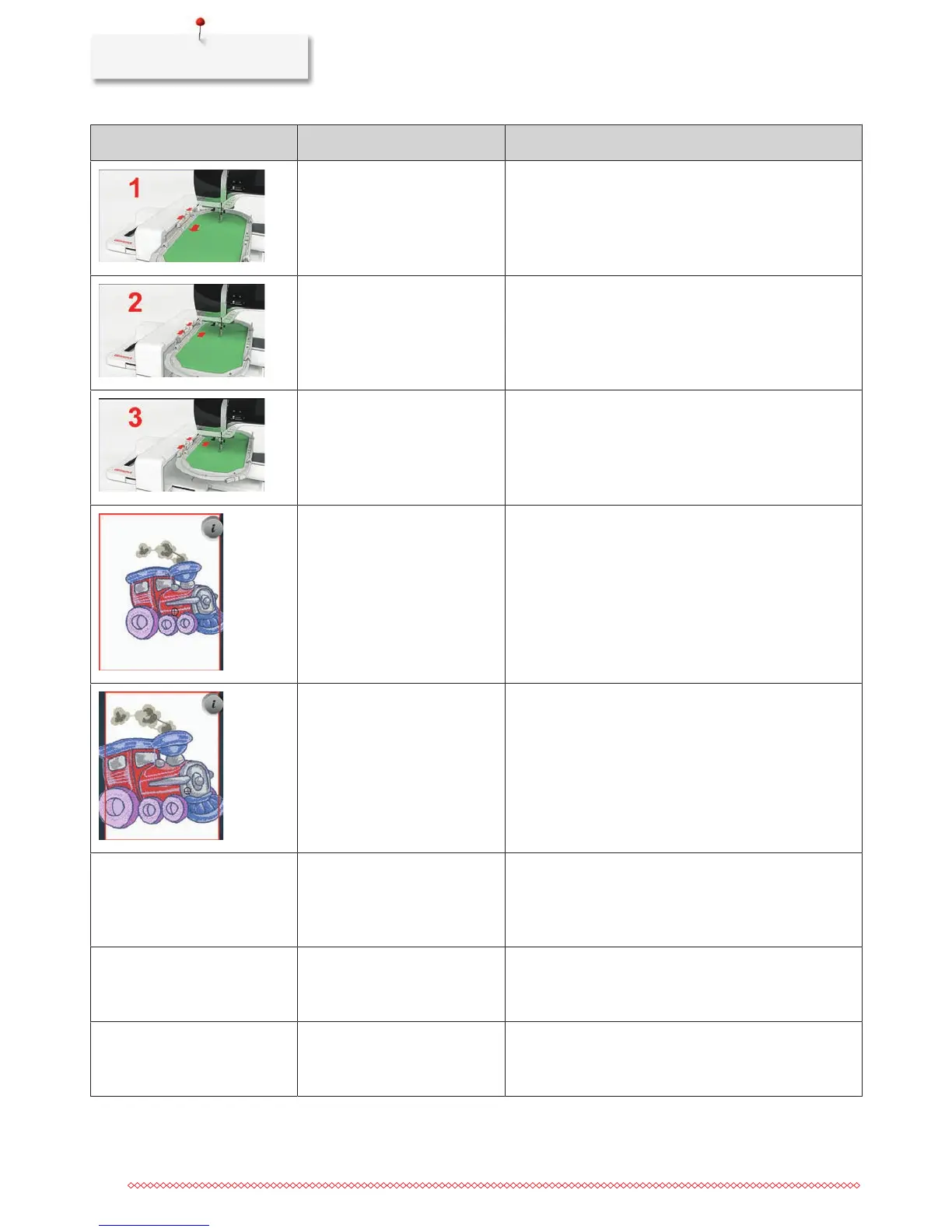
Mega Hoop top. > Bring the Mega Hoop to the top position.
Mega Hoop center. > Bring the Mega Hoop to the center position.
Mega Hoop bottom. > Bring the Mega Hoop to the lower position.
The embroidery motif is partly
outside the hoop.
> Reposition the embroidery motif and start embroidering
it again.
The embroidery motif is too
large.
> Reduce the size of the embroidery motif.
> Attach a bigger hoop.
Too less free capacity on the
BERNINA USB stick (optional
accessory).
Not enough free capacity on the
BERNINA USB stick (optional
accessory).
> Make sure that the BERNINA USB stick (optional
accessory) is used.
> Delete data from the BERNINA USB stick (optional
accessory).
No personal data on the
BERNINA USB stick (optional
accessory).
No personal data for recovery
available on the BERNINA USB
stick (optional accessory).
> Make sure that the data and settings have been saved
on the BERNINA USB stick (optional accessory).
The recovery of personal data has
failed.
The software update has been
successful but the personal data
couldn't be recovered.
> Make sure that the data and settings have been saved
on the BERNINA USB stick (optional accessory).
> Transfer saved data to the machine.



 To Next Page