140
Embroidery Motifs
With Functions
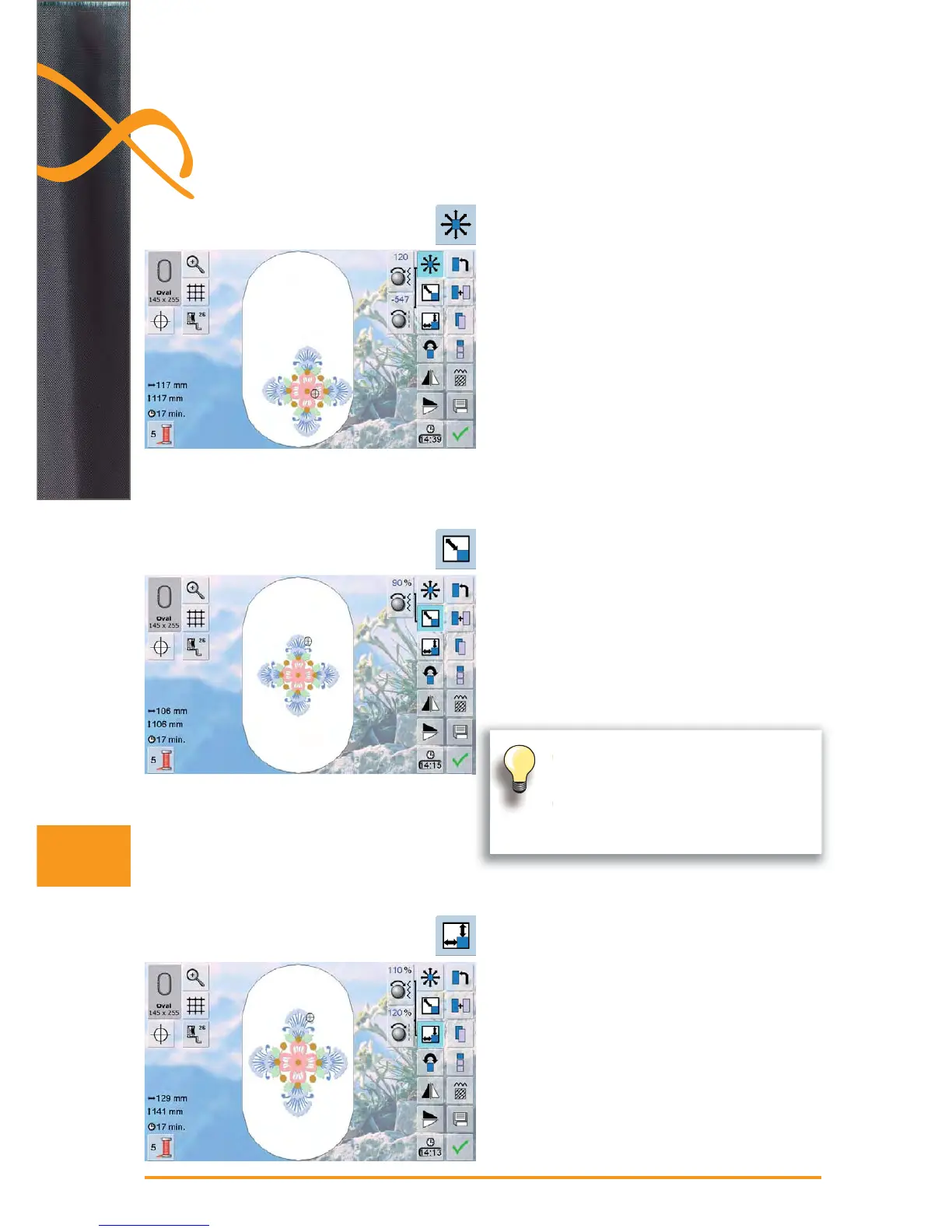
enlarge embroidery motif, turn stitch width knob ►
clockwise
reduce embroidery motif, turn stitch width knob counter- ►
clockwise
the alteration is displayed in percent (%) in the Informa- ►
tion Area
to reset to the basic setting (100%) of the embroidery ►
motif, touch the Information Area
to adjust the width (widen or reduce the motif horizon- ►
tally) turn stitch width knob clockwise to widen or
counterclockwise to reduce motif
to adjust the height (lengthen or reduce the motif ►
vertically) turn stitch length knob clockwise to enlarge or
counterclockwise to reduce motif
the alteration is displayed in percent (%) in the Informa- ►
tion Area
to reset to the basic setting (100%) of the embroidery
►
motif, touch the Information Area
to move the embroidery motif horizontally, turn stitch
►
width knob
to move the embroidery motif vertically, turn stitch length
►
knob
the alteration is displayed in 1/10mm in the Information ►
Area
to move the embroidery motif diagonally, turn stitch ►
width and stitch length knob
when the same number appears in both Information
►
Areas, the motif is moved diagonally
to reset the embroidery motif back to the center, touch
►
the Information Areas or select this function (Move
Motif) again
To activate the functions touch the appropriate icon and make alterations with the stitch
width and stitch length knobs.
Enlarging or Reducing Motif Proportionally
Adjust the Motif Height or Width
Move Motif
when rescaling within a 90% to 120% ►
range, the size will be adjusted accor-
dingly without recalculation of stitches
when rescaling under 90% or over 120%, ►
the stitches will be recalculated



 To Next Page