71
Buttonholes
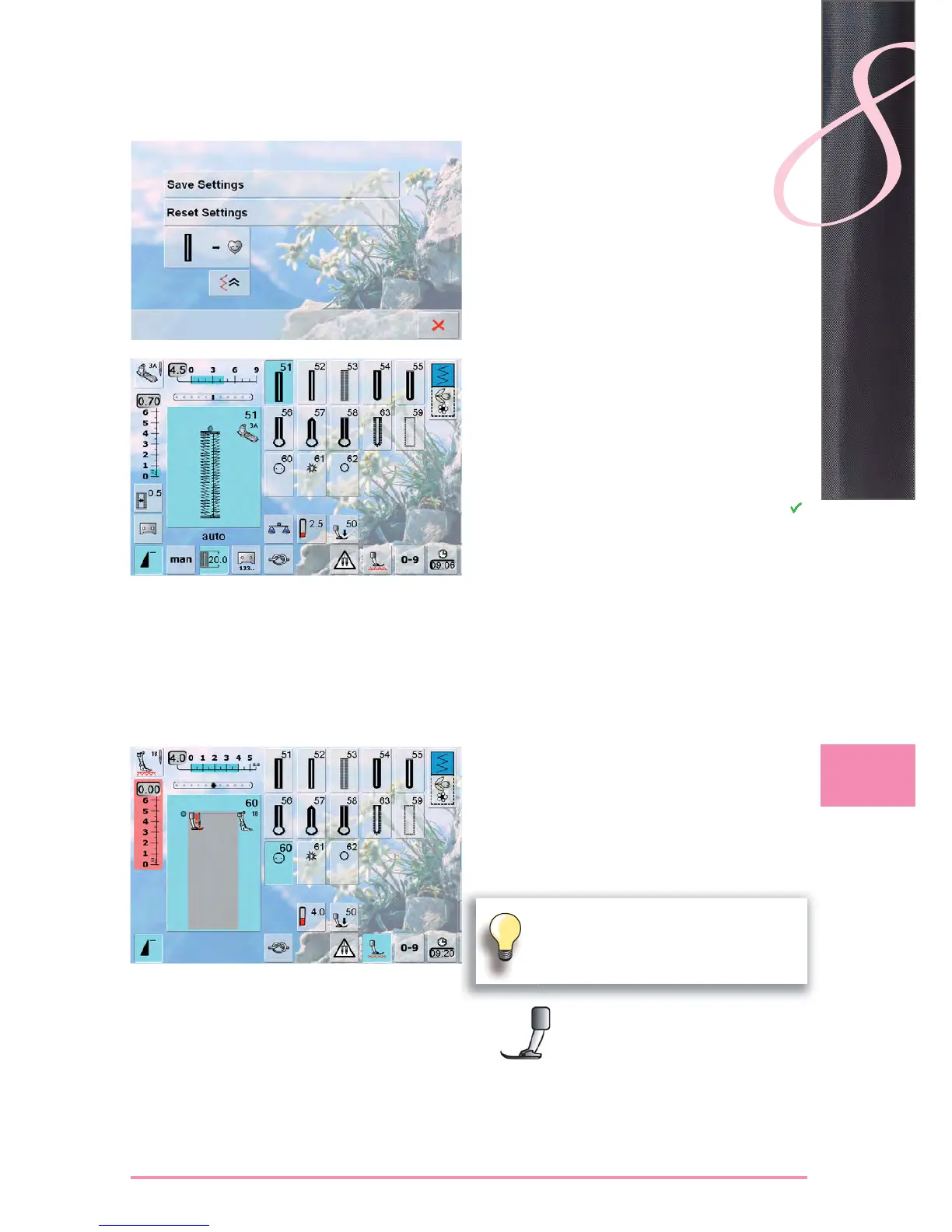
Saving Buttonhole
touch the displayed buttonhole in the Stitch Altering ►
Area
touch the «Save» function – the buttonhole is saved in
►
the Long Term Memory
Recalling Saved Buttonhole
select the desired buttonhole type ►
the length of the buttonhole appears in the «Direct Entry ►
Length» icon
«auto» and the length in mm appear on the screen ►
Changing Saved Buttonhole
select the desired buttonhole type ►
touch the «Direct Entry Length» icon ►
alter the length of the saved buttonhole; confirm with ►
save buttonhole as described above ►
the new buttonhole length overrides the existing one ►
Deleting Saved Buttonhole
select desired buttonhole type ►
touch the «Direct Entry Length» icon and program a ►
new length or touch the buttonhole displayed in the
Stitch Altering Area
touch «Reset» = the saved buttonhole is deleted
►
a new buttonhole length can be programmed ►
In Long-Term Memory
Long-term saving of buttonhole programs is only possible for buttonholes originally
stitched as «auto» length buttonholes.
Button Sew-On Program
Sewing on a 2-Hole Button
check the distance between the holes by turning the ►
handwheel and adjust the stitch width if necessary
hold the threads when starting to sew ►
sew on the button ►
the sewing computer automatically stops when program ►
is completed and is immediately ready for the next
button
If the stitch width is reduced too sharply (gray
area), the sewing computer cannot be
started. An animation appears.



 To Next Page