23
Preparation
Thread Tension
Upper Thread Tension
Basic settings are applied automatically when a stitch
pattern or program is selected.
Optimal upper thread tension is set in the factory. For this,
Metrosene threads 100/2 weight (Mettler, Switzerland) are
used in the bobbin and also in the upper thread.
When using decorative thread, tension adjustments may
be neccessary to receive optimal stitching results.
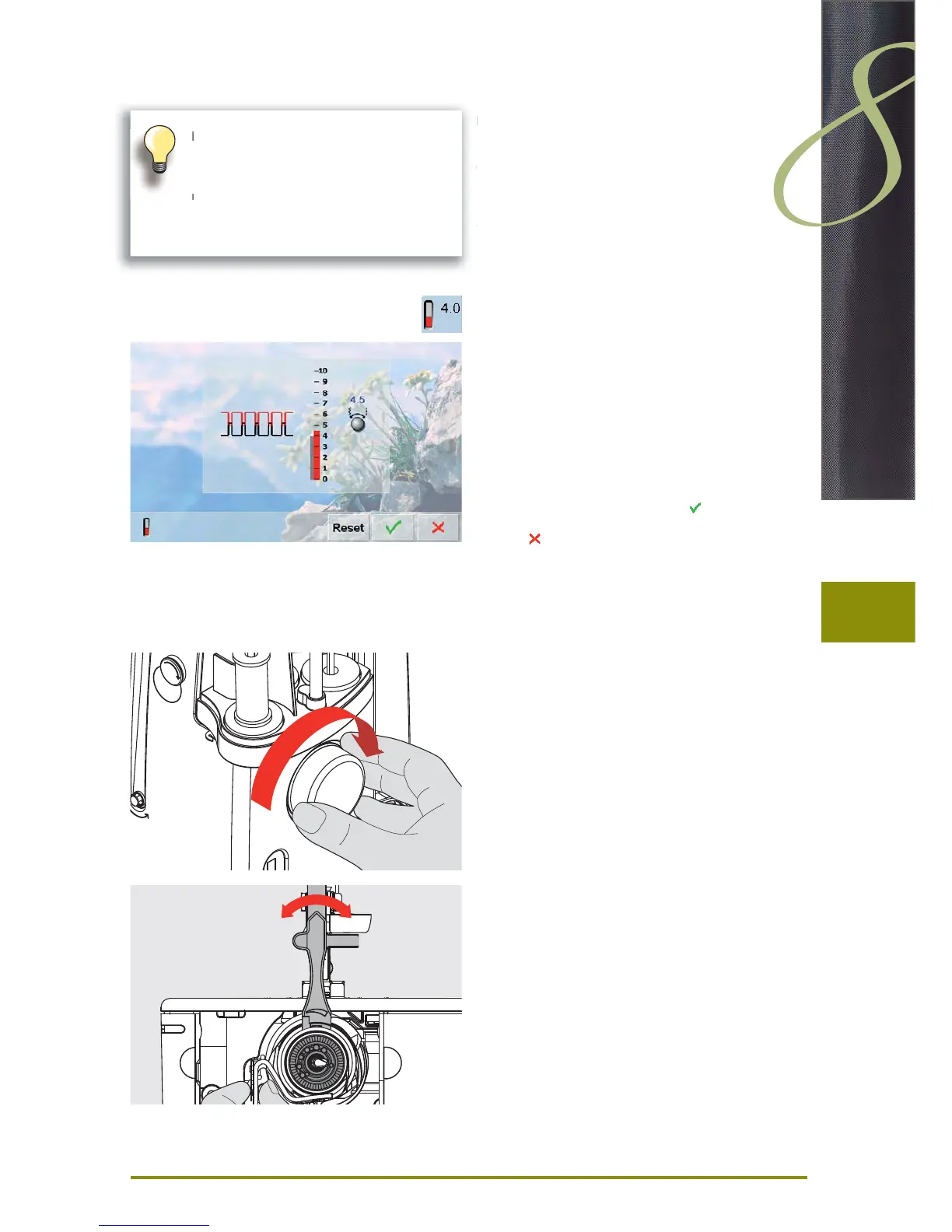
Altering the Tension
touch the icon and the optimal stitch formation (stitch ►
formation in the fabric) is displayed
the red bar on the scale shows the basic value ►
turn the stitch width or stitch length knob to the left or ►
the right = the thread tension is loosened or tightened
the tension alteration is indicated on the right side of the ►
thread tension scale
the tension alteration only affects the stitch selected ►
the alteration is shown on the scale (red) and in the ►
function icon
the basic setting remains visible (gray) when a change ►
is made
the settings are saved by touching ►
touch «Reset» to return to basic settings ►
touch ►
, settings do not change
delete: with «clr», «Reset», also when turning off the ►
sewing computer
Lower Thread Tension
hold bobbin case firmly with your left hand; with your ►
right hand, turn the hand wheel clockwise until the
setting tool can be slid over the lug at the slider
basic value: ►
lug of the slider matches with the marking of the ‣
bobbin carrier, or
lug is shifted 1-2 points to the right, or ‣
lug is shifted 1-2 points to the left ‣
turn lug to the left with the setting tool = thread tension ►
becomes looser
turn lug to the right with the setting tool = thread tension ►
becomes tighter
change per point = 4 g ►
Higher upper thread tension = the upper
thread is tightened, which pulls the lower
thread up to the topside of fabric.
Lower upper thread tension = the upper
thread is loosened, which enables it to be
pulled to the backside of the fabric.



 To Next Page