82
Long Term Memory
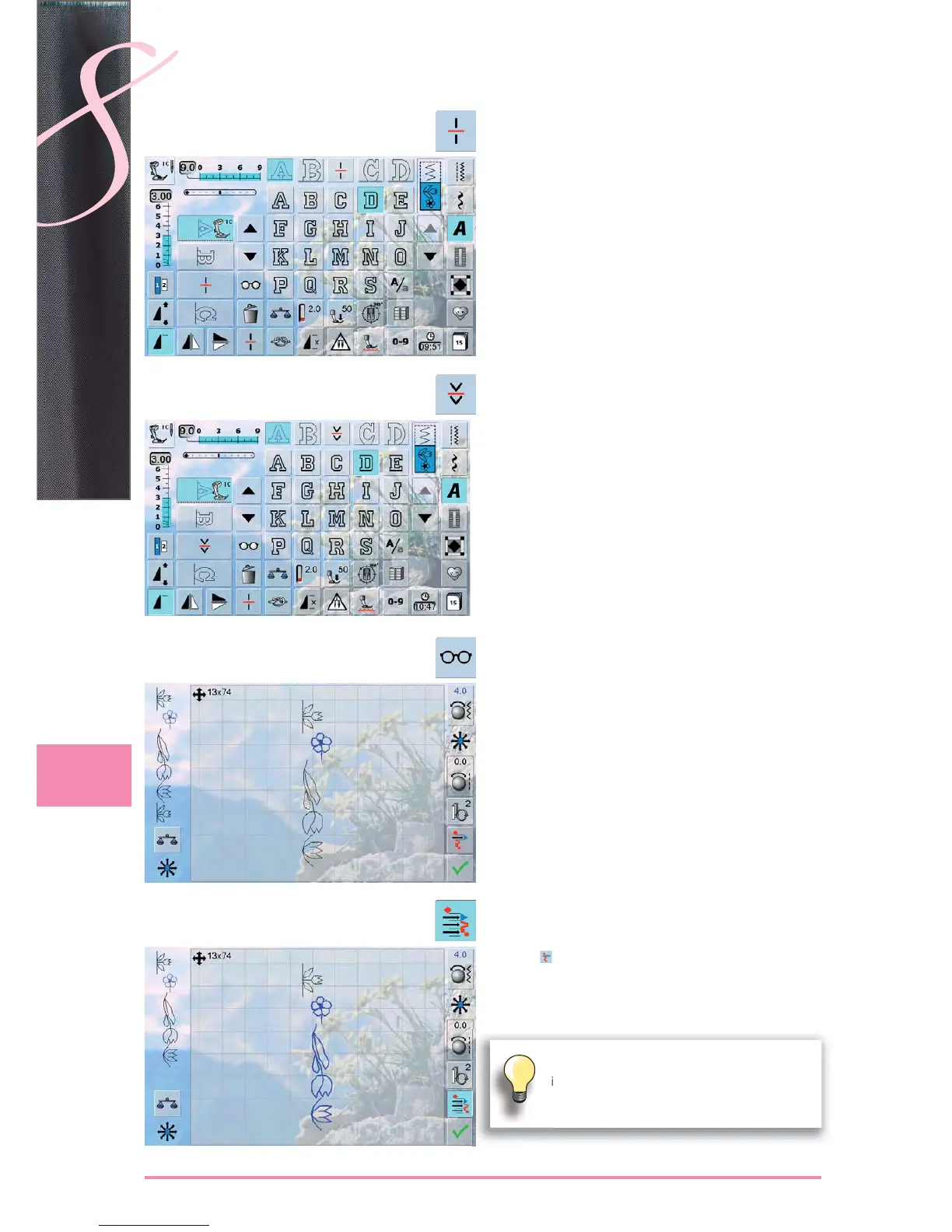
Combination Subdivider 1
a combination can be subdivided into several sections ►
with the «Subdivider 1» function
only the section where the cursor is positioned is sewn ►
to sew the next section, the cursor must be placed in the ►
respective section
Combination Subdivider 2
touch the «Multifunction» icon ►
a combination can be split into various sections using ►
the «Combination Subdivider 2» function
sew the first section, the sewing-/embroidery computer
►
stops automatically when it reaches the programmed
function
reposition the fabric, press the foot control = the next
►
section is sewn etc.
Connecting Stitches
Move single Stitch Pattern
in a Combination
touch the «Multifunction» icon ►
touch «Move» icon ►
touch the «Stitch selection» icon until the desired ►
pattern is activated
using the stitch width and stitch length knobs, the touch
►
pen or a finger the individual stitch pattern in a combina-
tion can be moved horizontally, diagonally or vertically
Move multiple stitch pattern
of a Combination
proceed as described in steps 1-3 above ►
touch ► Combination» icon
the active and any further stitch patterns are moved with ►
the stitch width and stitch length knobs, the touch pen or
a finger
Test-sew first on a piece of the fabric you
intend to use for the sewing project.



 To Next Page