155
Starting to Embroider
Selecting the Embroidery Hoop
Edit Screen
select an embroidery motif from the various choices of ►
motifs
the screen «Edit» appears ►
the selected embroidery motif is shown in the most ►
appropriate (smallest possible) hoop
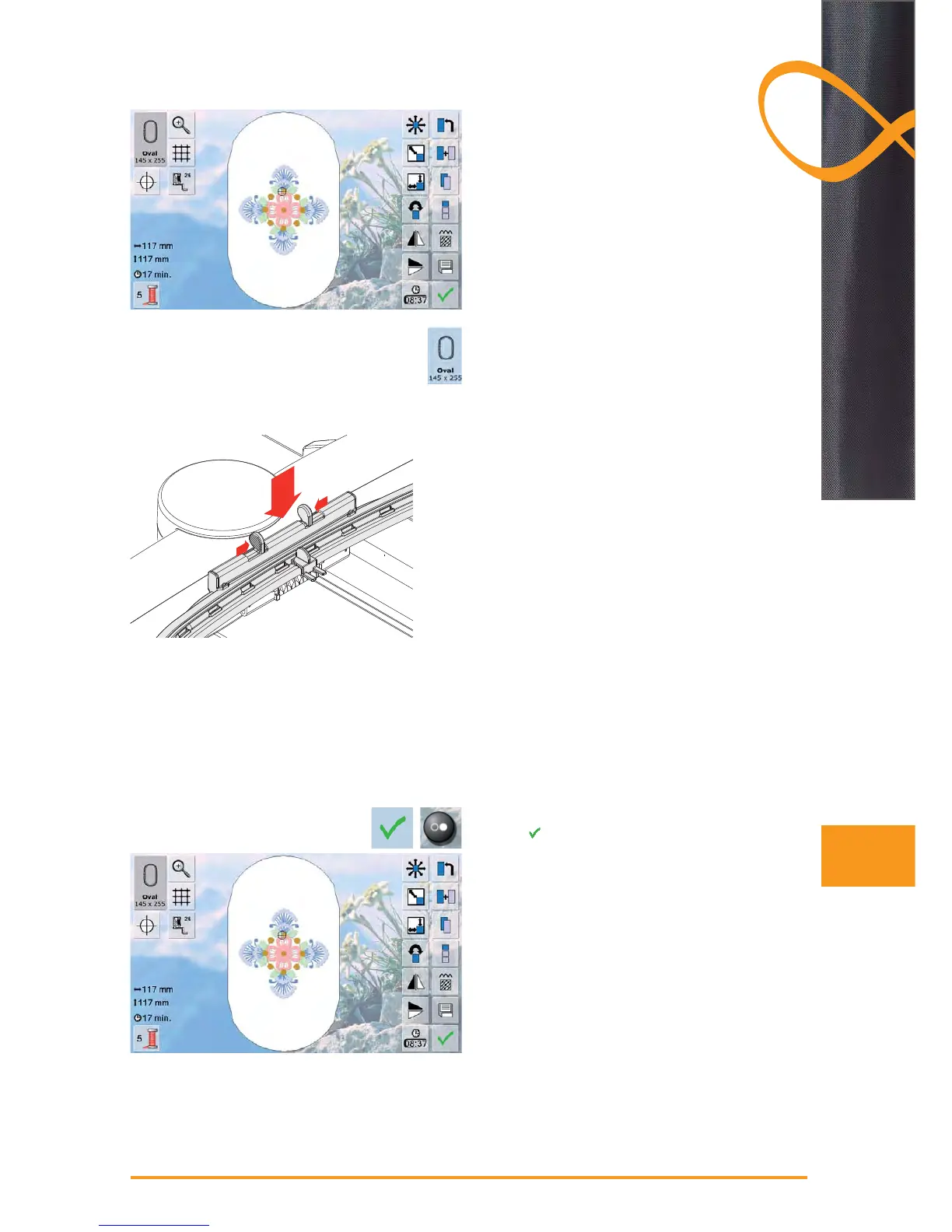
the «Hoop» on-screen button shows which hoop should ►
be attached
attach the recommended hoop ►
Attaching the Embroidery Hoop
Raising Needle and Embroidery Presser
Foot
raise needle and embroidery presser foot ►
hold the hoop with the right side of the fabric up and the ►
attaching mechanism to the left
Attaching the Hoop
pass the hoop under the embroidery presser foot ►
squeeze the ends of the attaching mechanism on the ►
side of the hoop
position the center points of the hoop (small attachment
►
clamps) over the bracket of the embroidery arm
push the hoop down until it engages ►
release the attaching mechanism of the hoop ►
Removing the Hoop
press both ends on the hoop attaching mechanism ►
towards each other
pull up to remove the hoop ►
Starting to Embroider
touch ► or press the Start-Stop-button on head frame
embroidery computer moves to check if hoop is ►
attached
1
1
2
Embroidery



 To Next Page