32
Functions
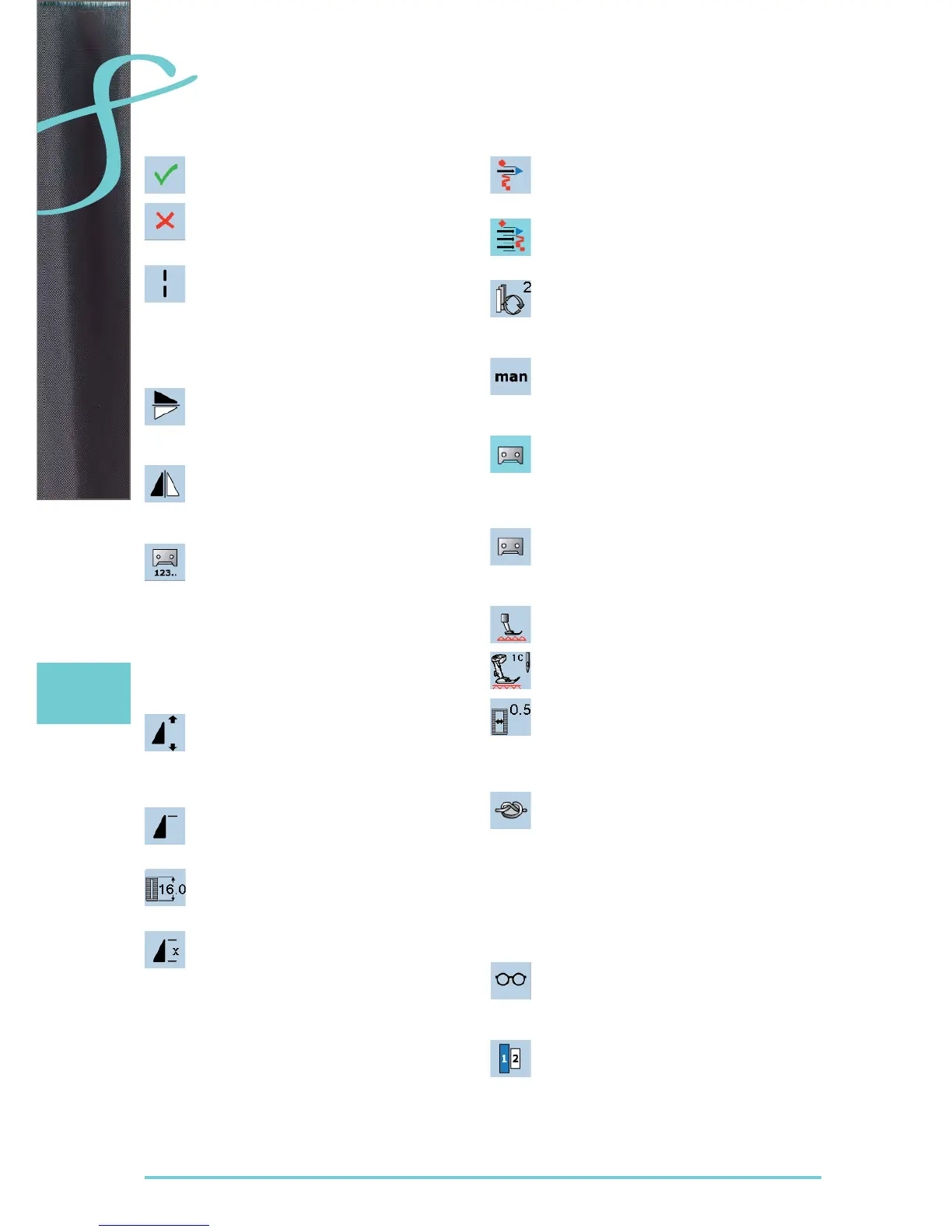
Confirm Selection
activate or confirm change/selection ►
Leave Active Screen
close application ►
return to the last active screen ►
Long stitch
the sewing computer sews every second ►
stitch (max. stitch length 12mm)
can be used for practical and decorative
►
stitches
exception: buttonholes and sideways motion ►
stitches
Mirror Image (Up/Down)
the sewing computer sews the selected stitch ►
pattern in vertical Mirror Image (up/down – de-
termined by the sewing direction)
Mirror Image (Left/Right)
the sewing computer sews the selected stitch ►
pattern in horizontally Mirror Image (left/right
– determined by the sewing direction)
Stitch Counter
when the desired length is achieved (e.g. first ►
buttonhole bead or straight stitch), touch the
Quick Reverse Button
the display changes to «auto» (for the
►
buttonhole, only after length of second bead is
determined by pressing the Quick Reverse
Button)
the stitch pattern selected is temporarily ►
programmed
Pattern Extend 2-5x
touch the icon one or more times, the ►
numbers 2-5 appear
stitch integrity is maintained ►
stitch pattern is extended ►
Pattern begin
the needle moves to the beginning of a stitch ►
pattern or program
Buttonhole Length Direct Entry
enter buttonhole length via stitch width or ►
stitch length knob. Number in mm
Pattern repeat 1-9x
touch the icon several times, the numbers 1-9 ►
appear
number 1: the sewing computer stops at the ►
end of an individual stitch or stitch combina-
tion
numbers 2-9: the sewing computer stops at ►
the end of a stitch or stitch combination after
the number of repeats selected
Moving single stitch patterns
move single stitch patterns of combinations ►
horizontally, vertically or diagonally
Moving multiple stitch patterns
move parts of stitch patterns combinations ►
horizontally, vertically or diagonally
Retrieve
switches between the stitches combined ►
active stitch is shown in color and can be ►
moved
Manual Buttonhole
special screen appears ►
sew manual buttonhole in 5 or 7 steps ►
(depending on buttonhole type)
Programming Buttonhole Length
icon is automatically highlighted in blue when ►
a buttonhole is selected
set the buttonhole length with the Quick ►
Reverse Button or directly program the length
displayed by pressing the icon
function turns inactive after programming the
►
length
if a new length is to be programmed, touch ►
icon again
Feed-dog position
touch the icon «lower feed-dog» = feed-dog is ►
lowered
the lowered feed-dog is shown by the red,
►
flashing symbol
Buttonhole Slit Width
set the buttonhole slit width to between 0.1mm ►
and 2.0mm using the Stitch Width or the Stitch
Length Knob
the standard width is 0.5mm ►
Securing
touch icon before sewing starts = single ►
pattern is secured at the start with 4 securing
stitches
touch icon during sewing individual stitches = ►
individual stitches will be secured at the end,
the sewing computer stops
program the function within a pattern combina- ►
tion = each individual pattern of the combina-
tion can be secured at the start or the end
Multi-function button
only active in combination mode ►
when selected, a screen with further functions ►
appears
Lettering size in alphabets
when alphabet is selected, the lettering size is ►
9mm
when the function is selected, «2» is activated
►
and the alphabet is sewn with 6mm lettering
size
Sewing
Active functions are highlighted in blue, inactive functions are gray.
The multifunction keys are switched off by keeping them pressed a few seconds.


 To Next Page