44
Setup Program
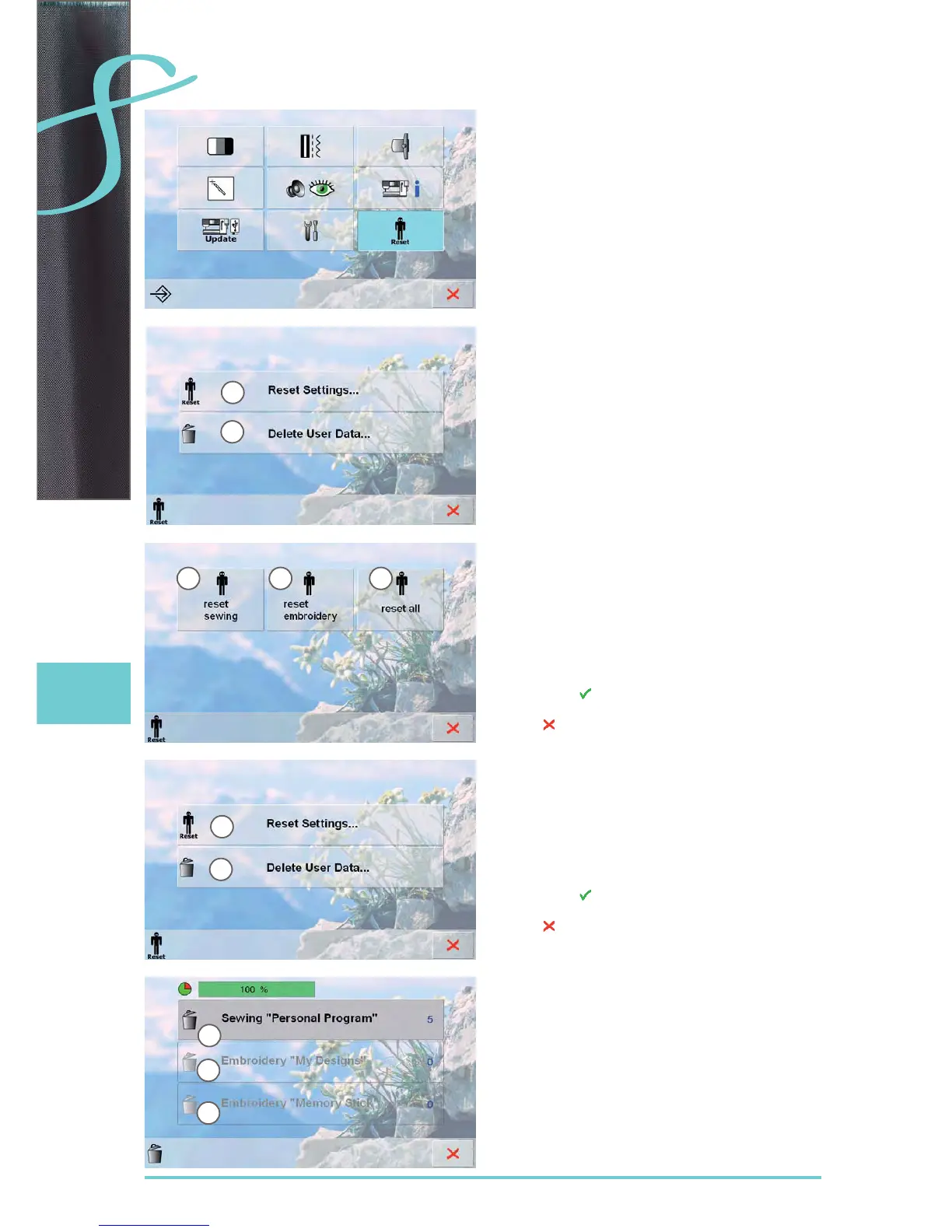
Choose from the following options by pressing the Reset
button:
Reset Settings1
Delete User Data2
Reset Settings
Choose from the following options by pressing bar 1:
Reset SewingA
Reset EmbroideryB
Reset AllC
touch the bar whose settings are to be returned to the ►
basic settings
confirm with ►
the previous screen appears ►
touch ► until the selection menu appears
Delete User Data
Choose from the following options by pressing bar 2:
Sewing «Personal Program»D
Embroidery «My Designs»E
Embroidery «Memory Stick» (the Memory Stick
F
must be inserted in the sewing computer)
touch the bar that the settings are to be deleted ►
confirm with ►
the data is deleted and the previous screen appears ►
touch ►
until the selection menu appears
Reset / Delete User Data
A B C
1
1
2
2
D
E
F



 To Next Page