62
Alphabets
Combining Lettering
individual letters and rows of the same letter of the ►
same alphabet are sewn in Single Mode
letters for names, addresses, words, etc. are combined
►
and sewn in Combi Mode
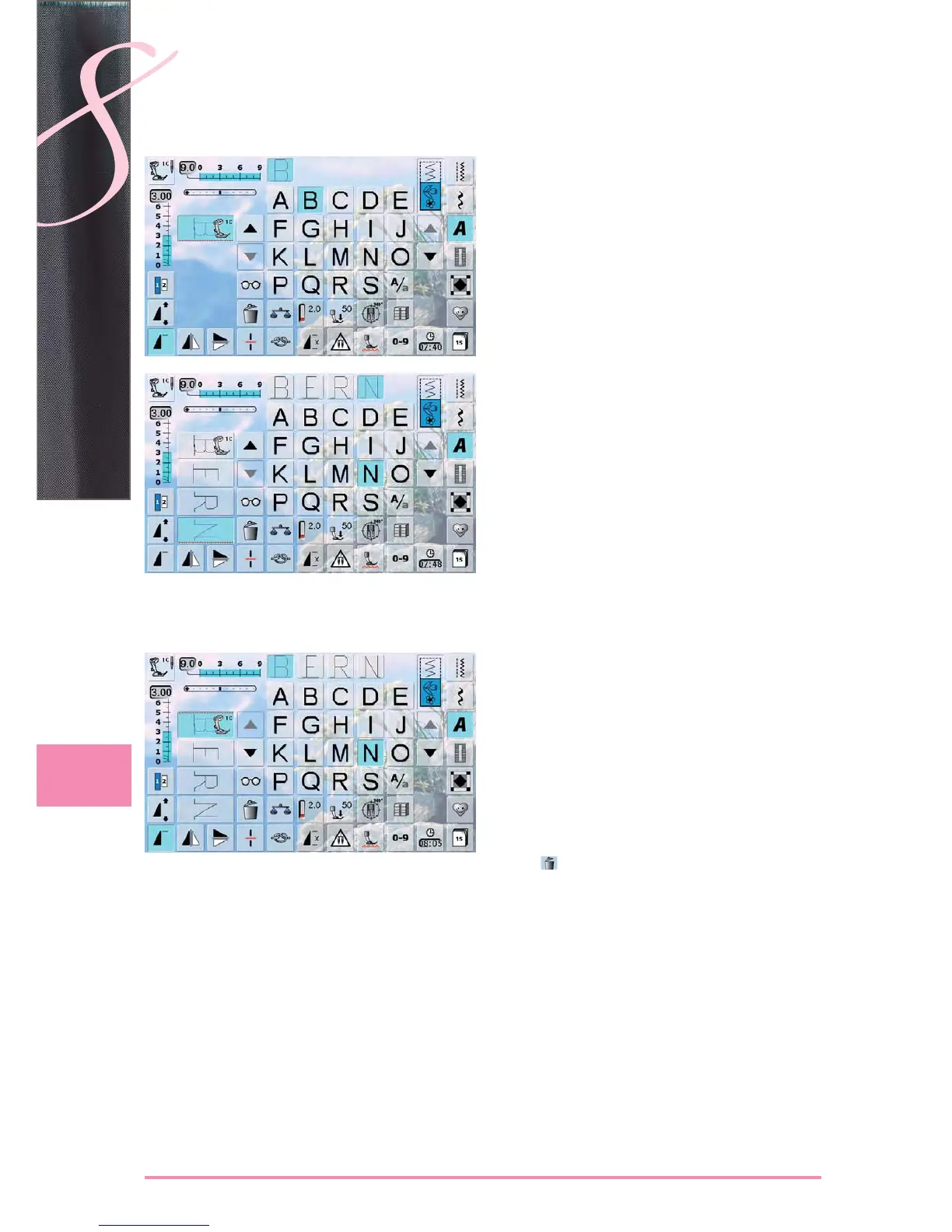
Combinig Letters
open Combi Mode ►
select desired letter ►
letter appears in Stitch Altering Area and on bar above ►
Alphabet menu
cursor is below the letter ►
select next letter by touching required button ►
second letter appears in Stitch Altering Area, etc. ►
Inserting Letters
a letter is always inserted above the cursor ►
cursor must be scrolled up (arrow) to insert an additional ►
letter at the beginning of lettering
activate desired place by selecting required letter in
►
Stitch Altering Area or scroll to it
select new letter ►
letter is inserted above cursor ►
Deleting Letters
a letter is always deleted above the cursor ►
activate desired place by selecting required letter in ►
Stitch Altering Area, or scroll to it
touch ►
letter is deleted ►
saving and deleting combinations see pages ► 78 – 83
Alphabets
Correcting Combinations


 To Next Page