52
Stitch Patterns
Selection
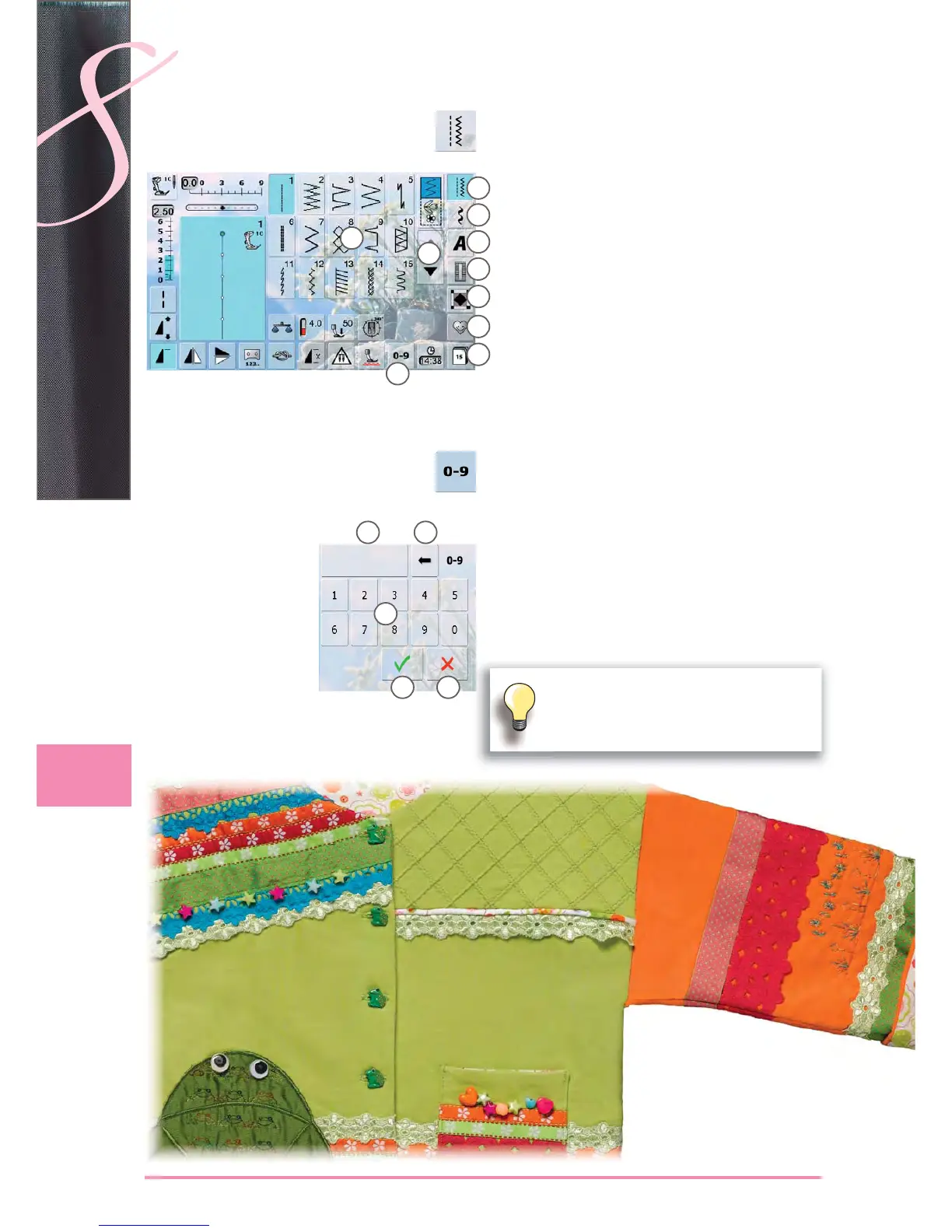
select from main categories ► A - G
A Practical stitches
B Decorative stitches
C Alphabets
D Buttonholes
E Quilt stitches
F Personal Program
G History
the available stitch patterns appear in display section ► H
select desired stitch pattern ►
scroll ► I to view all other stitch patterns of the category
Input
select stitch pattern by entering the number after ►
touching the icon J
number keys ► 1 appear in display section H
the selected stitch number appears ► 2
3 ► to delete the previously entered number
the entire number is deleted if you touch ► 2
confirm entry ► 4
Cancel
back to the previous screen without selecting stitch ►
pattern 5
via Screen
by Stitch Number
A
B
C
D
E
1
2 3
4 5
H
I
F
G
J
An invalid stitch number will be indicated in
bar 2 with 3 question marks.



 To Next Page