48
Balance
Balance Description
The sewing computer is tested and optimally set before it leaves the factory. Different
fabrics, threads, stabilizers and interfacings can affect programmed stitches so that they
are not sewn out properly.
These effects can be corrected with the electronic Balance so that the stitch formation
can be adjusted where necessary to suit the fabric.
Practical and Decorative Stitches
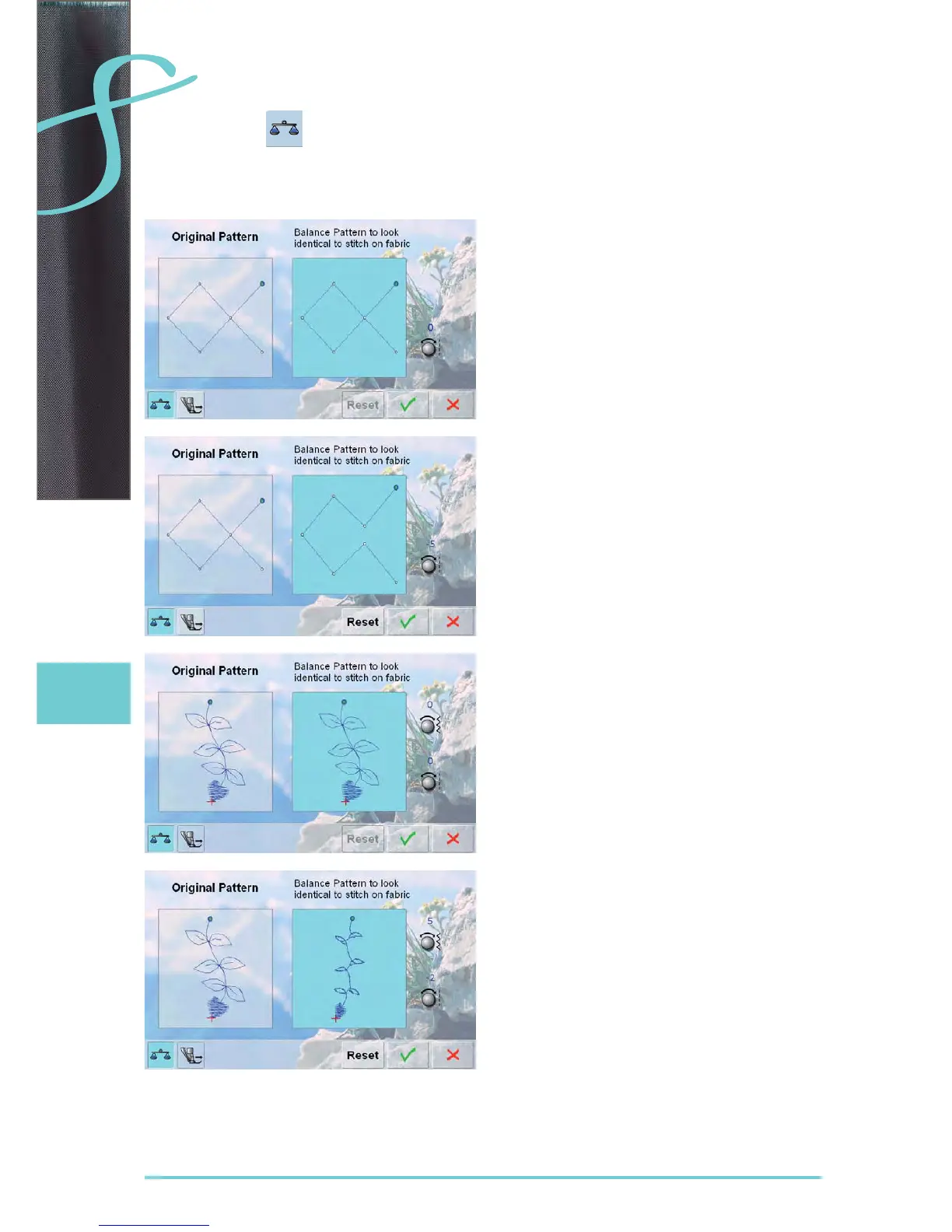
in the left portion of the screen the stitch is displayed in ►
its original form
in the right portion of the screen the alterations made ►
are directly visible
the corrections can be made while sewing (with opened
►
screen)
Corrections
the stitch sewn on the fabric (e.g. the Honeycomb stitch) ►
opens up and it does not look correct:
turn the stitch length knob until the stitch in the right ‣
portion of the screen is identical with the stitch on the
fabric
Sideways Motion Stitches
in the left portion of the screen the stitch is displayed in ►
its original form
in the right portion of the screen the alterations made ►
are directly visible
the corrections can be made while sewing (with opened
►
screen)
The stitch sewn on the fabric (e.g. stitch no. 809) is
vertically and horizontally distorted.
Vertical Corrections
turn the stitch length knob until the stitch on the right ►
portion of the screen is identical with the stitch on the
fabric
Horizontal Corrections
turn the stitch width knob until the stitch on the right ►
portion of the screen is identical with the stitch on the
fabric



 To Next Page