184
Troubleshooting
Error Message Explanation Repair
Thread blockage in the hook
with the needle down
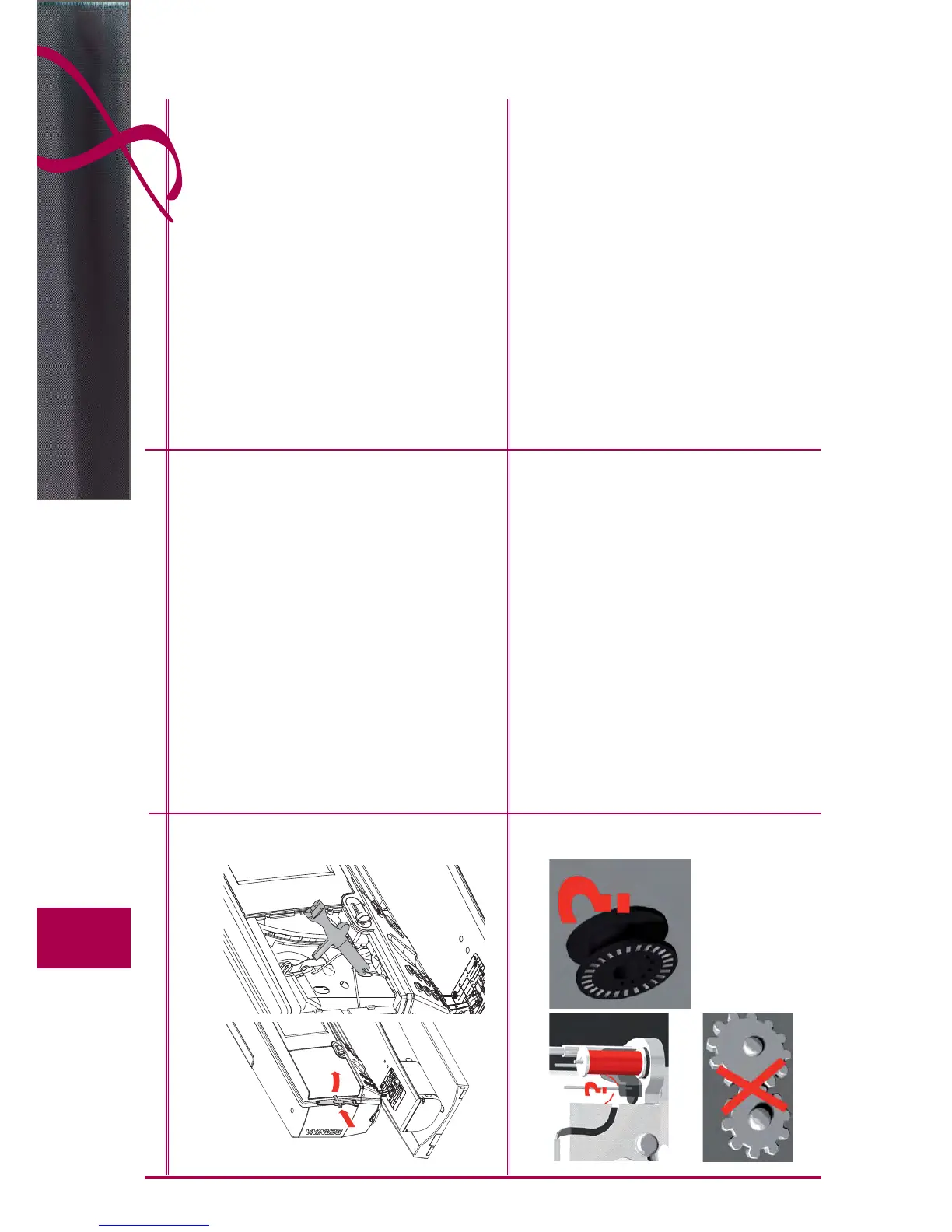
Thread is caught in the hook area Remove the cover to the left of the screen as follows:
with your left hand, guide the multifunction tool into the slot ►
on the left of the cover and press the lock
with your right hand, remove the cover to the front at the ►
same time
with the multifunction tool, disengage the needle bar ►
remove the needle ►
replace cover and press to back until it clicks into place ►
further procedure see ► «blocked hook»
Blocked Hook
Entangled threads in the hook system The error messages listed here may be generated by various
failures.
Please follow this standard procedure in all the cases:
Step 1 If the needle is not in its upmost position, raise
needle by turning handwheel counterclockwise.
If this doesn‘t work, cut upper thread, remove
servicing cover and use the multifunction tool to
release the needle bar and bring it up, see also
«Thread blockage in the hook with the needle
down» on page 184.
Step 2 Raise presser foot.
Step 3 Use the scissors to cut the upper and lower thread
above the stitch plate.
Step 4 If bobbin door is not open, then open. Message
«Manual mode for troubleshooting» appears with
instructions.
Step 5 Disconnect the foot controller.
Step 6 Remove needle.
Step 7 Swing hook out manually by turning the handwheel
clockwise.



 To Next Page