LB 983 NightSHADE Operating Manual Quick Start
27
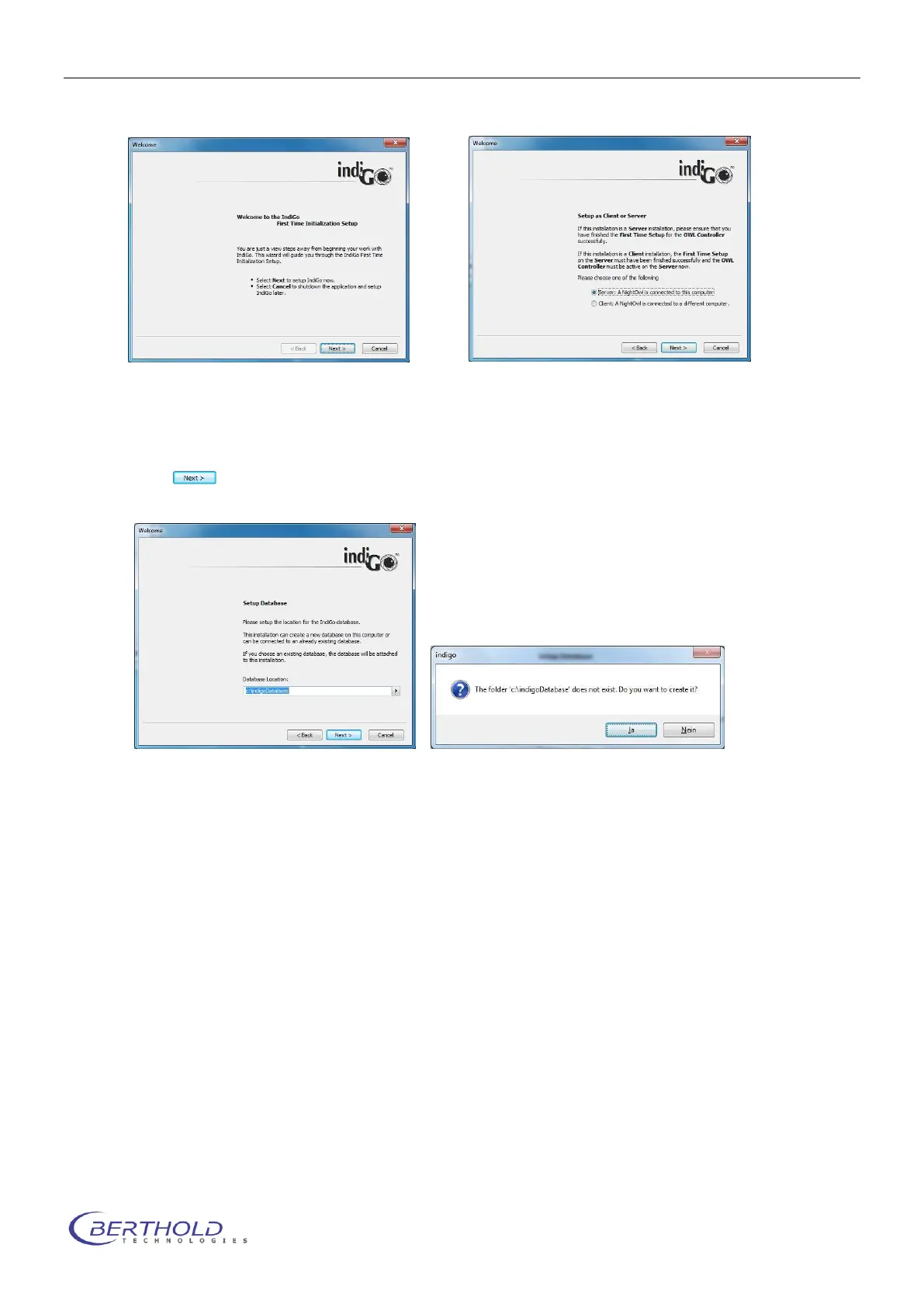
The first time initialization setup will start.
If the PC running indiGO is conneted to the NightSHADE directly through USB choose
“Server” to install the instrument controller as well as the evaluation part.
In case of a network connection to a NightSHADE, select “Client” installation.
Click to continue.
If you run and install indiGO for the first time the first time initialization setup will create
a new and empty database.
If you want to connect your indiGO installation to an existing database, you need to
set up the folder to the existing database. You can browse for a suitable database lo-
cation through the browse command.
Please note:
IndiGO manages all measuring data in a file-based database.
The indiGO software is able to manage the database on the local computer as well as
on a network location. Therefore the database location can be set up to an individual
folder.
The benefit of storage on the network is that one has access to the data from several
evaluation stations, which is a major advantage in a multi-user environment.
Due to the huge amount of data indiGO does not use a server-based database like
Microsoft SQL-server. Therefore the sharing of measurement data through a multi-
user environment is not possible. For this reason measurement data should only be
edited by one user at a time.
Old databases created with indiGO
Version 1.x are not compatible. The data created
with older indiGO versions or WinLight can be imported into the new indiGO database
using the new indiGO software.



 To Next Page