LB 983 NightSHADE Operating Manual Quick Start
57
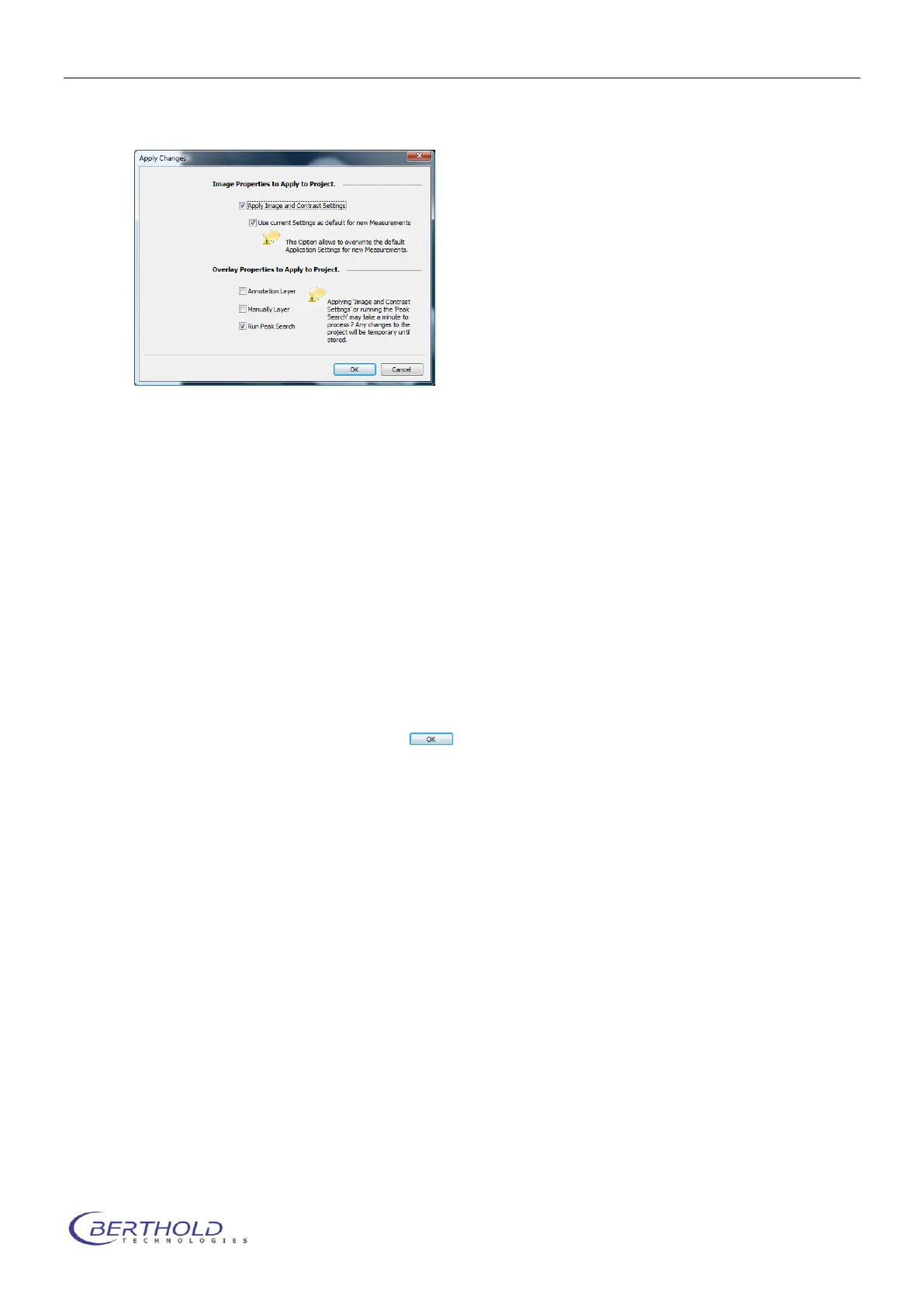
The command has to be confirmed and can be parameterized using the dialog shown below.
The following options are available:
<Apply Image and Contrast settings> will apply the image and contrast settings from the cur-
rent image to all other measurements in the project.
If <Use current Settings as default for new Measurements> is selected, these settings are
also valid for all future measurements in the project.
The selections <Annotation Layer> and <Manually Layer> will copy the areas and annota-
tions to all other measurements within the project.
The <Run Peak Search> option will perform a peaksearch on all other measurements in the
active project using the current settings.
The process will be started by selecting .
Please note:
Depending on the selections and the amount of data this function may take some time to ac-
complish.



 To Next Page