84
Event Scheduler
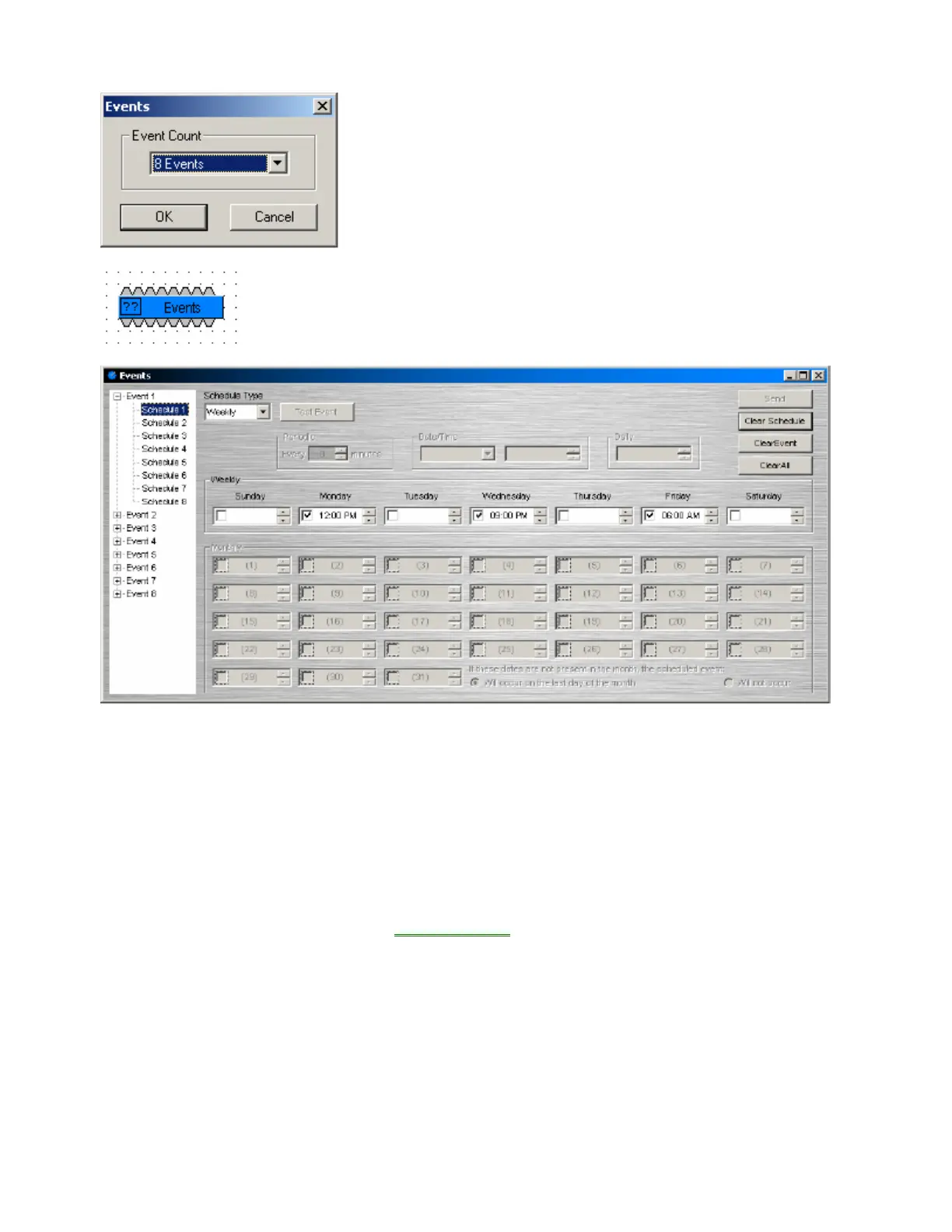
When an Event Scheduler block is placed into the Layout from the
Object Toolbar, an Initialization Properties dialog box appears for
selecting the desired number of events (up to 8). This determines
the quantity of input/output control nodes on the block as well.
Event Scheduler blocks allow timed triggering of internal or external events.
Control output nodes along the bottom of the block produce a high pulse (250mS)
whenever a scheduled event occurs. Control input nodes along the top of the
block allow the corresponding output nodes (scheduled events) to be disabled.
Double-clicking the Event Scheduler block produces a Control Dialog. An Event menu (on the left) allows up
to eight Schedules to be programmed for each Event. This allows an individual Event (output node) to be
triggered by multiple, overlying Schedules. Right-clicking an Event or Schedule within the menu allows
renaming, copy/paste, and clear functions. Schedule Type selections are: Periodic (repeats once each
period - up to 720 minutes); Date/Time (one time occurrence); Daily (repeats by time each day); Weekly
(repeats by selected days & times); Monthly (repeats by selected days & times - includes days/month
adjustment). NOTE: Although data can be entered for multiple Schedule Types, only the currently selected
Schedule Type remains active for any given Schedule. Test Event allows an Event (output node) to be
triggered manually, when 'on-line'. Send allows scheduling updates to be sent to the system, when 'on-line'.
Clear Schedule clears the selected Schedule. Clear Event clears all Schedules for the selected Event.
Clear All clears all Events and Schedules. NOTE: Default times are in 12-hour format (AM/PM), but may be
changed to 24-hour format (military) in the Properties Sheet
. This setting will affect all Event Schedulers in
the design file.



 To Next Page