VDL (E3) 09/2019 Page 106/234
11. Setting special controller functions
You can set the following functions via the controller menu:
• Activate / deactivate the Standby mode (chap. 9.5)
• Use the optional connection “GAS/AIR2” (10) for ventilation (chap. 11.2)
• Close all existing fine dosing valves (chap. 11.3)
• Turning on / off temperature control (chap. 11.4)
• Turning on / off pressure control (chap. 11.5)
• Starting / terminating the drying monitoring (chap. 11.6)
11.1 Menu structure
11.1.1 MB2 controller
11.1.1.1 “Functions on/off” menu
This chapter describes the setting with operating mode Fixed value operation. Settings for program ope-
ration are described in chap. 18.7.3 (time programs) and chap. 19.6.5 (week programs).
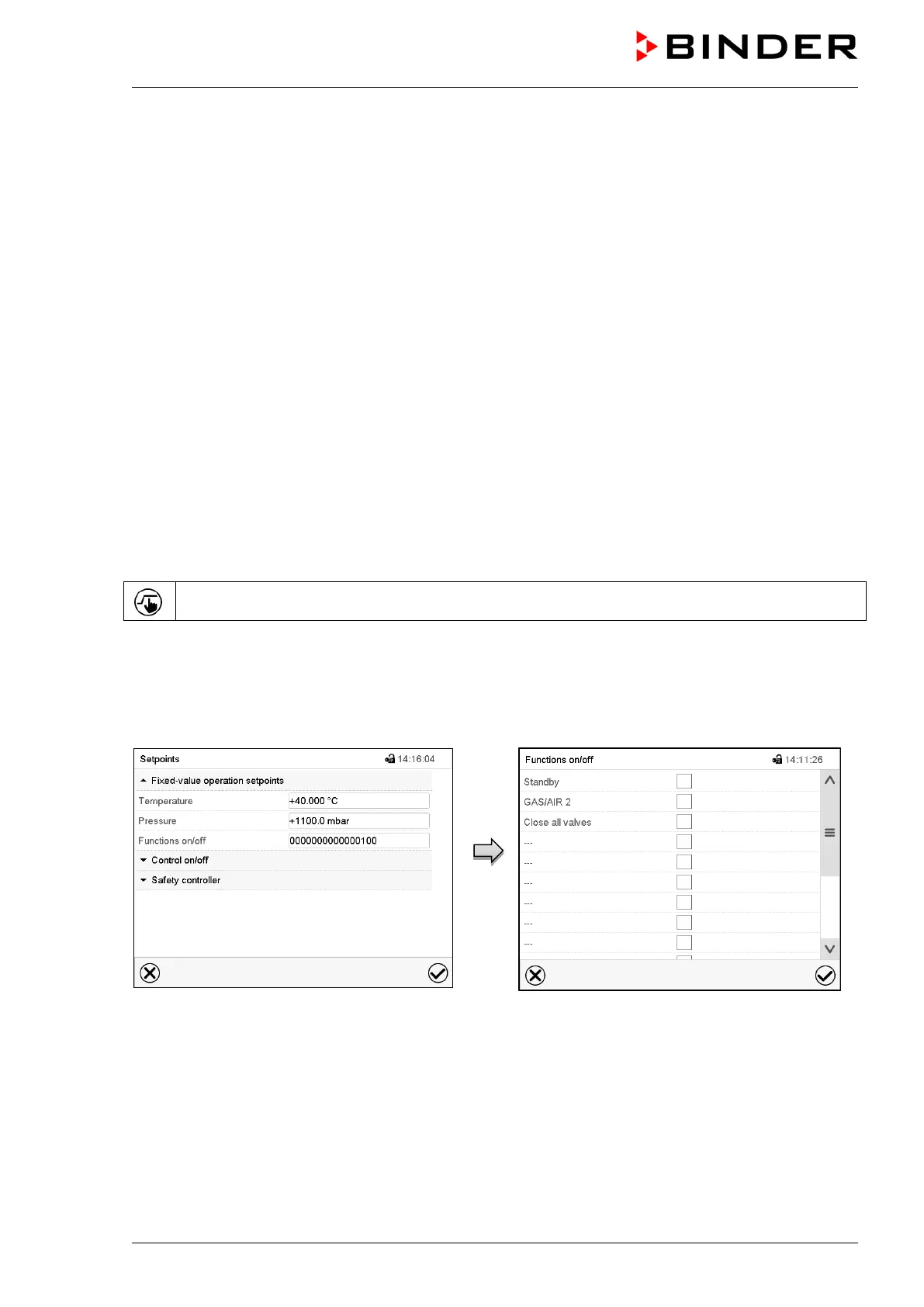
In the “Functions on/off” menu you can define the switching state of three controller functions.
Press the Setpoint setting icon to access the “Setpoint” setting menu from Normal display..
Path: Setpoint > Fixed value operation setpoints > Functions on/off
• Function “ Standby“ (chap. 9.5)
• Function “GAS/AIR 2” (chap. 11.2)
• Function “Close all valves” (chap. 11.3)
“Setpoints” menu.
Select the field “Functions on/off”.
“Functions on/off” entry menu.
Mark / unmark the checkbox to activate / deac-
tivate the desired function and press the Con-
firm icon
The functions are displayed from right to left.
Activated function: switching status “1” (On)
Deactivated function: switching status “0” (Off)


 To Next Page