VDL (E3) 09/2019 Page 140/234
• Offset: Offset value, maximum overtemperature above any active temperature set point. The resulting
maximum temperature changes internally and automatically with every temperature set-point change.
MB2 controller: This setting is recommended for program operation. It is important to check the sa-
fety controller set-point and safety controller mode occasionally, as it does not offer a fix, independent
limit temperature value, which would never be exceeded.
Example:
Desired temperature value: 40 °C, desired safety controller value: 45 °C.
Possible settings for this example:
Temperature set point Safety controller mode Safety controller value
40 °C
Limit Limit value 45 °C
Offset Offset value 5 °C
14.2.2 Setting the safety controller
14.2.2.1 MB2 controller
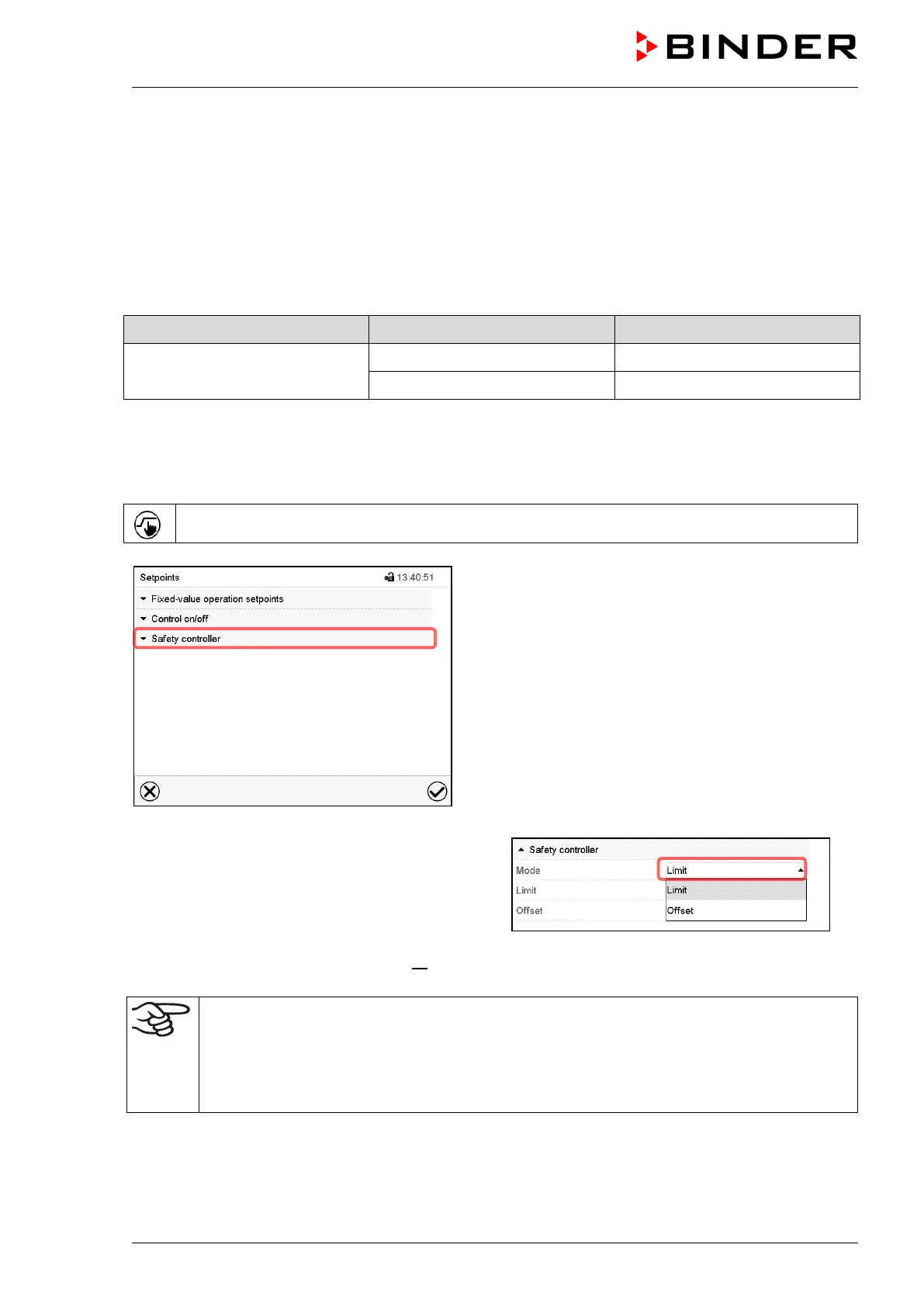
Press the Setpoint setting icon to access the “Setpoint” setting menu from Normal display.
“Setpoints” menu.
Select the field “Safety controller” to access the
settings.
• In the field “Mode” select the desired setting
“Limit” or “Offset”.
• Select the corresponding field “Limit” or “Offset” according to the selected mode and enter the desired
safety controller setpoint. Confirm entry with Confirm icon.
Regularly check the safety controller setting for set-point type “Limit” or “Offset”
• in Fixed value operating mode according to the entered set-point temperature value
• in program mode according to the highest temperature value of the selected temperature
program
Set the safety controller set-point by approx. 5 °C above the desired temperature set-point.
After completing the settings, press the Confirm icon to take over the entries and exit the menu, or press
the Close icon to exit the menu without taking over the entries.



 To Next Page